How to Add a Maiden Name on Facebook

Have your friends complained that they can’t find you on Facebook? This might be due to you not using your maiden name on the social media platform. To help you connect with friends and family, Facebook allows you to add multiple names to your profile, including your maiden name, nickname, etc. This guide will show you how to add a maiden name on Facebook.
How to Add Your Maiden Name on Facebook From the Web
While you can add multiple names to your profile, Facebook only allows name changes every 60 days.
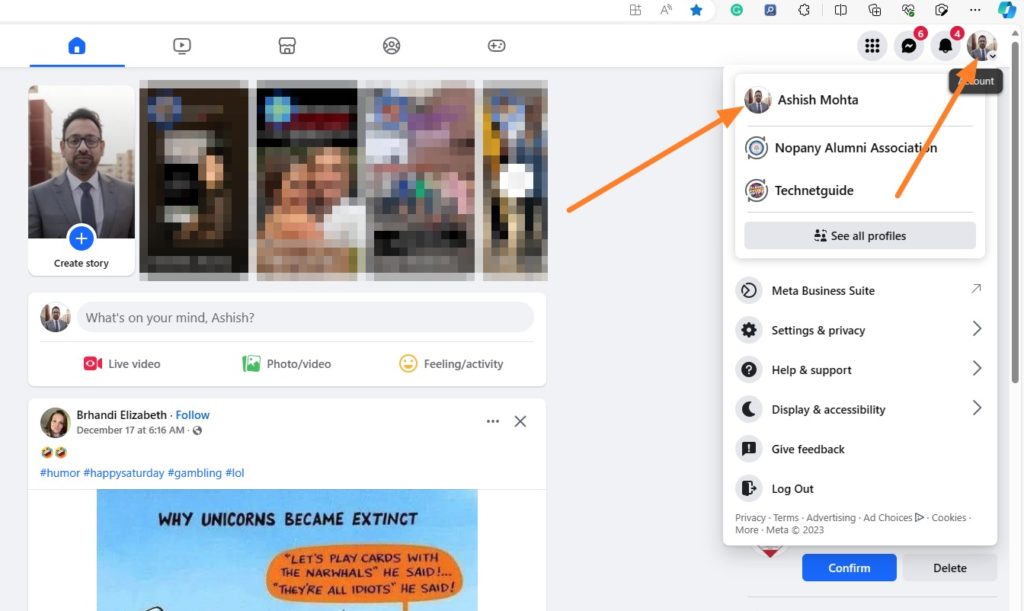
- Open Facebook on your browser and log in. Click on your profile picture in the top-right.
- Click on your Facebook profile name.

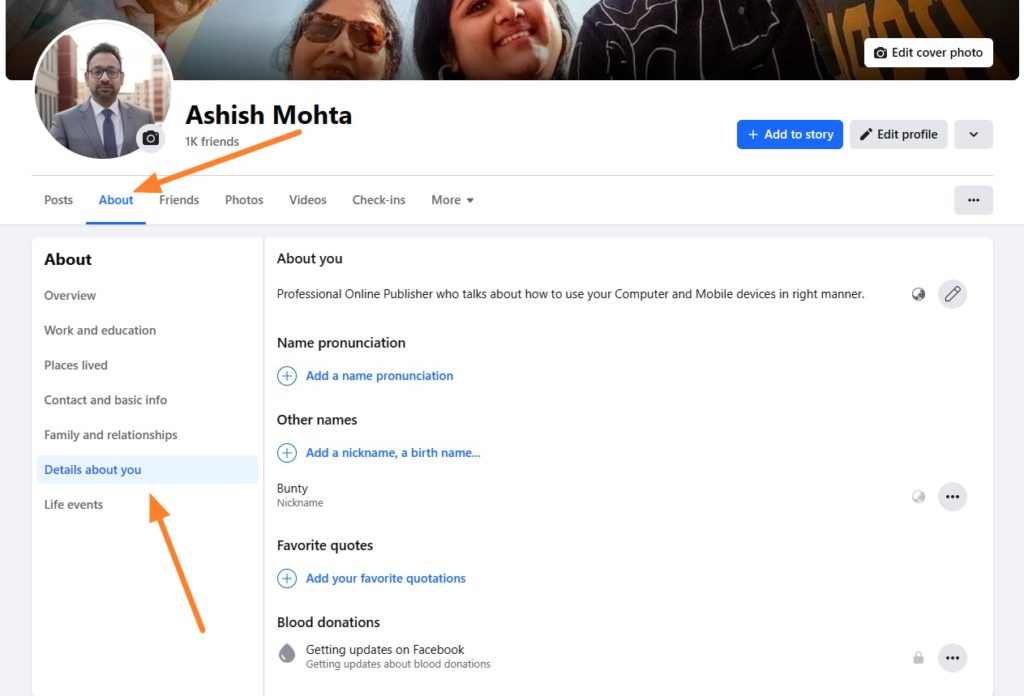
- On the profile page, go to the About section.
- Select the Details About You option.

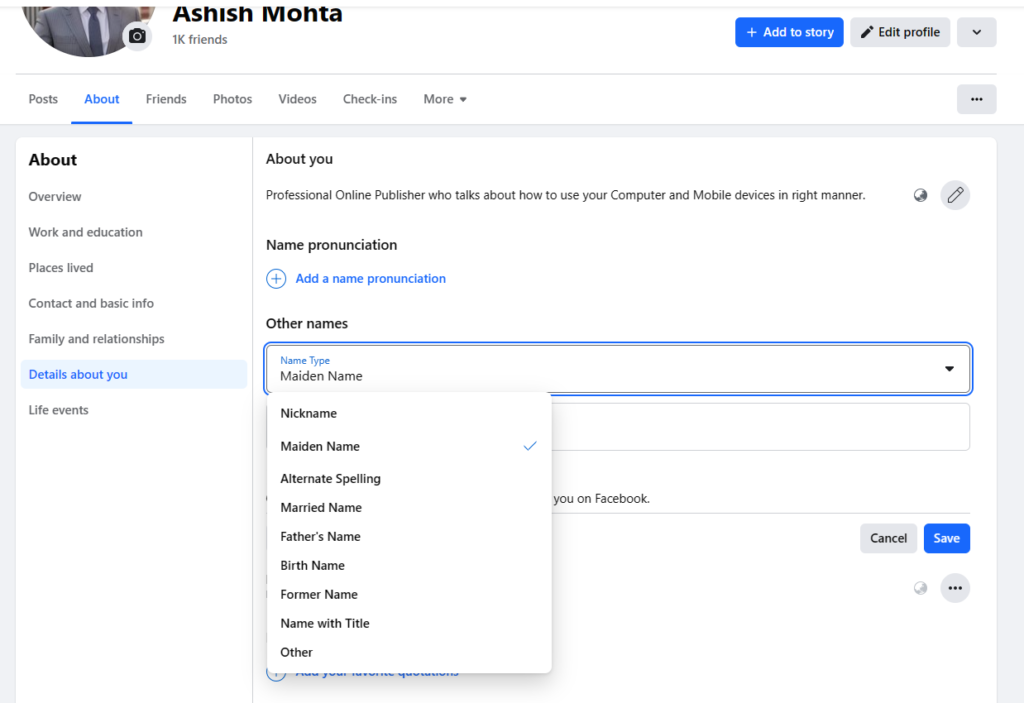
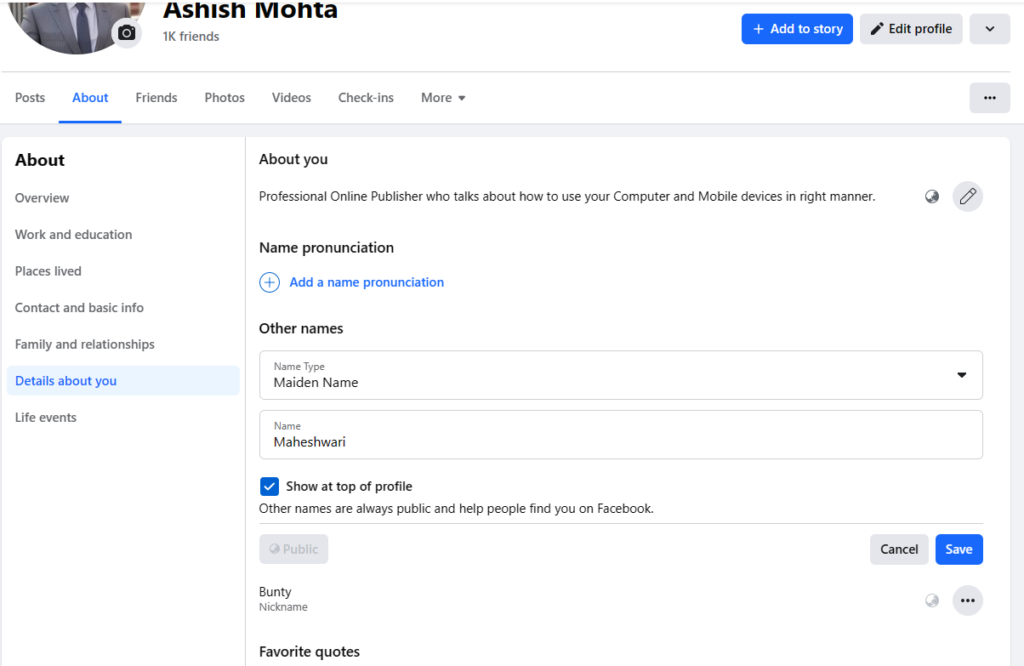
- Go to the Other names section. Click on Add a nickname, a birth name….
- From the drop-down, choose Maiden Name.

- Enter the name you want.
- Enable the Show at top of Profile option.

- Click on Save to add your maiden name on Facebook.
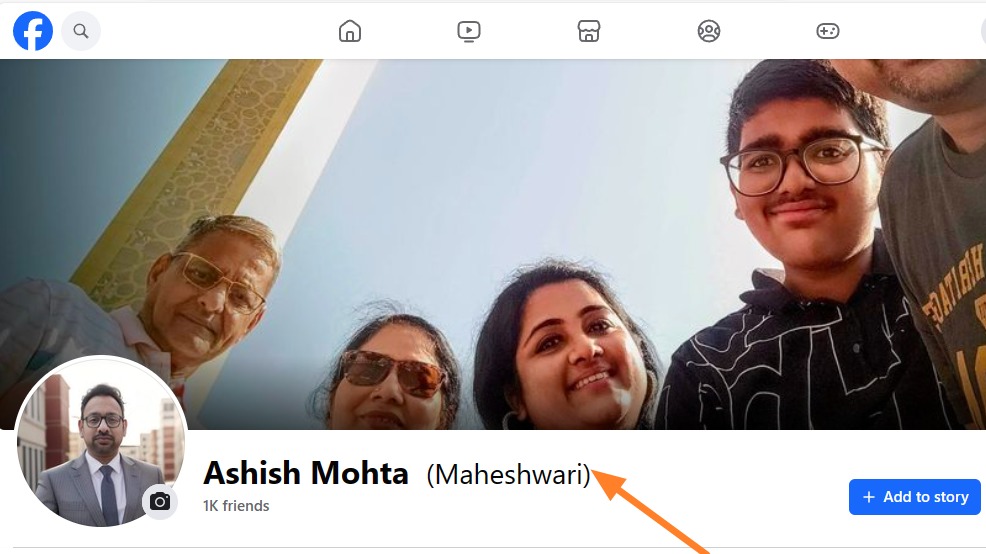
Go back to your Facebook profile, and your maiden name will appear along with your profile name but in a lighter font and inside parentheses.
Besides adding your maiden name, you can also change your Facebook profile picture silently to ensure your old friends and family members can easily recognize you.
How to Add Your Maiden Name on Facebook From Android or iPhone
If you primarily use Facebook from your phone, you can use the mobile app to add your maiden name.
- Open the Facebook app.
- Press the three lines or your profile picture from the top action bar.
- Tap your Facebook name on the top.

- Tap the arrow next to your name to open the About section.

- Scroll down and go to Other Names. Select the Add Other Name option below it.

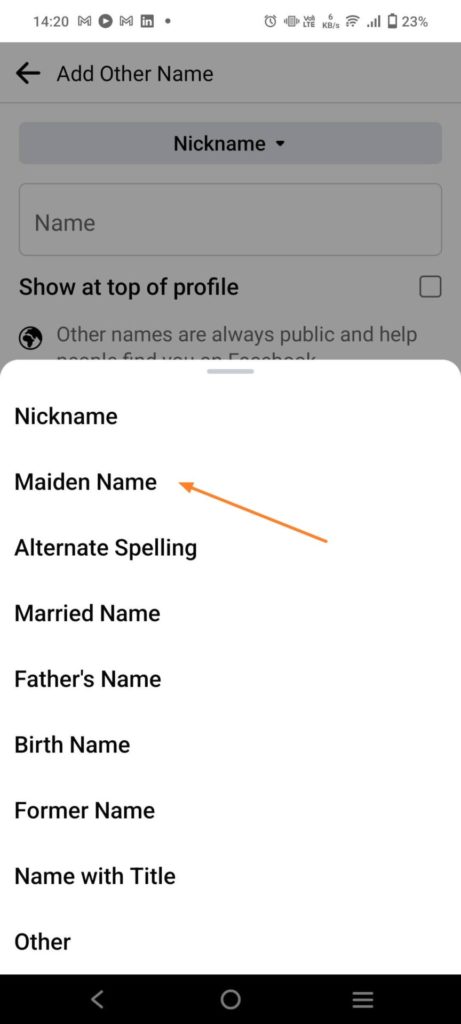
- Tap the drop-down button. Choose Maiden Name and enter the name.

- Tick the box next to Show at top of profile to enable your maiden name to appear at the top of your profile.

- Press the Save button.


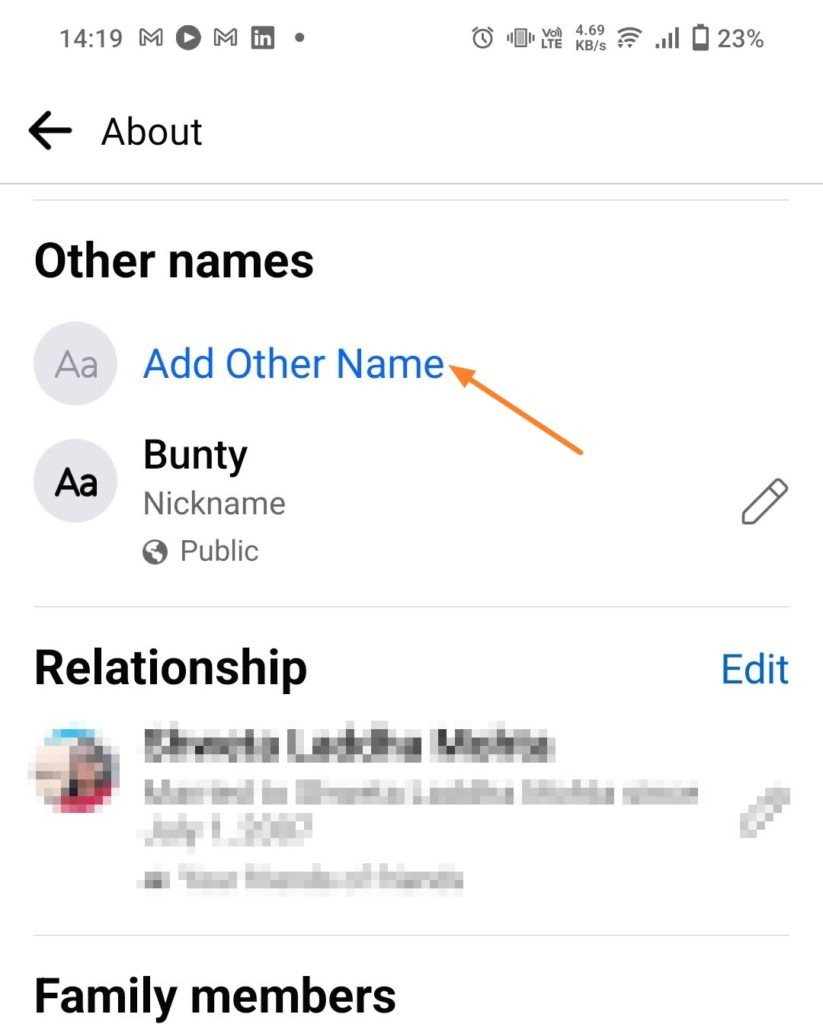
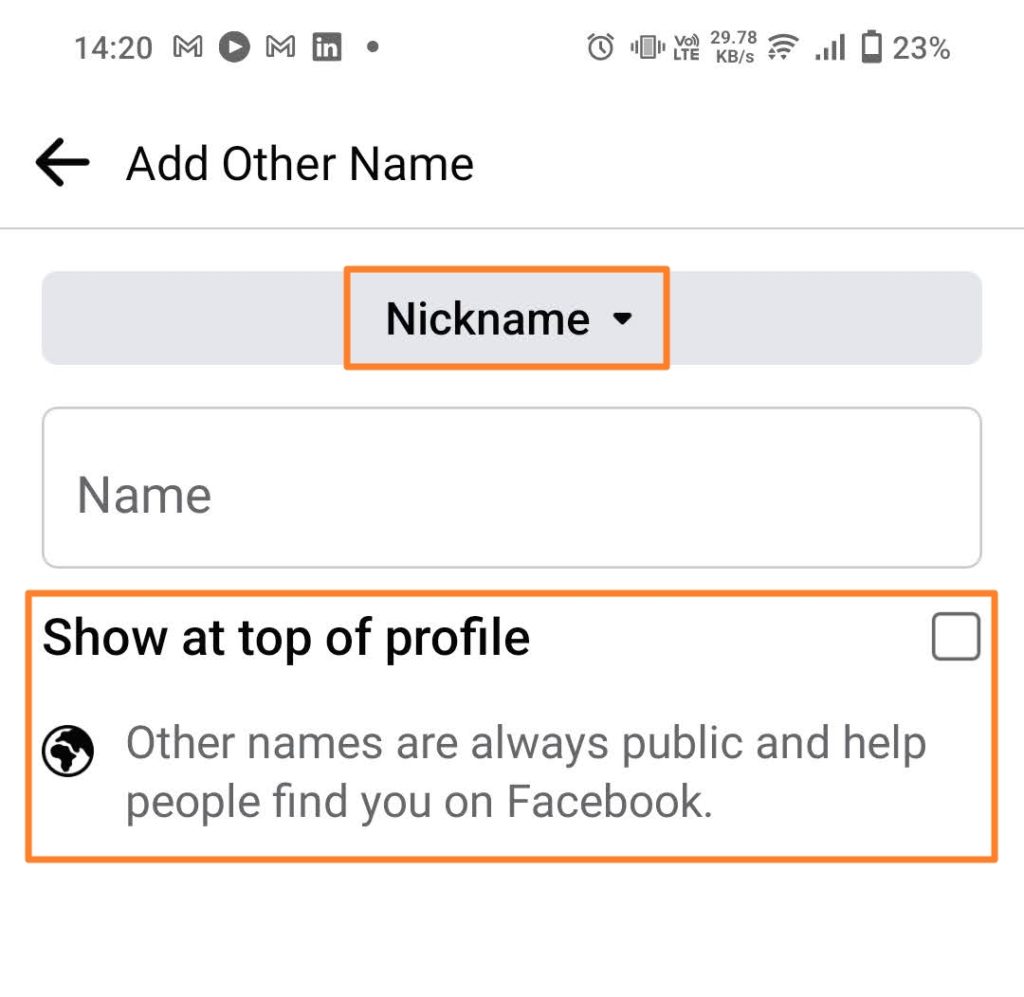
To change the details, click the edit or delete option to remove your maiden name.
Add Your Maiden Name to Not Lose Your Identity
The maiden name option allows you to connect with people you were connected with before marriage or name change. If Facebook is the place you use to connect with people, adding a Maiden name helps to improve discovery. Many may use it to hide their real name and only stick to nicknames. That said, if you want to remove it, you must wait for 60 days.
If, for some reason, you are locked out of your Facebook account after adding your maiden name, contact Facebook support for account recovery.
FAQs
A: Yes, you can change your name on Facebook, but it’s available deep into the settings under the Privacy section. You should use the other names option if you want to do it temporarily, as you cannot change your name again for the next 60 days.
A: An alternate name on Facebook is another name you can add to your Facebook profile. Facebook allows users to add nicknames, maiden names, professional names, etc.
How To Tell When Someone Was Last Active on Facebook
Read Next