How to Change the Theme of Instagram DMs

Instagram’s direct messages are a great place to catch up with your friends and family members privately. The photo-sharing platform offers plenty of features to ensure you have a great experience, including the ability to video call your friends. And for that added customization, you can even change the theme of your Instagram DMs.
There’s no actual benefit to changing the theme of direct messages on Instagram. However, if you want to personalize your conversation with your friends or significant other, it’s good to know that Instagram provides that option for you.
How to Change Instagram DM Themes on Android or iPhone
Changing your Instagram DM’s theme is easy. Like in Facebook’s Messenger, this feature is free of charge, and you’re free to do it as many times for as many of the conversations you want to.
- Open Instagram.
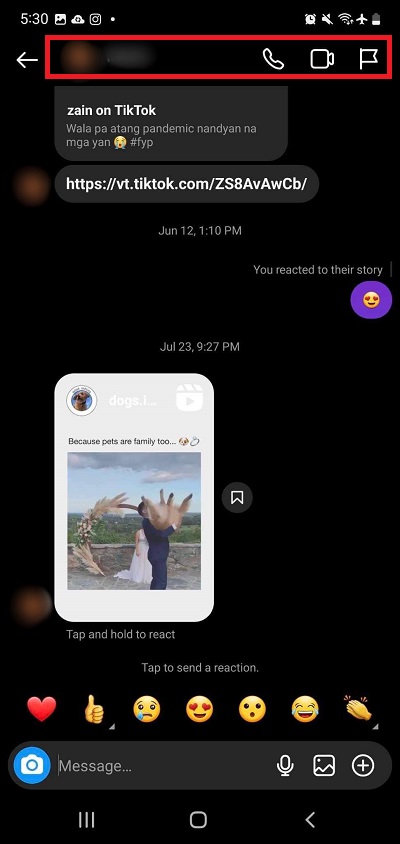
- Tap the Messenger icon at the top right.

- Select the DM you want to customize.
- Tap the center of the chat head at the top.
- Select Themes.
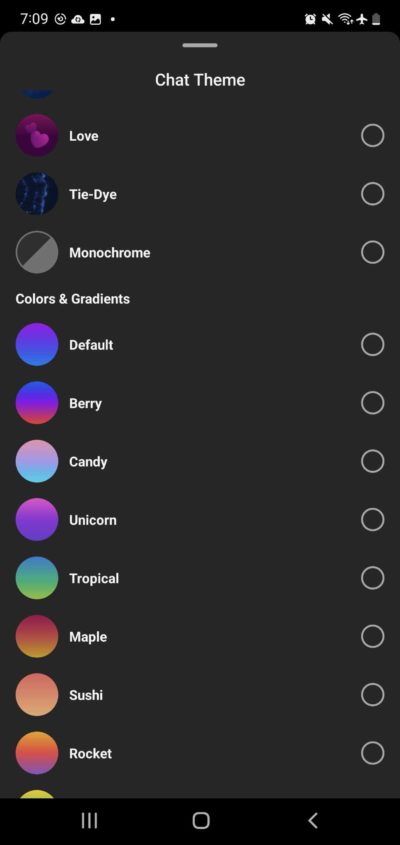
- Pick the theme you want to use.


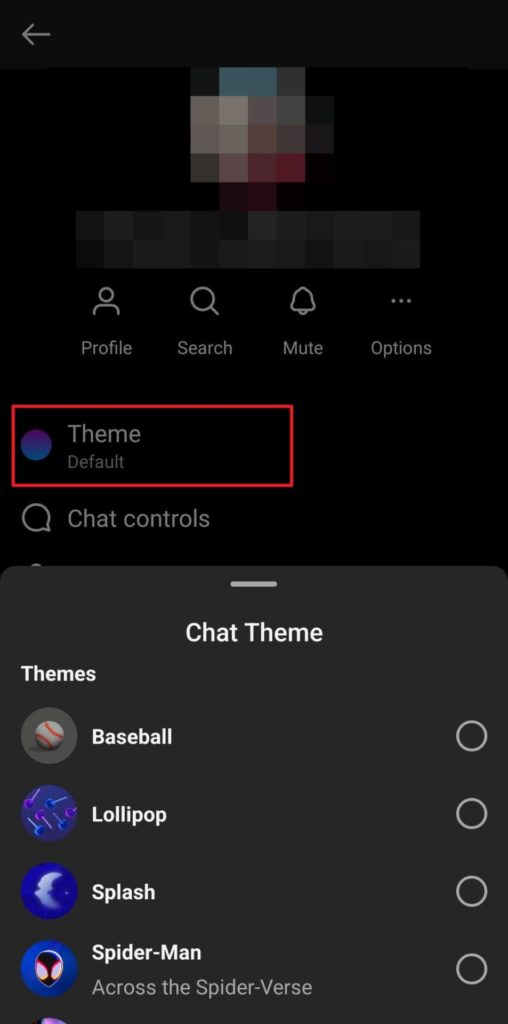
You can have a separate chat theme for each conversation you are having on Instagram. But do note that when you apply a theme to an Instagram chat, it is changed for the other party as well. You can also change the theme in group Instagram chats. And in case you did not know, you can read Instagram direct messages without being seen.
How to Change Instagram DM Wallpaper
Unfortunately, there’s no way to use your own photos as a background on Instagram DMs. The only way to change the background of your Instagram DM is by choosing a theme that also changes the wallpaper of the entire chat. To find themes with custom wallpapers, follow the steps above and open the theme selection menu.
All themes that have wallpapers are labeled under Themes. If you scroll down, you’ll see another section called Colors & Gradients. These change the colors of your Instagram DM, but they do not change the wallpaper.
Customize Your Instagram Experience Now
Changing your themes on Instagram is great as it helps you customize your experience with each person you have a DM. Hopefully, Instagram gets just as many customization options as Messenger. Being able to change other things, such as the wallpaper and even adding word effects can make all of your conversations more personal. If you want to further personalize your experience, here’s how to manage your Instagram notifications.
FAQs:
A. Yes, they can also change the themes whenever they want to. The same rules apply in an Instagram group chat. Everyone can change the themes whenever they want to.
A. Unfortunately, this feature isn’t available yet, nor do we know if Instagram will make it available in the future, for now however, it seems like this isn’t a part of the future changes for Instagram.
A. No, you can’t. Both of you can change the theme at any given time though. Once changed, the other person in the conversation will be notified of the new theme.
How to Forward Email to Your Phone as a Text Message
Read Next