How to Delete Story Reaction on Facebook

Sometimes, you react to a Facebook story you shouldn’t engage with or accidentally send a sad reaction for a happy picture. Facebook understands the importance of reactions and thus offers a way to delete or even change them at your convenience. But, while you can change your Facebook profile picture silently, it’s tough for a reaction to go unnoticed. That’s because the original poster receives an instant notification for every story reaction. Despite the odds, let’s learn how to delete a Facebook story reaction.
How to Delete Story Reaction on Facebook From the Web
There is no way to delete a reaction directly through story options on Facebook. You will have to jump into Facebook settings for this.
- Launch the web browser on your PC.
- Go to your Facebook account.
- Click your profile picture at the top right.
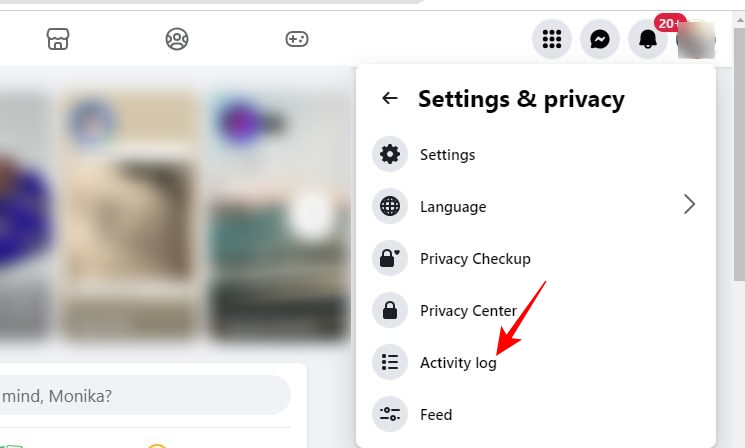
- Go to Setting & privacy.
- Select Activity log.

- Click Your activity across Facebook.
- Go to Comments and reactions.
- Select Likes and reactions.
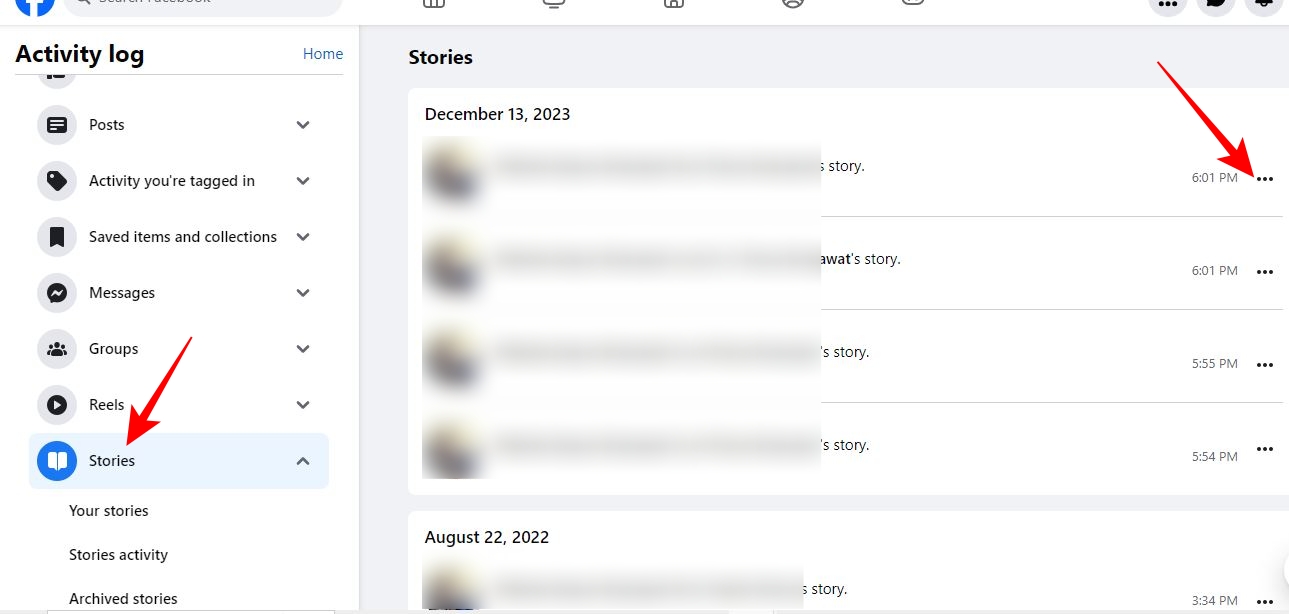
- Scroll under Likes and reactions and click Stories to find a chronological list of story reactions.
- Go to the Story reaction you want to delete and click the ellipsis icon alongside it.

- Select Remove Reaction.
There’s no way to change a reaction after it is sent. As a workaround, delete the reaction using the steps above and send another one.
While having a verified Facebook account gets you additional privileges, it does not include an option to delete your story reaction.
How to Delete Facebook Story Reaction for Android or iPhone
To delete a story reaction on Facebook’s Android or iPhone app, you can use the story activity option or go to your activity log. The latter is more suitable for deleting multiple reactions simultaneously.
1. Delete Story Reaction Using Story Options
The easiest way to delete a reaction for an active story is to use the Story options on Facebook’s Android or iPhone app.
- Launch the Facebook app.
- Go to the story for which you want to delete a reaction.
- Tap the ellipsis icon at the top right of the story.
- Select Undo sent reactions.

- Tap Undo on the following popup to undo your reaction.
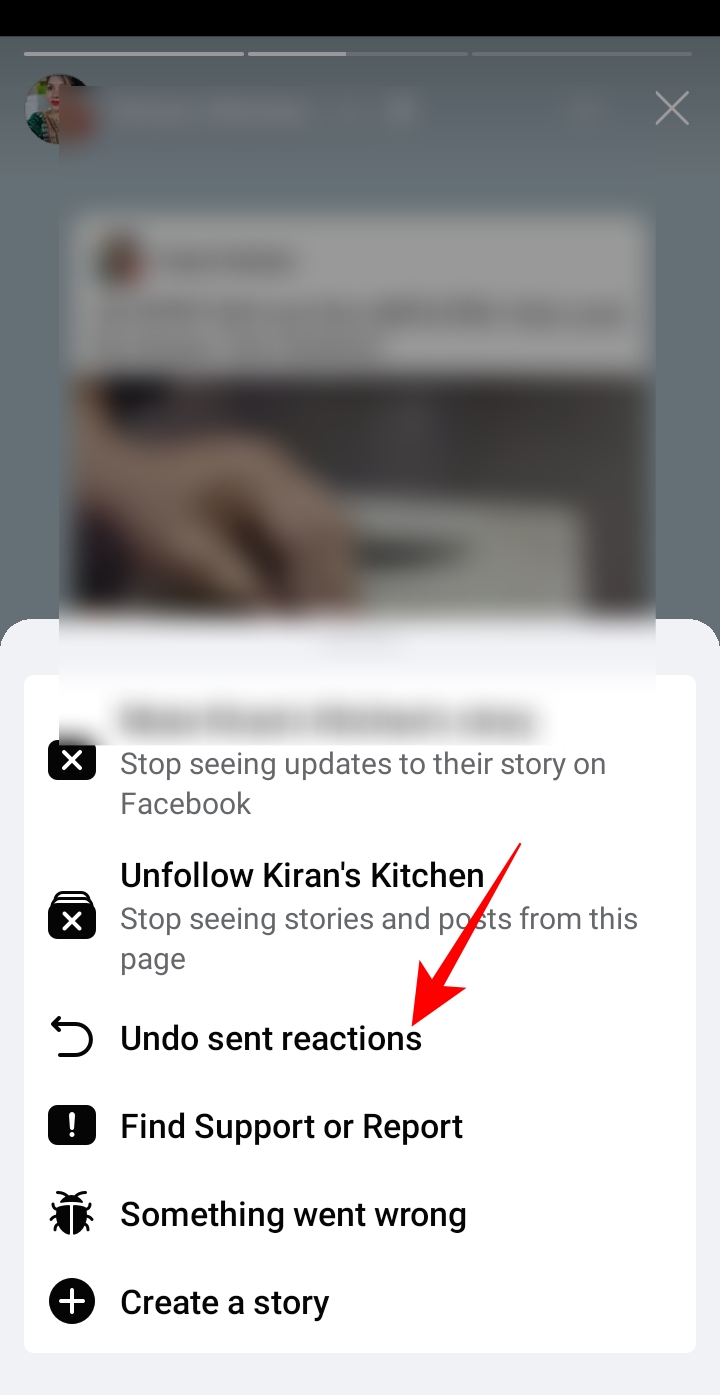
If you want to change your reaction, this is the best option to follow. Once a reaction is removed, you can choose a different emoji from the bottom of the story to resend a new reaction.
2. Delete Story Reaction Using Activity Log
The activity log section makes it convenient to undo multiple reactions sent on many Facebook stories. Deleting reactions for those no longer active is also a suitable choice. But why delete a reaction for a disappeared story, you ask?
When a story disappears after the stipulated 24 hours, the poster cannot see who has viewed it. However, they can still view story reactions under story archives. So, if you don’t like your past reactions to someone’s stories, you can delete them using the activity log.
- Launch the Facebook app.
- Tap the hamburger menu icon at the top right.
- Scroll down and go to Settings & privacy.
- Tap Settings.
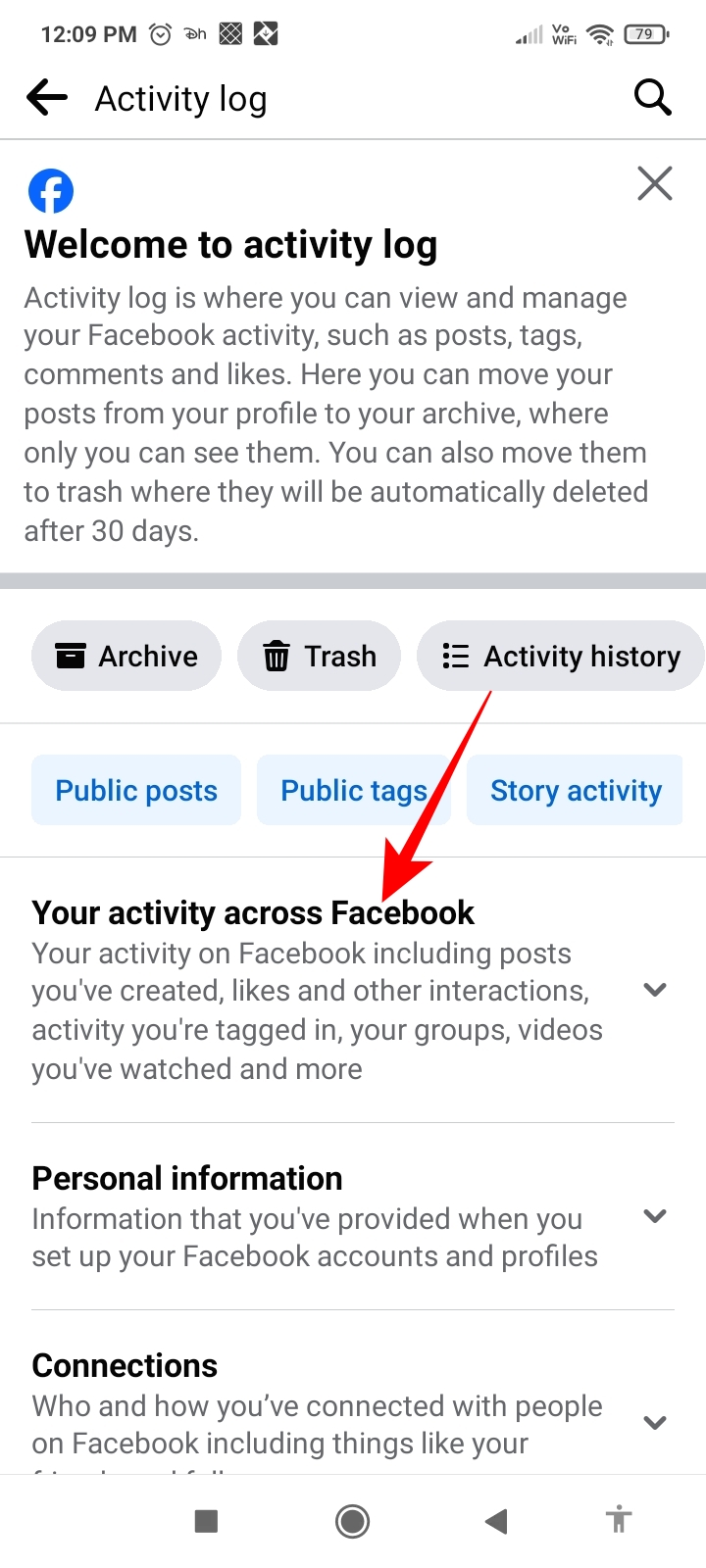
- Scroll down and select Activity log.
- Tap Your activities across Facebook.

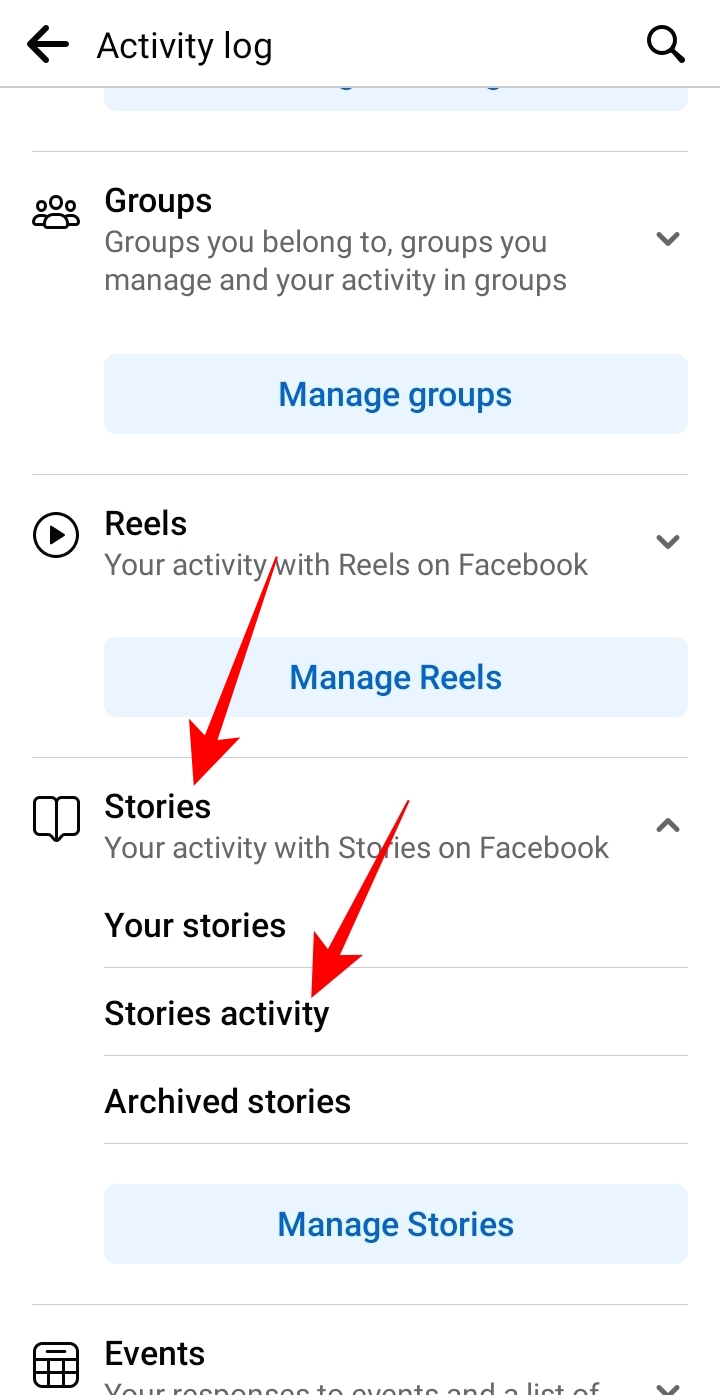
- Scroll down and go to Stories.
- Select Story activity.
- Look for the story reaction you want to undo and tap the ellipses icon alongside it.
- Tap Remove Reaction to delete your reaction
How to Remove Reactions on Facebook Messenger Story
Want to revoke a reaction you sent for a Facebook story on Messenger? There is a way to do that, too. Any story posted on Facebook or Facebook Messenger is visible on both platforms. However, the Messenger app doesn’t have the option to delete a reaction, but you can still achieve this using the Facebook app.
- Open the Story for which you want to delete your reaction in the Facebook app.
- Go to the ellipses icon > Undo sent reaction.
As explained in the above sections, you can also remove your reaction to a Facebook messenger story using the Activity log on Facebook.
Never React in a Hurry
While it is entirely human to send a wrong or unintended reaction in a hurry, you can still avoid it by taking a few seconds before reacting to a Facebook story. In most cases, avoiding the rush to jump to the next story can save you from the embarrassment of sending a wrong reaction. If you want to refrain from viewing and reacting to someone’s story, you can unfriend or block them on Facebook.
FAQs
A. Every time you react to a Facebook post, reel, or story, the person who posted it gets a notification. So, if you are quick to remove a reaction and change it to something else, the user may not know about the changed reaction.
A. When you react to a Facebook story, only the person who posted the story can view your reactions. However, when you react to a Facebook post, reel, or comment, anyone who views it on Facebook can see your reaction.
How to Integrate Todoist with Google Calendar
Read Next