How to Find Someone’s Birthday on Snapchat

Snapchat is popular for its unique chatting and video calling experience. It offers plenty of features to spark friendships and maintain that bond with your existing friends. If you are bad at remembering birthdays, Snapchat can help you with that, too. So, how do you find someone’s birthday on Snapchat? And how can you look at all upcoming birthdays? Let’s find out!
How to Find a Friend’s Birthday on Snapchat
Snapchat’s clean UI lets you quickly navigate the app and find any desired feature. Seeing your friend’s birthday on Snapchat is equally easy. Here is how you can do it:
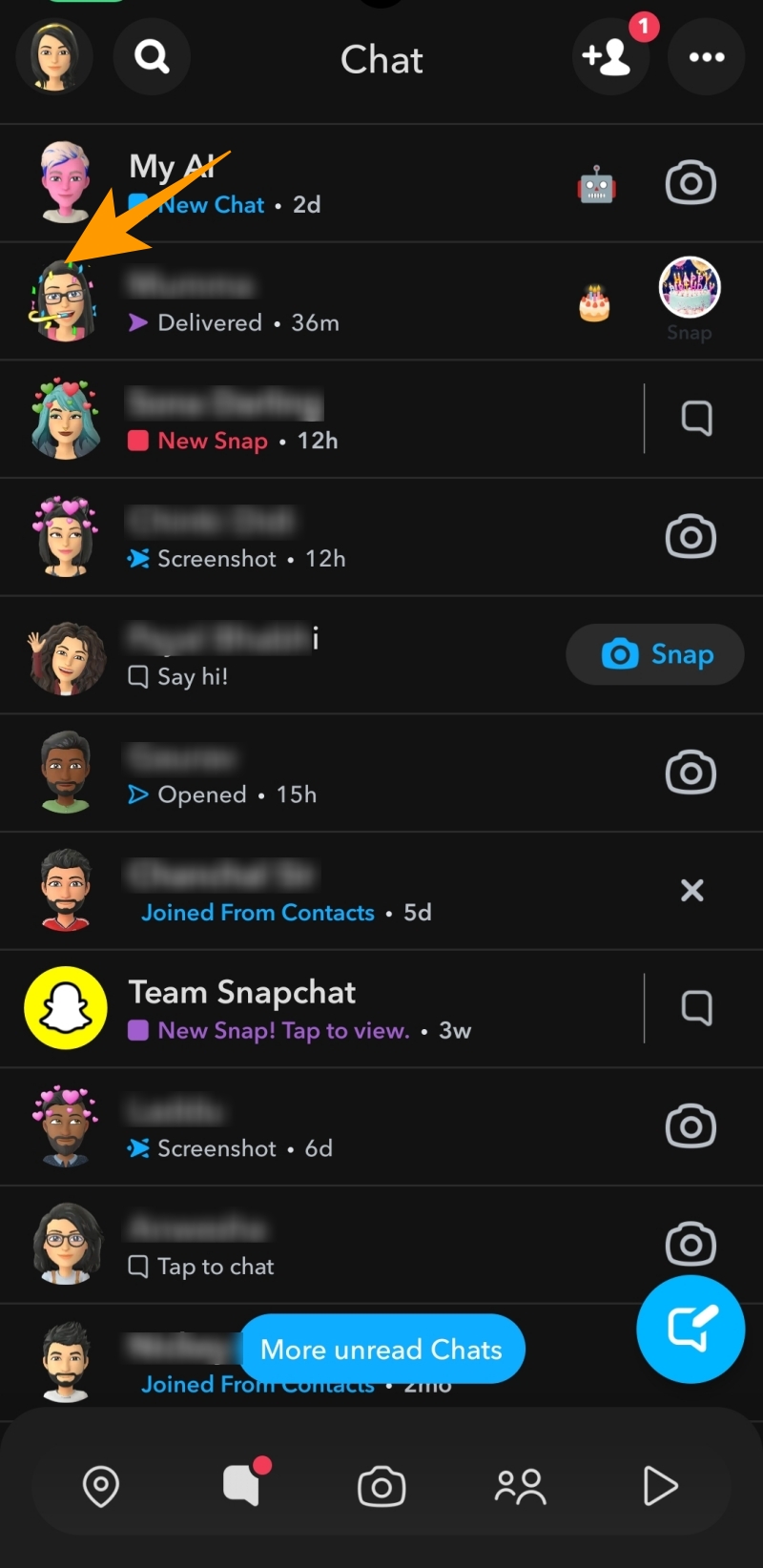
- Launch Snapchat and tap the Chats icon under the Snapchat camera button.
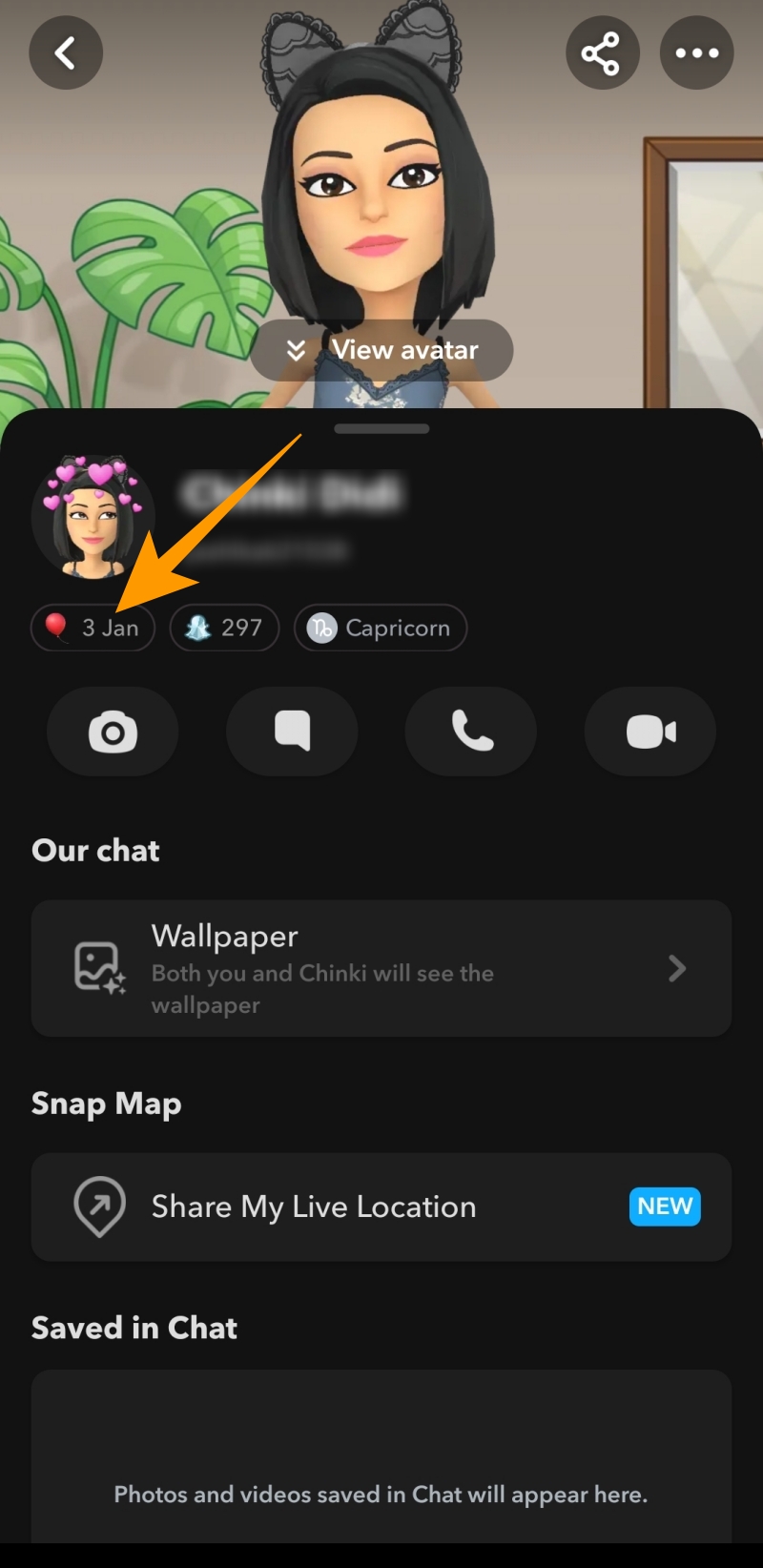
- Tap your friend’s Bitmoji to go to their profile.

- Your friends’ birthdays will be displayed under their Snapchat user name and display name, provided they have enabled the birthday party feature.
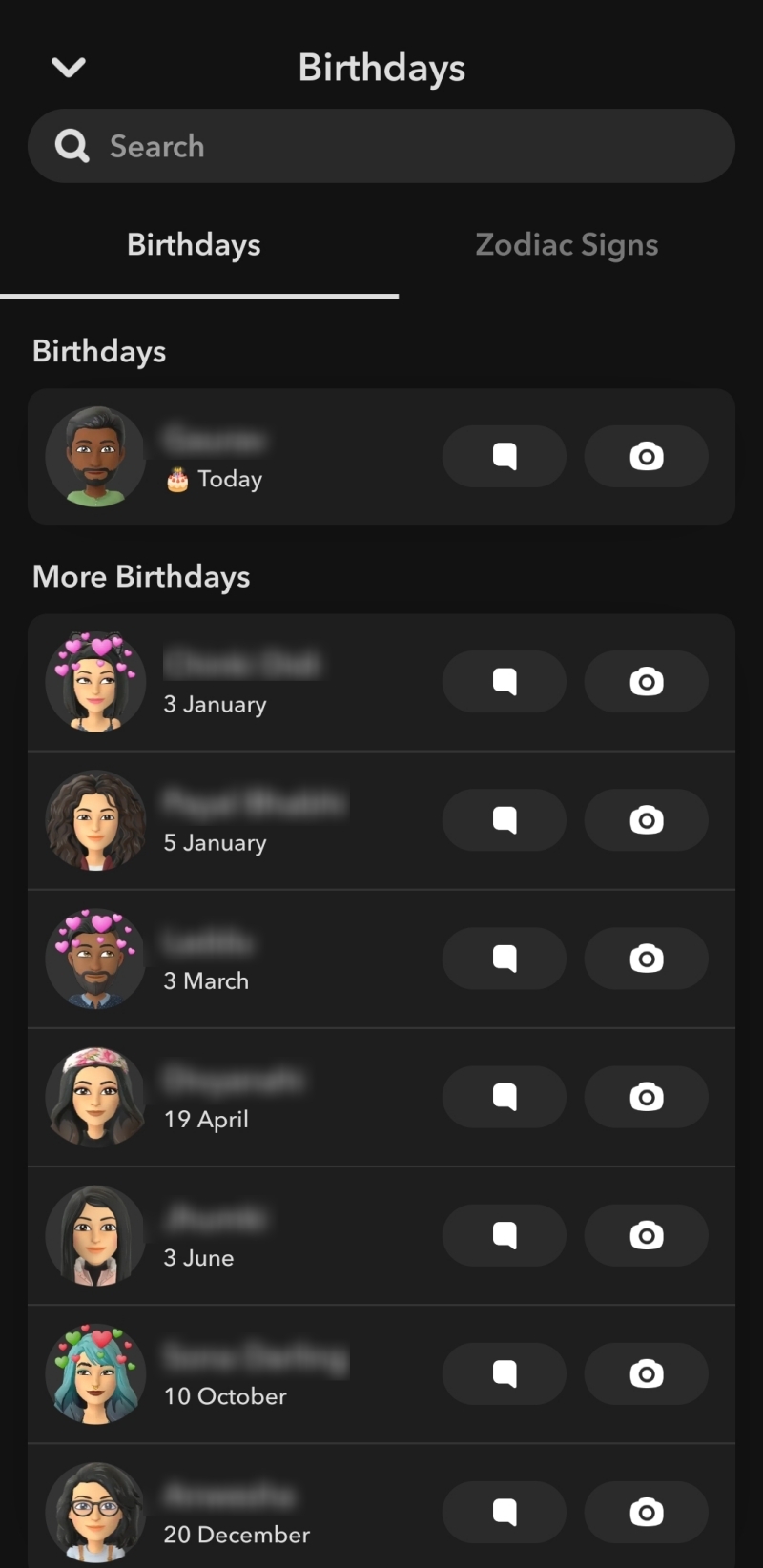
- You can tap on their birthdate to view the list of all previous and upcoming birthdays.
Remember that you can only view the birthdays of friends who have enabled the birthday party option in the profile settings.
How Cake Emoji and Birthday Party Work on Snapchat
Snapchat allows you to add your birthday to your profile with the birthday party feature. When enabled, a cake emoji and a birthday edition Bitmoji appear with your name on your birthday.
- Open Snapchat and tap your Bitmoji to go to your Snapchat profile.
- Tap the gear icon given at the top right corner.
- Tap on Birthday under Settings.
- On the next screen, tap the Birthday Party checkbox.
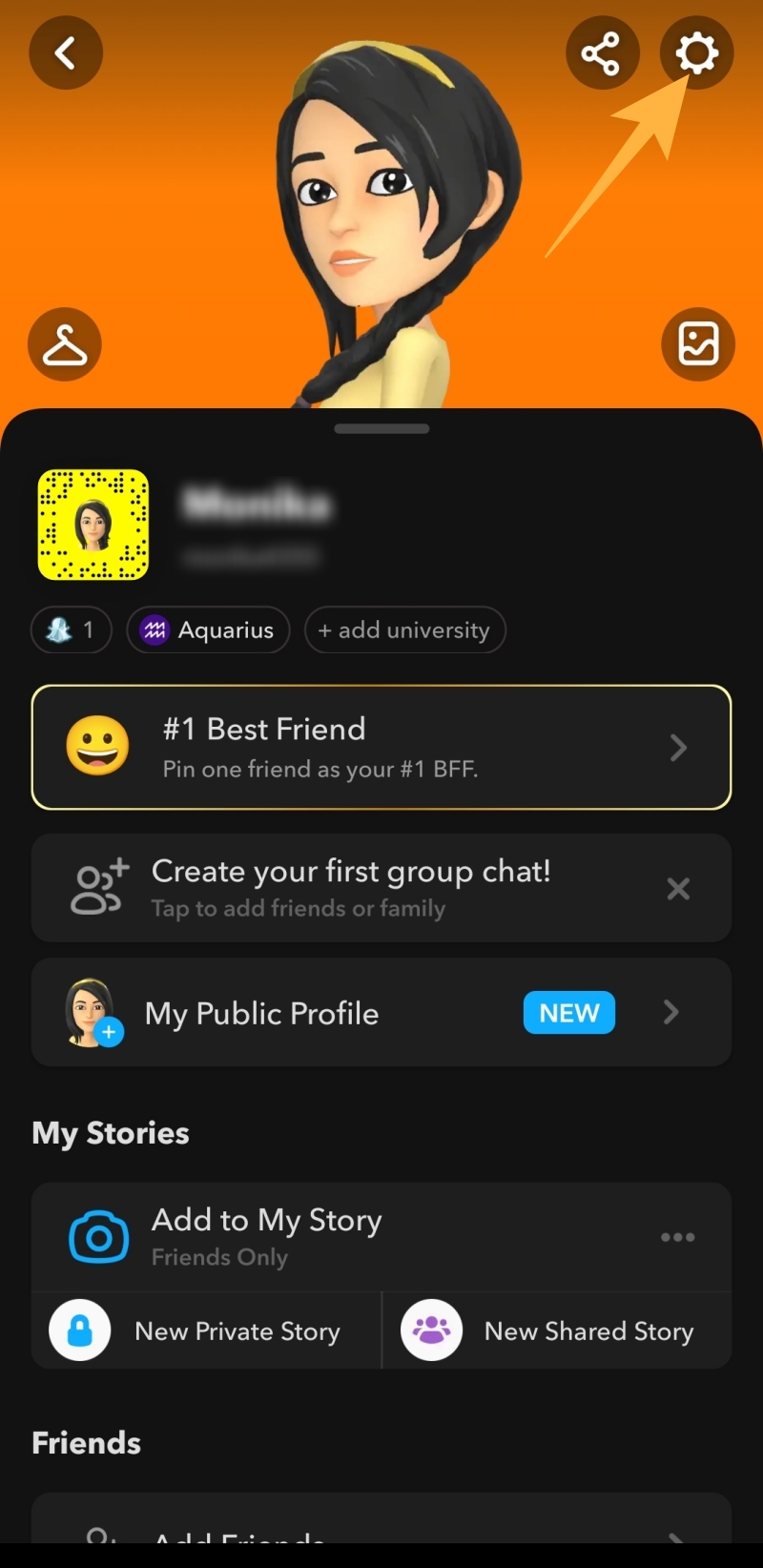
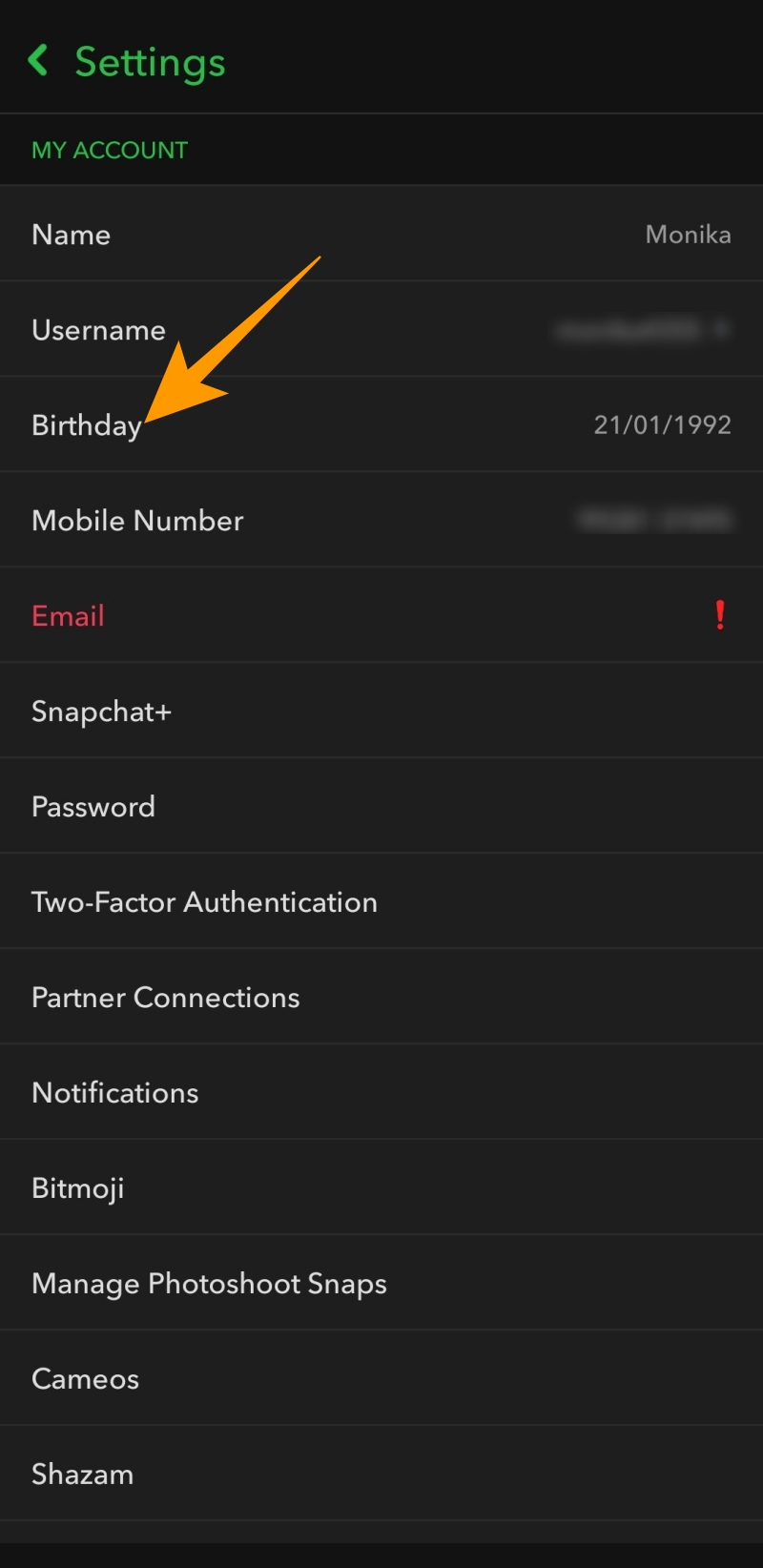
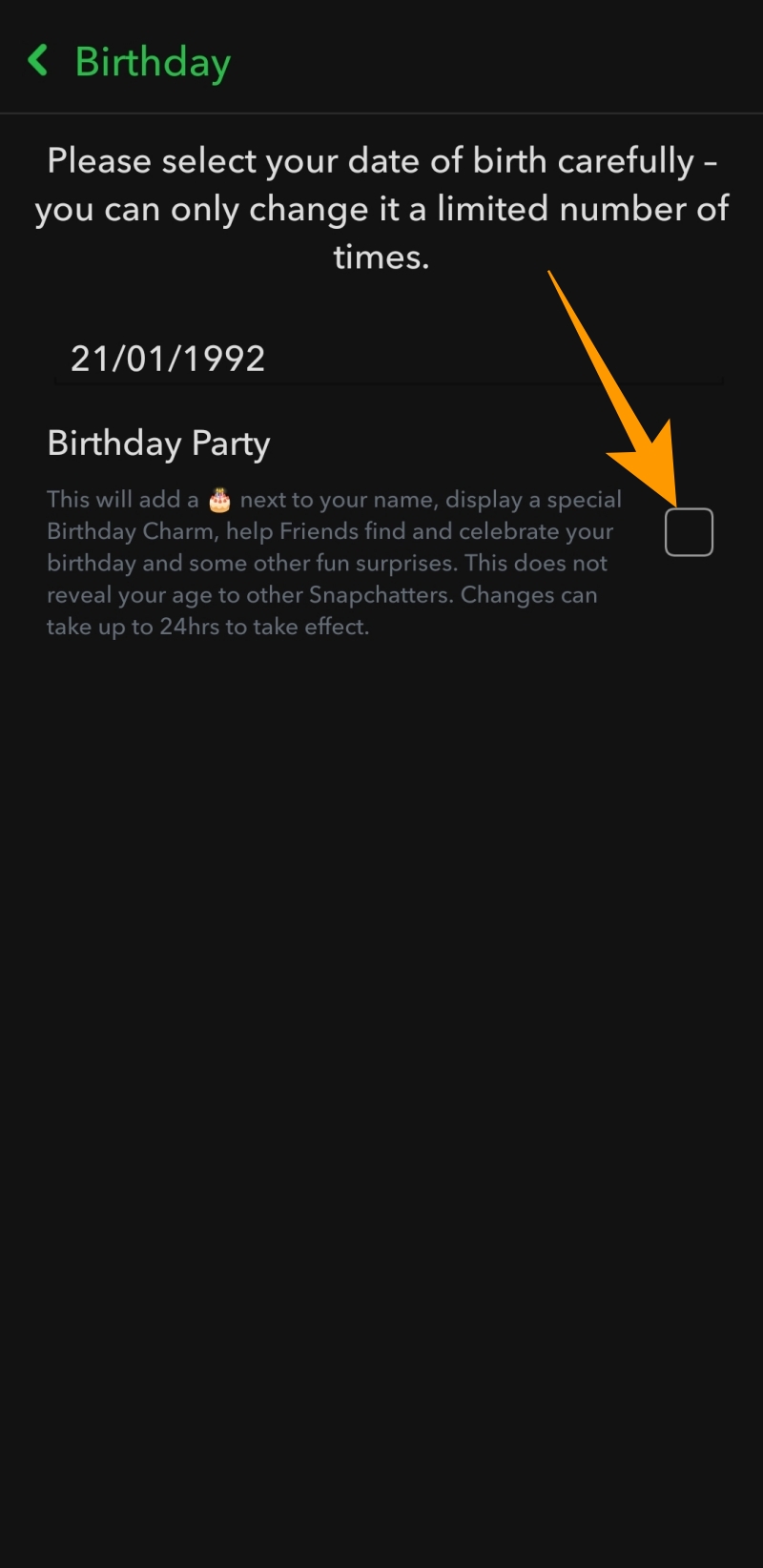
Once you do that, your birthdate will be displayed under your profile. Apart from that, the cake emoji will be added next to your name on your birthday.
Another exciting thing about the birthday party feature is the Snapchat birthday filters. Your friends can add these filters to snaps on your birthday to send you personalized birthday wishes and make your day a lot more special.
Can You View Someone’s Birthday on Snapchat Even If They Are Not Your Friend?
Just like all other social media apps, Snapchat also takes user privacy seriously and doesn’t allow you to view someone’s birthday if they are not in your friend list. So, to view anyone’s birthday on Snapchat, you must add them as friends. Also, as stated above, your friends’ Snapchat profile will show their birth date only if they have enabled the birthday party option under settings. If any of your friends have disabled that option, their birthday remains hidden.
Don’t Just Rely on Snapchat to Remember Birthdays
Snapchat makes it easy to find your friends’ birthdays and wish them their special day. However, if any of your friends have not enabled the birthday party option, the cake emoji won’t be added next to their name on their birthday, and you may miss it. So, use a reminder app on your phone to set birthday reminders for all your special friends.
FAQs
A. You can visit your profile to find the birthday setting on Snapchat. Under your profile, go to Settings > Birthday > Birthday party.
A. To see upcoming birthdays on Snapchat, go to chats and tap your friend’s Bitmoji to go to their profile and tap their birthdate. When you tap on their birthdate, the list of all past and upcoming birthdays will be displayed under Birthdays.
How To See Who Viewed Your Instagram Profile
Read Next