How to Record Snapchat Videos Without Holding the Button

Snapchatters love filming and sharing snaps and stories to improve their Snapchat score. However, recording Snapchat videos by holding the record button can get tiring really quickly. Thankfully, there are multiple ways you can record Snapchat videos without holding the record button. Want to know more about these hands-free recording options in Snapchat? Keep reading to find out!
4 Ways to Record Snapchat Videos Without Holding the Record Button
Although Snapchat doesn’t allow you to record a video with a single tap, there are still ways to record a Snapchat video without holding the button. So here are four Snapchat tips and tricks you can follow for hands-free video recording.
1. Use the Recording Lock Icon
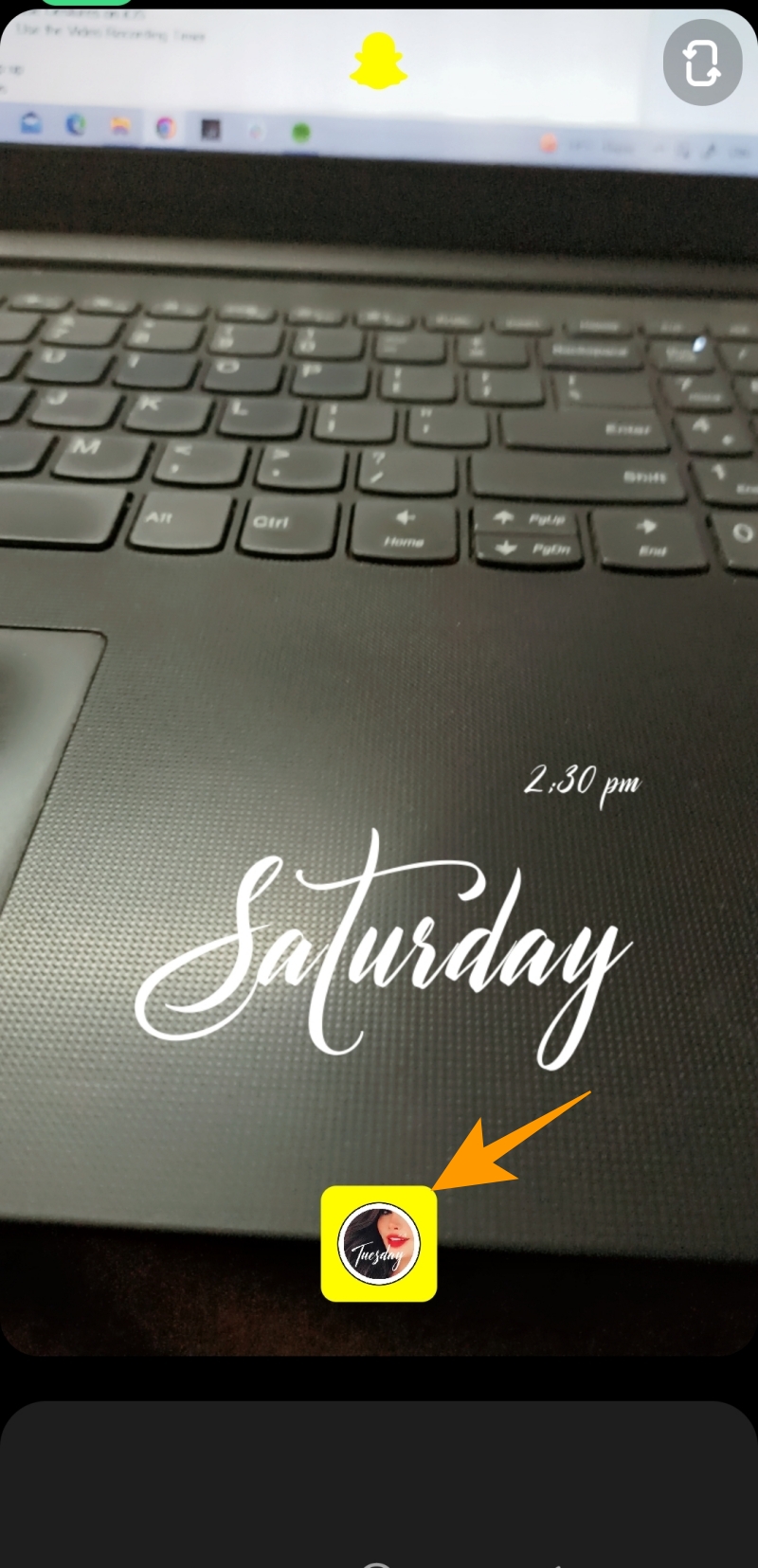
The most convenient way of recording a Snapchat video hands-free is to use the lock icon as mentioned below:
- Open Snapchat to record a video.
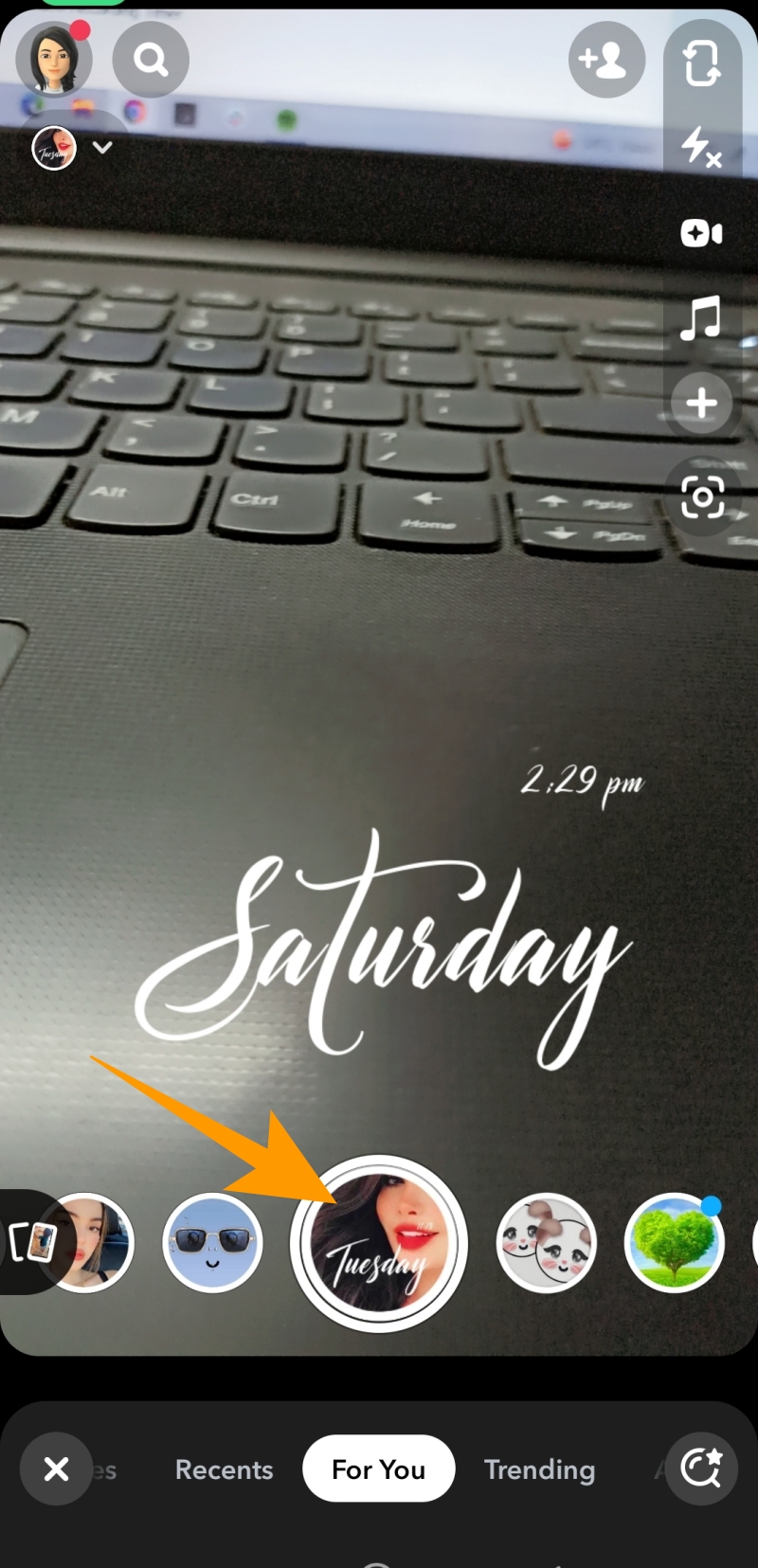
- Add your desired Snapchat filter and long-press the camera button at the bottom center of the screen.

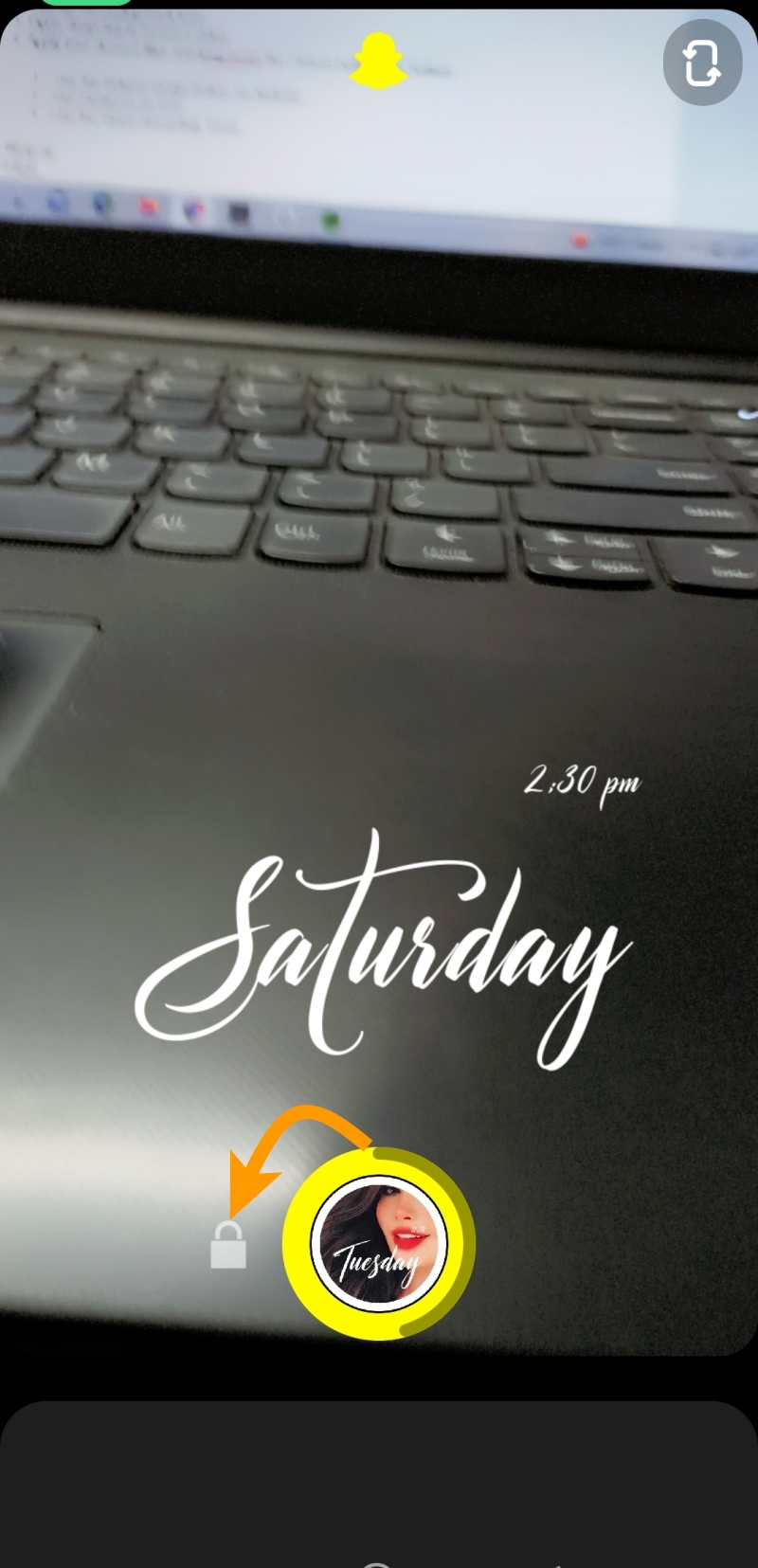
- When you start recording, the lock icon will appear; slide your finger to the lock icon to record your video hands-free.
- The recording will stop automatically after 60 seconds. If you want to record a video that is not more than 60 seconds long, you can tap the stop button to stop recording.
2. Use the Volume Down Button
If you want to keep your hands off the screen while recording, you can use the volume up or down button to record a Snapchat video on your phone. All you need to do is long press any of the volume buttons and release it when you are done recording.
While this method will not allow you to be completely hands-free while recording a video, it will still allow you to record the video without holding the record button on the screen.
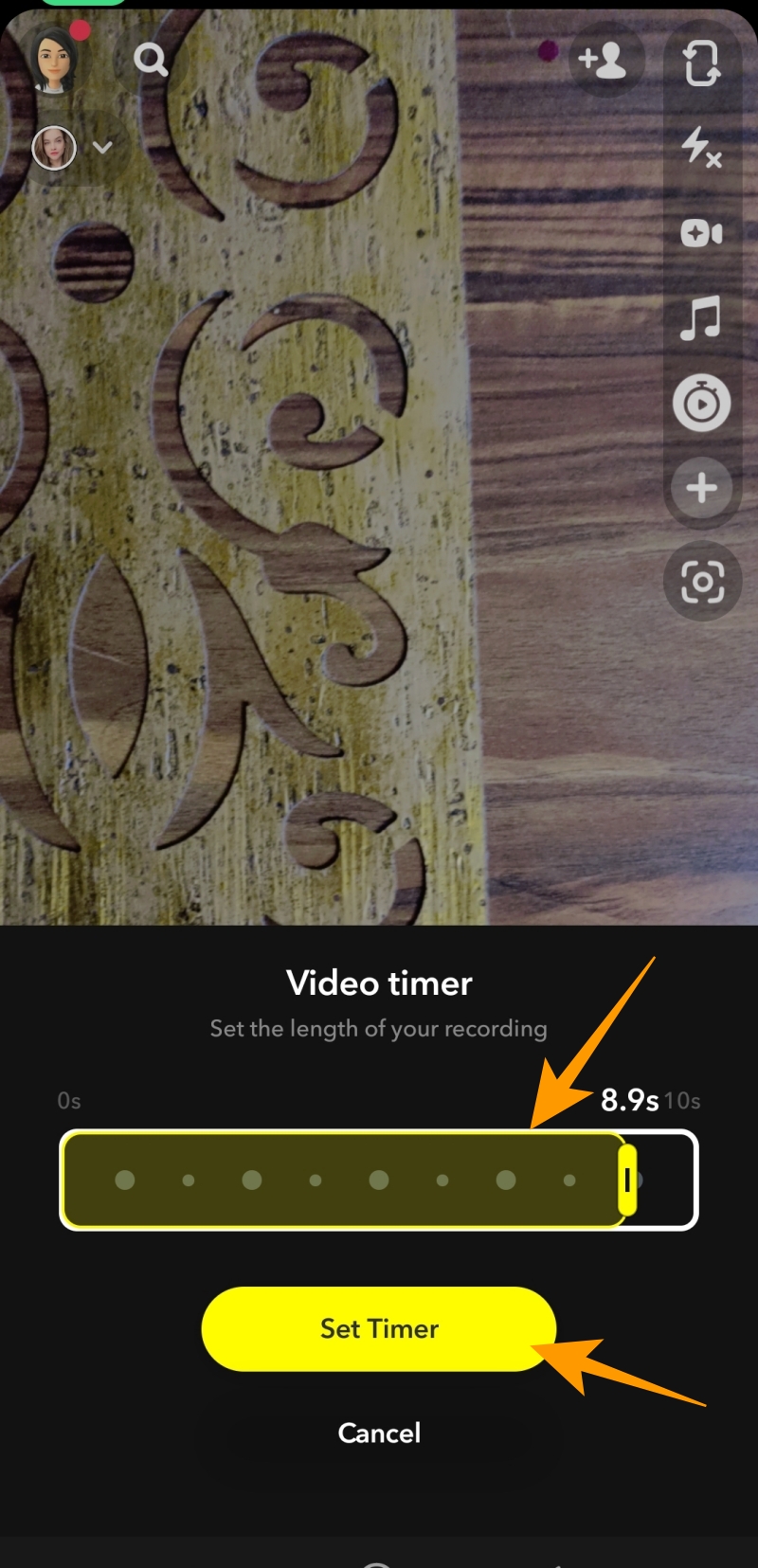
3. Use the Video Recording Timer
You can also use Snapchat’s timer feature to record a video without holding the button. However, the timer feature will work for you only if you want to record a video with a maximum length of 10 seconds. Here is how you can use it:
- Launch Snapchat from your home screen or app drawer.
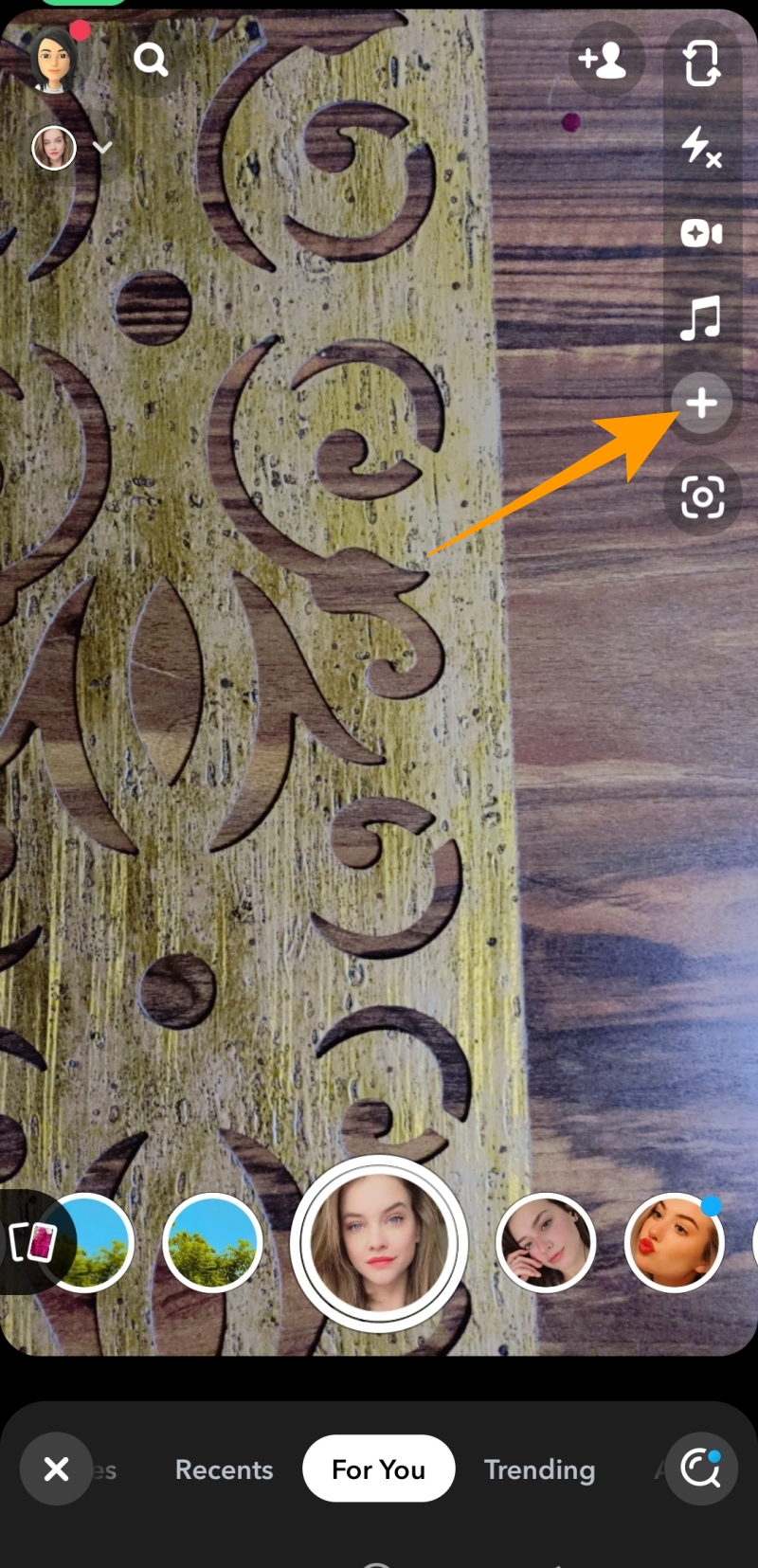
- Tap on the (+) icon on the screen’s left side.
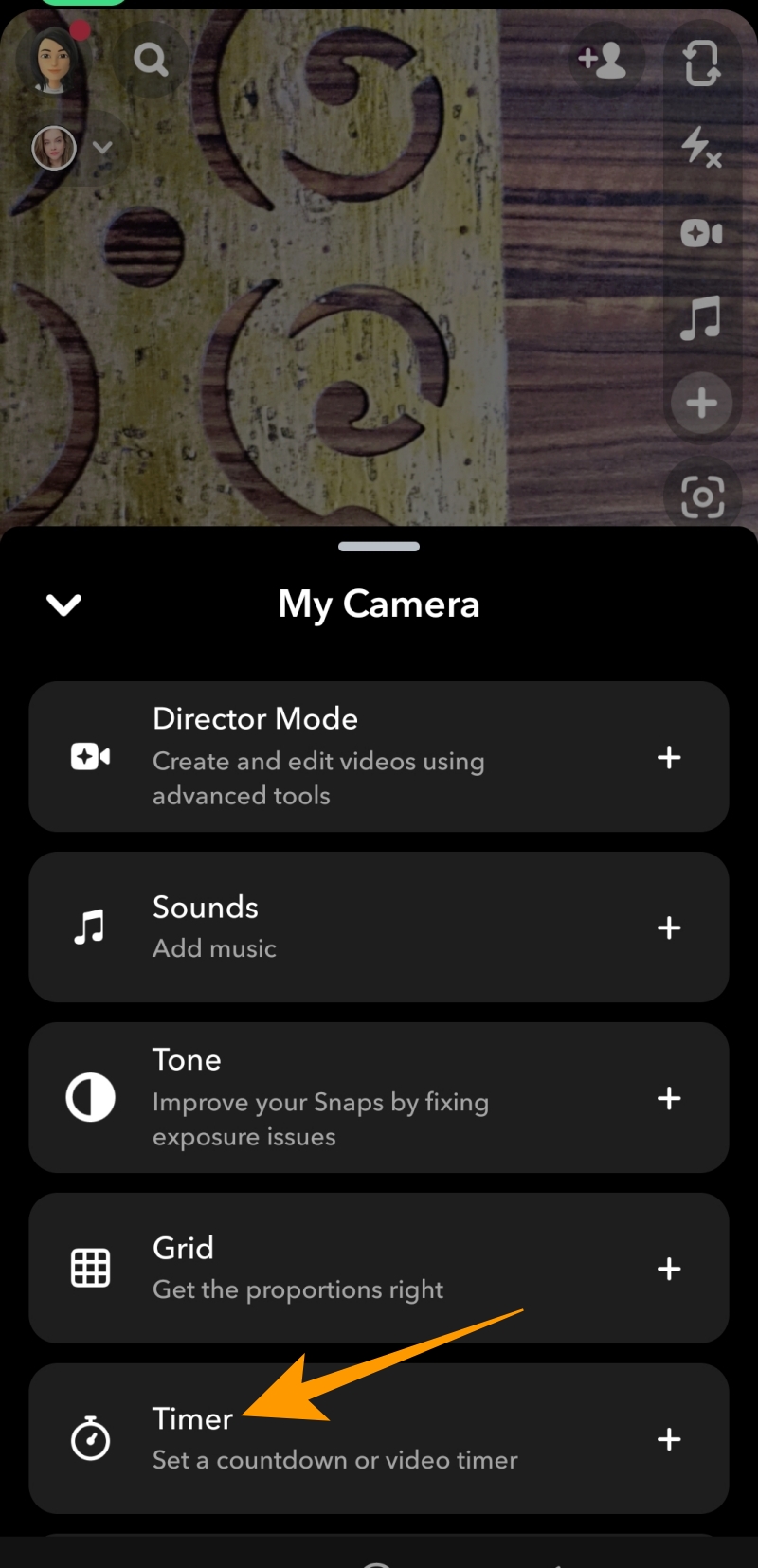
- Tap Timer under My Camera options.
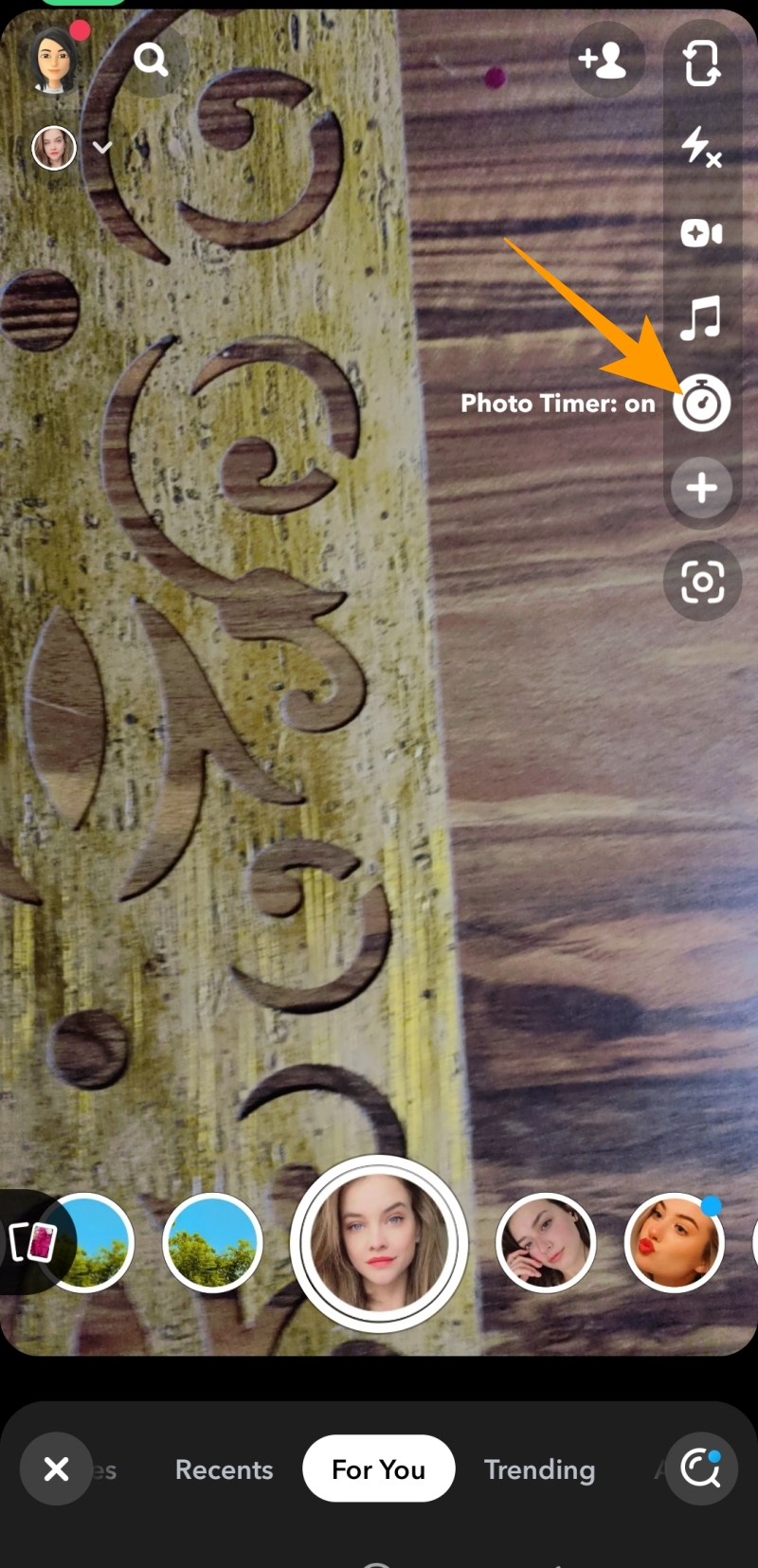
- Choose the newly appeared timer icon on the camera screen.
- On the next screen, set the length of your video and tap on the Set Timer option.
- Now single tap on the record button to record your Snapchat video hands-free.
4. Use Gestures on iPhone
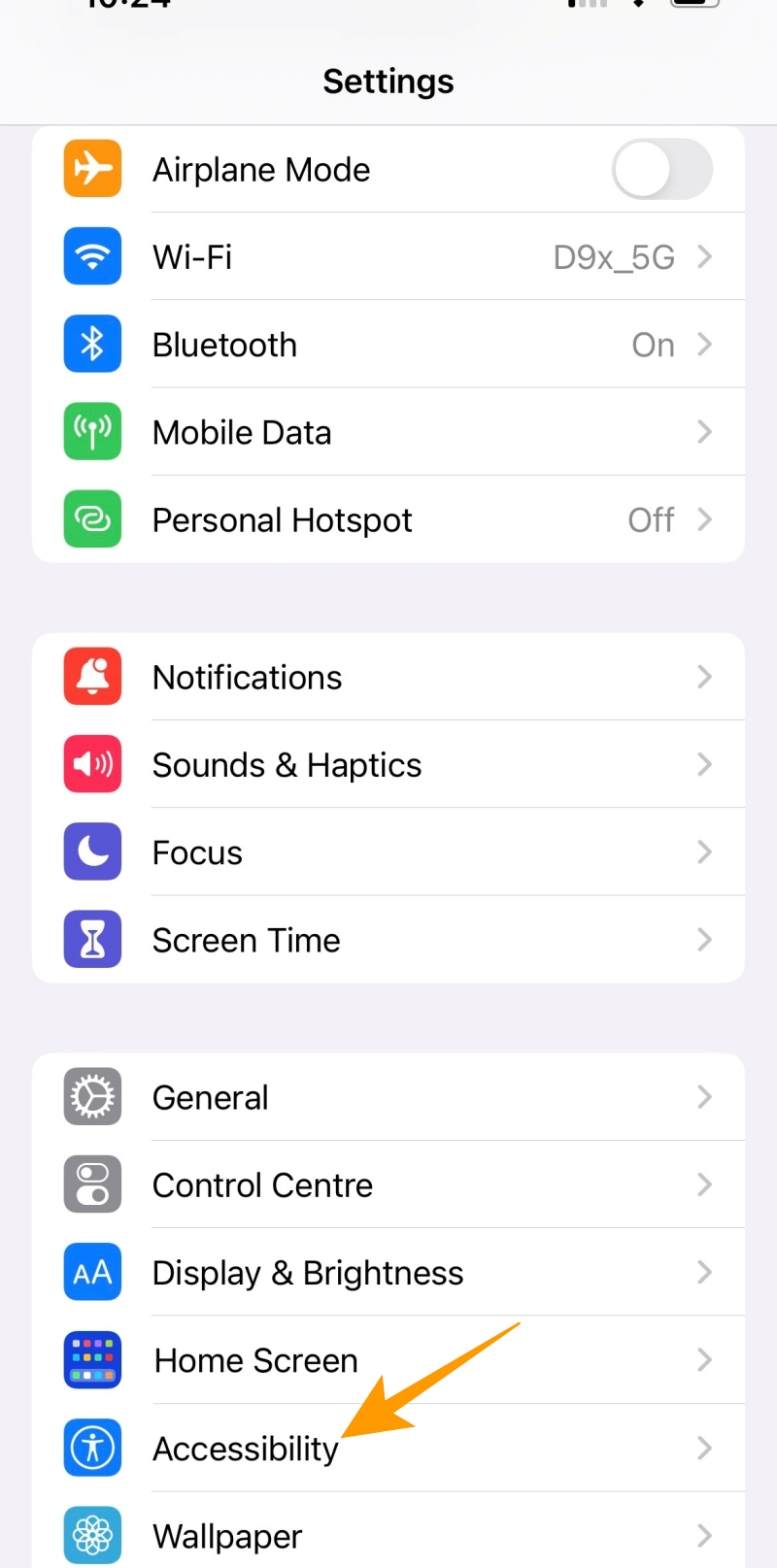
If you are an iPhone user, you can rely on an Accessibility feature in iOS to record Snapchat videos hands-free.
- Launch the Settings app on your iPhone and go to Accessibility.

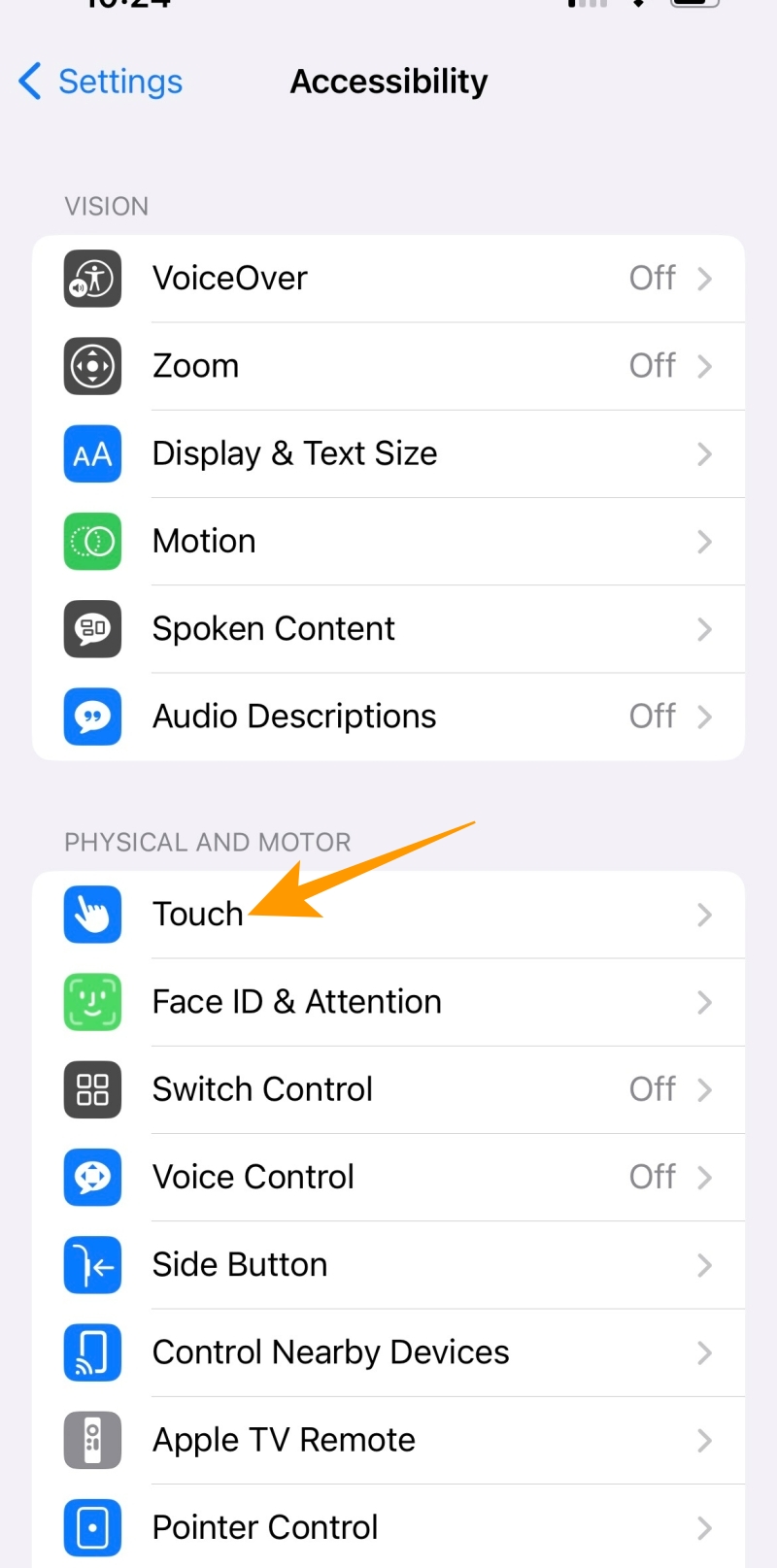
- Tap on Touch under the Physical and Motor section.
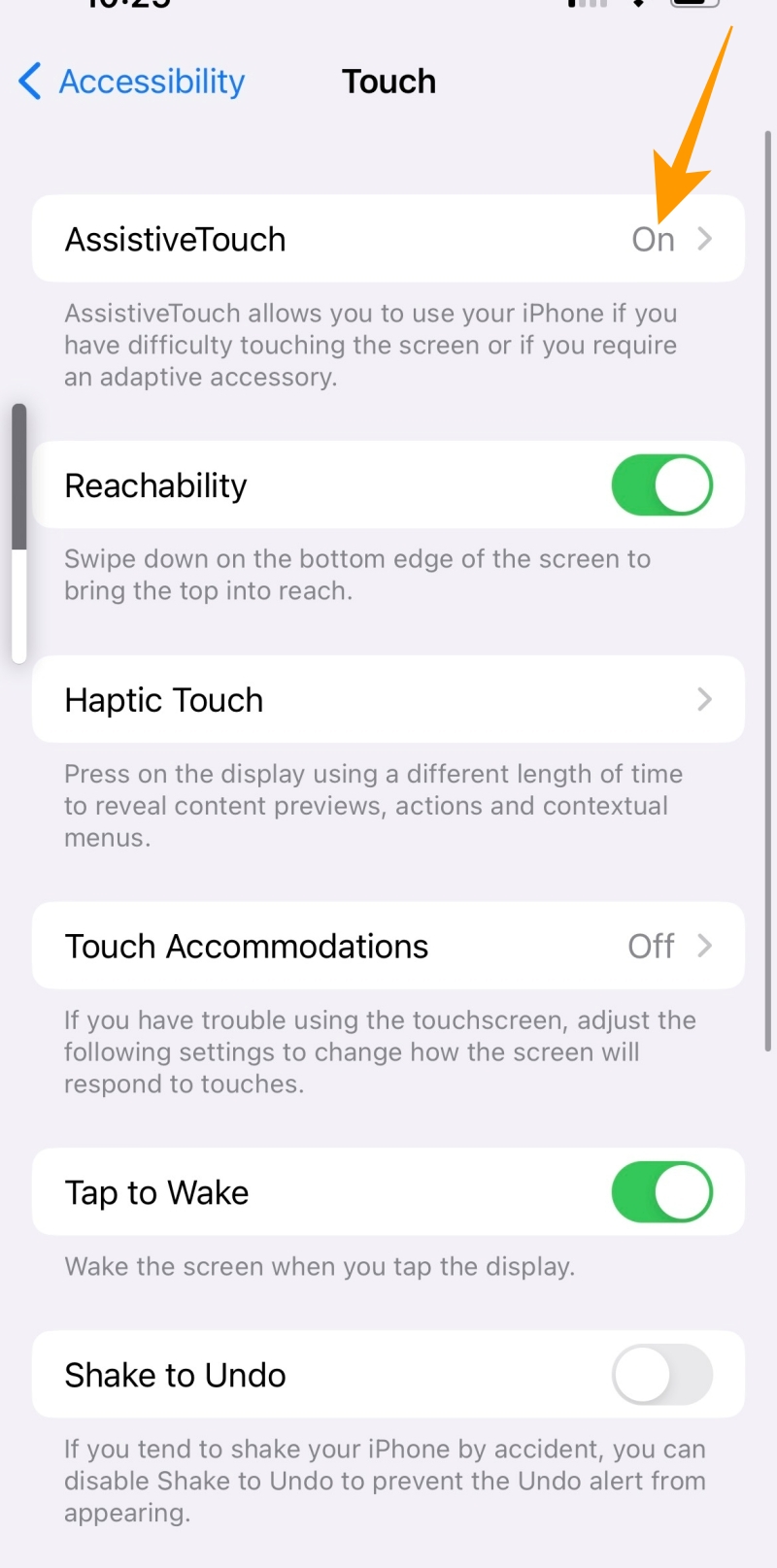
- On the Touch section, tap AssistiveTouch.
- On the next screen, toggle on the AssistiveTouch option and tap Long Press.
- Tap on Long Press Duration.
- Tap the (-) and (+) icons on the next screen to set the long press duration.
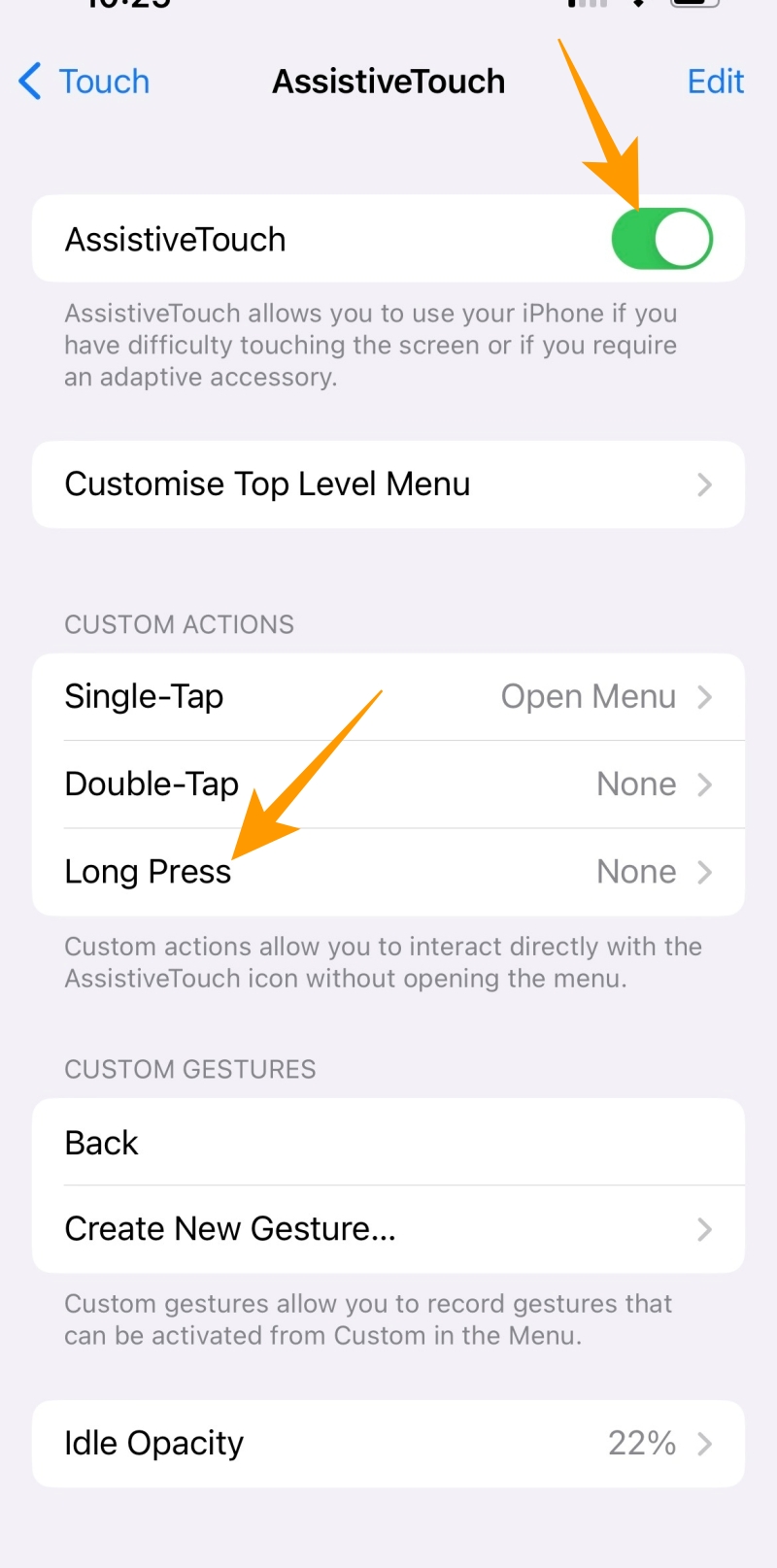
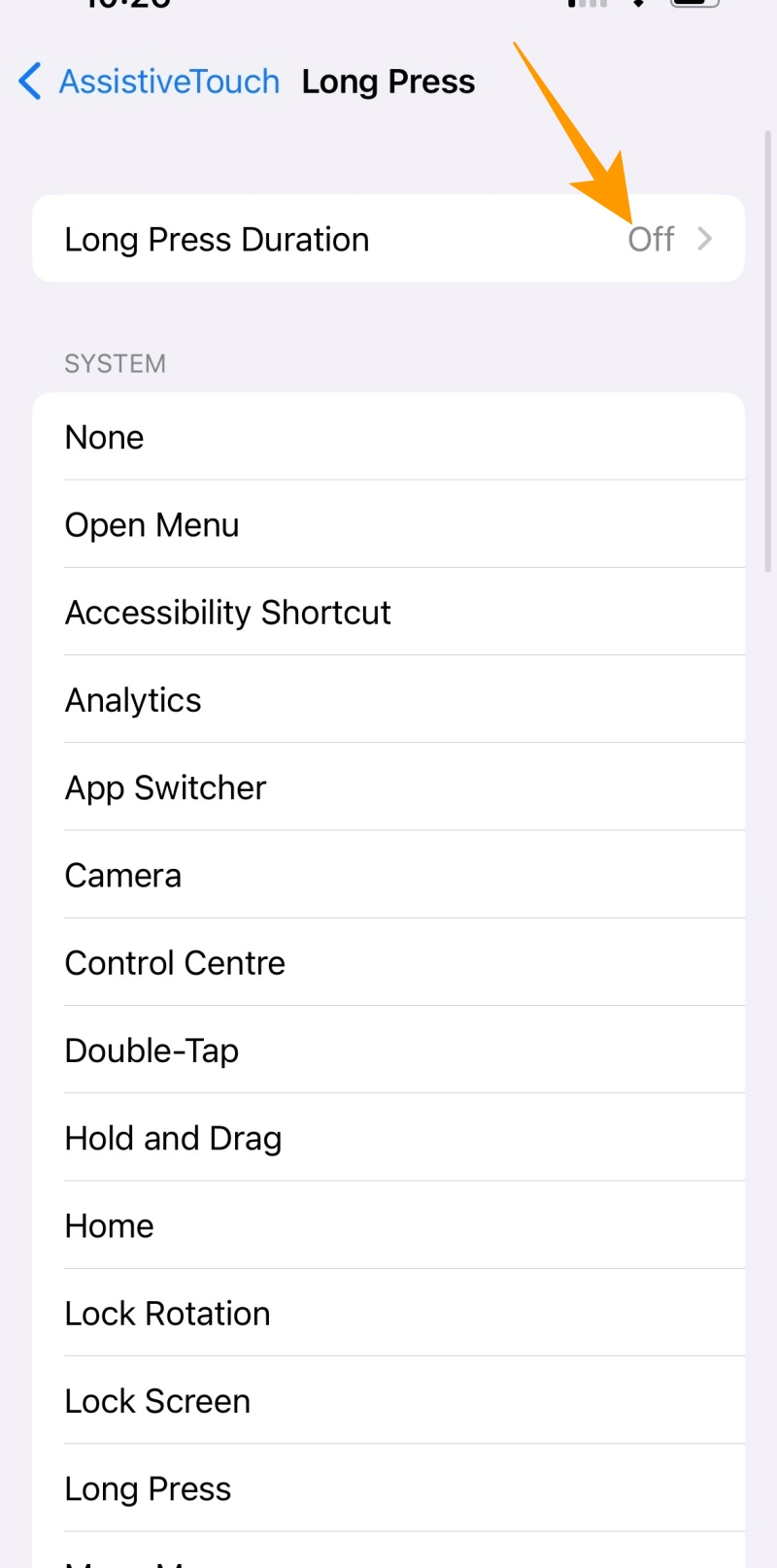
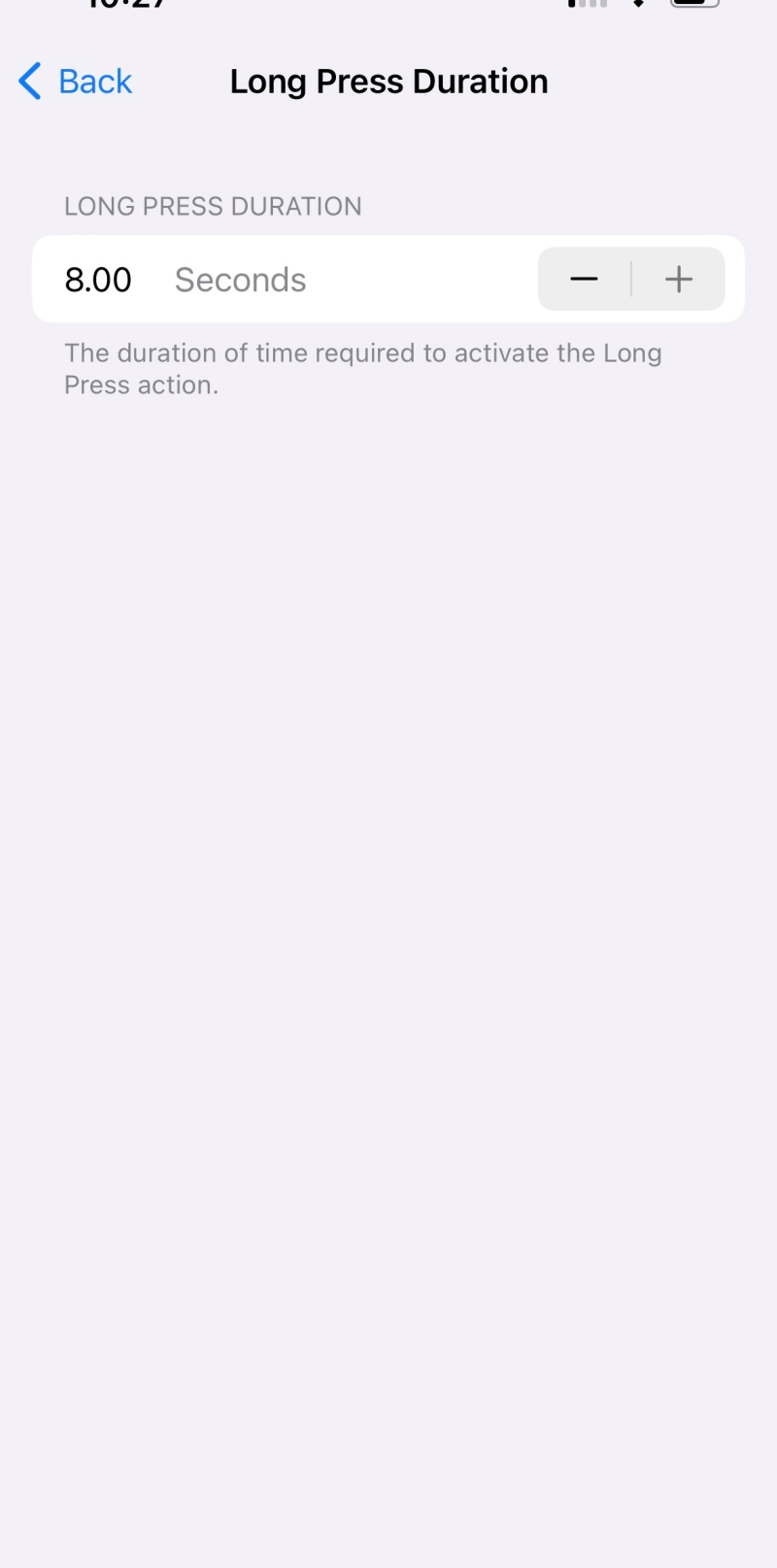
Note: The long press feature allows long press for up to 8 seconds. So, if you want to record a longer video, you can use the lock icon feature mentioned above.
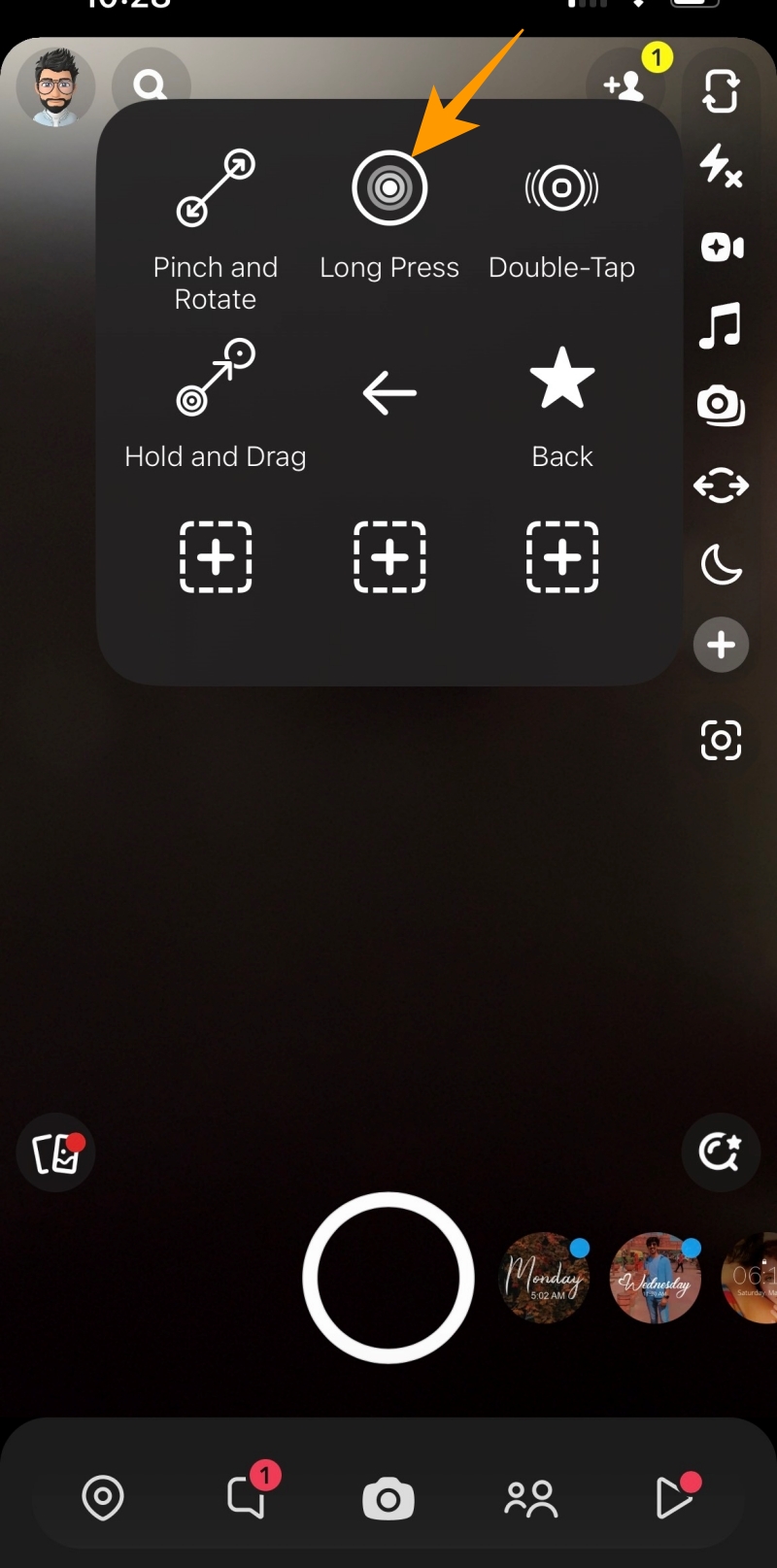
In case you want to record a shorter video, you can use the long press gesture to record Snapchat videos, as explained below:
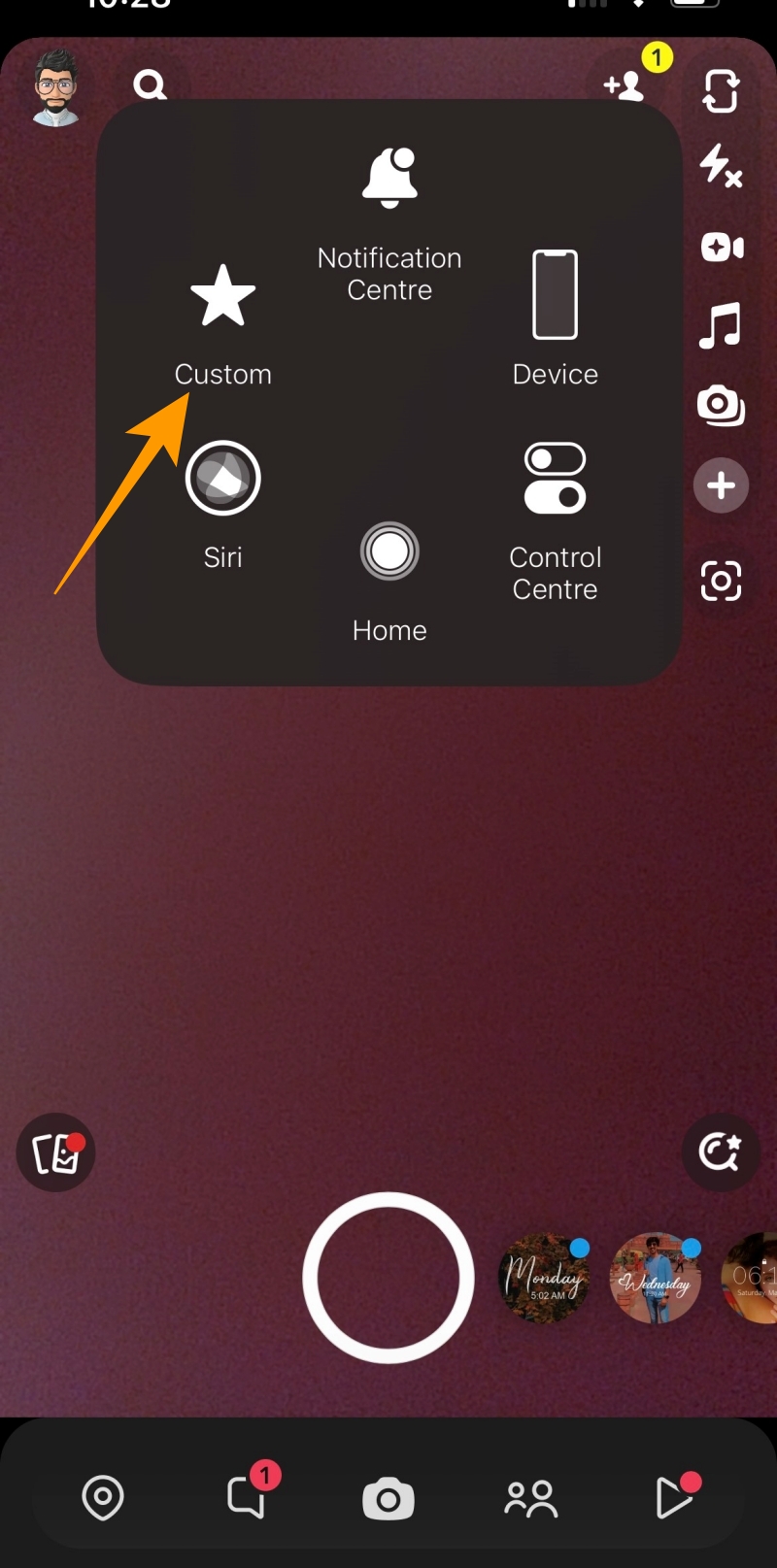
- Launch Snapchat and tap AssistiveTouch.
- From the AssistiveTouch options, tap on Custom.
- Under Custom, tap on the Long Press gesture.
- Lastly, hover the long press gesture on the camera button to start the recording.
Record Your Snaps, Hands-free!
Like other social media platforms, Snapchat has evolved for good but still lacks a single-tap recording option. But you can follow the above steps to workaround this limitation. Whether you use the lock, timer, or volume-down features, all four methods offer the convenience of recording without holding the button. Now that you know how to record hands-free Snaps, check out how to send old pictures as new snaps on Snapchat.
FAQs
A: You can use the lock icon to record a Snapchat video hands-free for more than 10 seconds. Long press the Snapchat camera button to start recording and swipe left towards the lock icon to record hands-free for up to a minute.
A: There is only one way to record longer videos on Snapchat without using your hands. We are talking about the lock feature, which allows you to record up to 60 seconds long video.
How to Cancel Your Zoom Subscription From the Web, Google Play, or App Store
Read Next