How to Recover and See Deleted Telegram Messages

Telegram is one of the best ways to communicate with your friends and family. It packs plenty of features to express yourself better. But there will be times when you need to go back to an old conversation on Telegram only to discover that it’s been deleted. Whether accidentally or on purpose, one of the most frustrating things is trying to recover a message that’s no longer there. Luckily, all isn’t lost just yet as you can still recover a deleted Telegram message depending on the situation.
3 Ways to Recover Deleted Telegram Messages
There are three possible ways in which you can recover your deleted messages on Telegram. Keep in mind that none of these steps guarantee that you can recover a deleted message, but it’s still worth a shot. And if you have deleted your Telegram account, then all your account data and chats have already been deleted.
1. Export Your Data via the Telegram App
This step is your best shot at recovering a deleted Telegram message. However, you’ll need the desktop version of Telegram to make this work as the data export feature is not available on the mobile apps.
- Log into Telegram’s desktop version.
- On the main menu, select the three-column icon.
- Head to Settings and then click Advanced.

- Scroll down and select Export Telegram data.
- Select what you want to download but for messages, toggle all under Chat export settings.

- Scroll down further and toggle Human-readable HTML.
- Click Export.

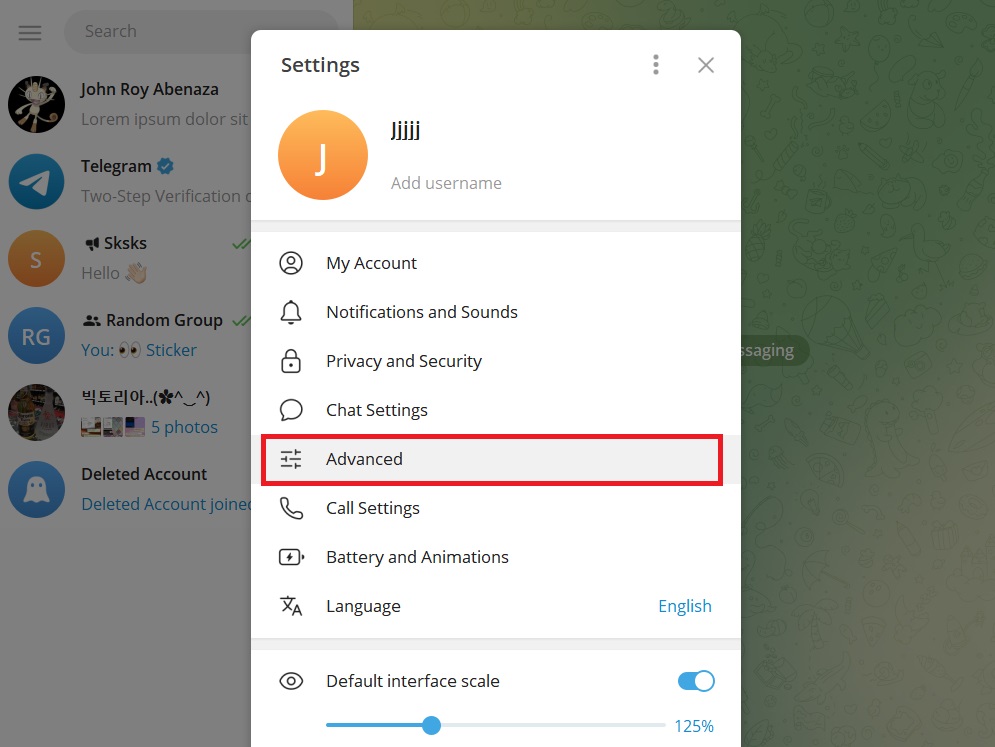

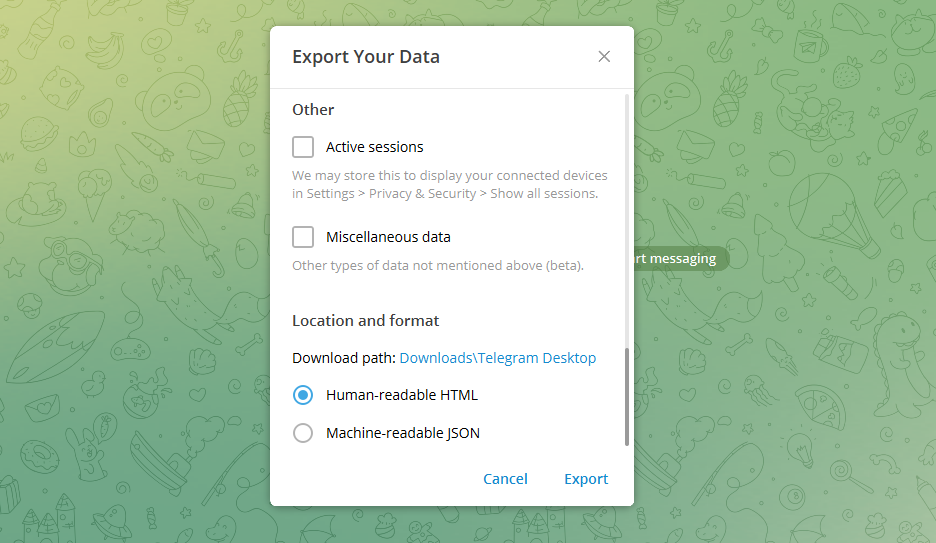
Once you finalize the request, you’ll need to wait 24 hours before you can download the file. Additionally, you’ll be notified of the export request on other devices you are currently logged in to. Open the message from Telegram and click Allow.
Keep in mind that you cannot accept the export request on the desktop app. You need to open Telegram on your phone and approve the request from there. If you’re not logged into Telegram on your phone, you’ll need to wait 24 hours before you can check your data.
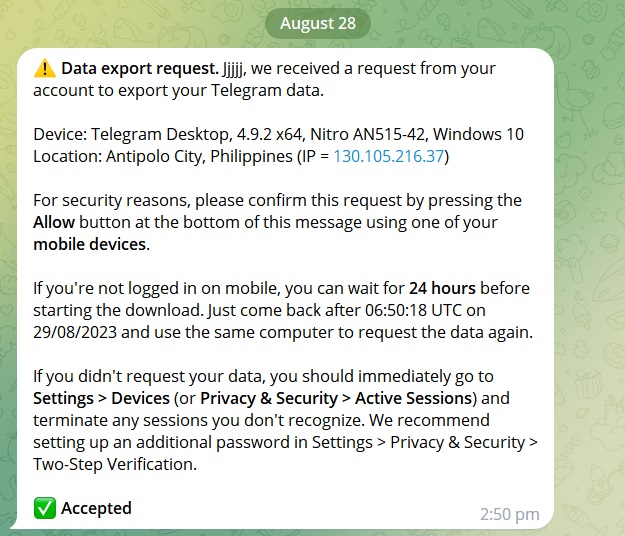
Once you allow the export request, open the Export Telegram data menu again and click Show My Data.
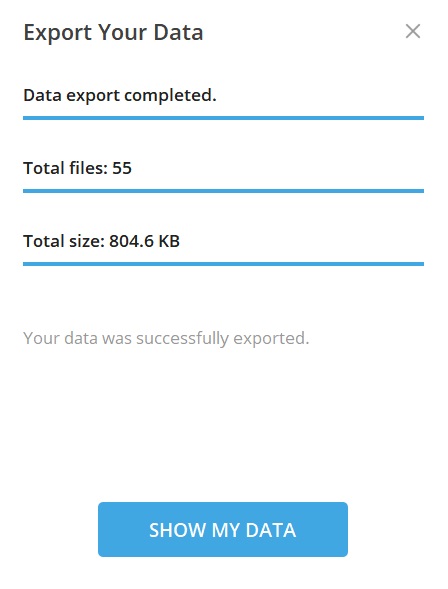
Your messages will be in the export_results.html file which will open in your browser when clicked.
2. Use Undo Deleted Chat Feature
Telegram has a feature that lets you unde deleted chats a few seconds after it’s deleted. However, this isn’t available for individual messages in a chat. It’s only a solution if you accidentally delete an entire conversation with another person or a group. Once the chat has been deleted, you’ll see the Undo button at the bottom of the screen.
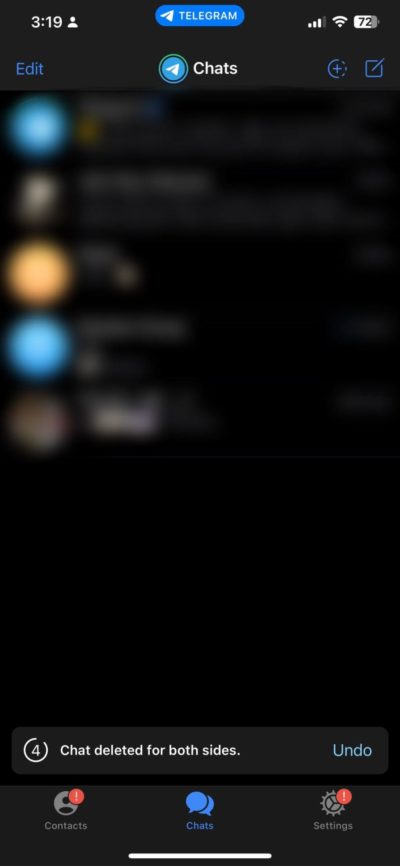
You have around 5 seconds to recover a deleted chat. After that time has passed, the chat cannot be recovered.
3. Ask Others For a Copy of the Message
The best method to recover any deleted messages is to simply ask others for a copy of it. This only works if the message is deleted for you and not for all of the participants on a chat. Talk to the people you’re in the conversation with and have them send you a copy of the message you need. This requires nothing but a little help from your contacts. After all, you add a friend on Telegram because you trust them.
Should You Try a Third-Party App to Recover Deleted Telegram Messages?
Many third-party apps claim to recover deleted Telegram messages. But you should be vary of them. They go against Telegram’s terms and conditions, so it’s not the safest thing to do. We strongly recommend you avoid using third-party apps to recover deleted Telegram messages.
Be Careful When Deleting Messages on Telegram
You’ll have to go through a few hoops just to recover deleted messages on Telegram. It’s better to simply not lose any messages at all. You should consider backing up your data at all times just in case the conversations are deleted permanently. If you want more tips, here’s how you can read Telegram messages without being seen!
FAQs
A: Yes, but to an extent. As per Telegram, messages are deleted from their servers the moment it is deleted from your account. Some messages can still be recovered from the export data feature though.
A: Aside from messages, you can get all of the data you’ve received and sent on Telegram. Those include contacts, media, files, and others. It’s a good way to back up your data on Telegram if you’re planning to.
A: This depends. If you deleted the message for your account only, the receiver can still see it on their end. If you delete the message for both accounts, the receiver can’t see it on their end.
How to Get a Blue Check on Telegram
Read Next