



How to Recover Your Locked Snapchat Account
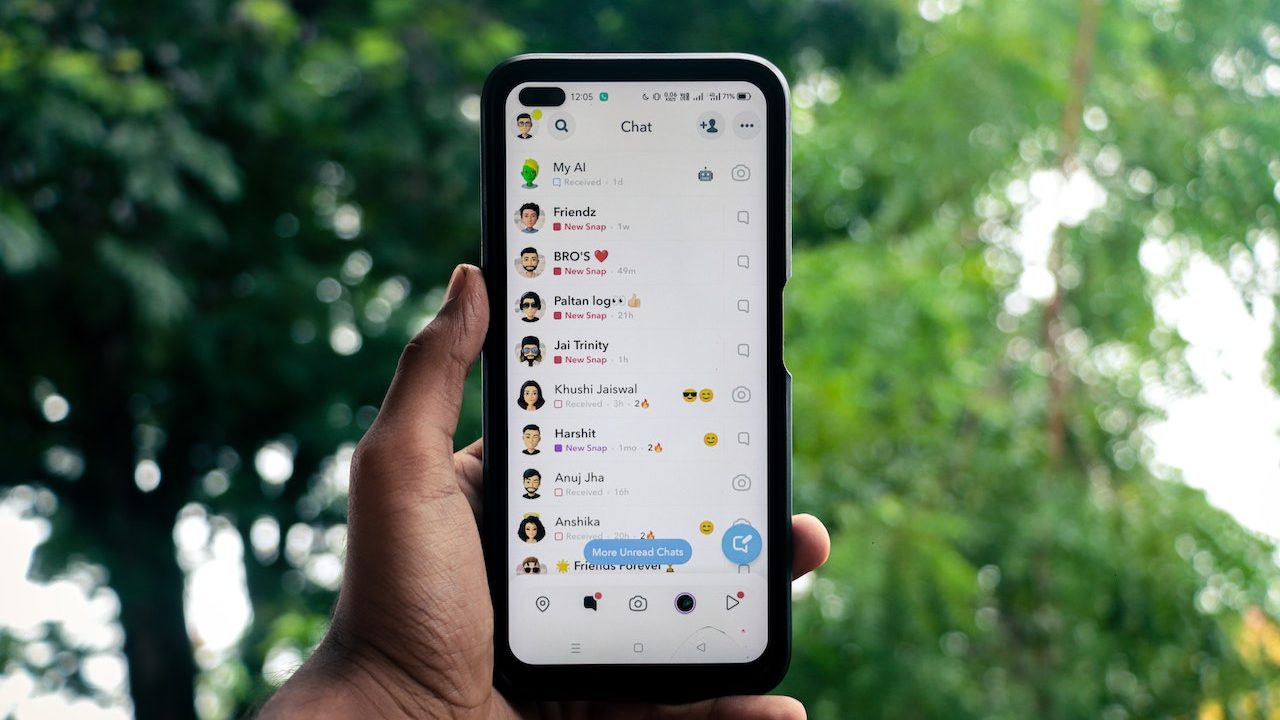
Losing access to your Snapchat account can be a bummer, especially if you are hyperactive. There are several reasons why Snapchat locks an account: it can be a temporary or permanent ban.
Thankfully, there are a few things that you can do to recover your locked Snapchat account. Wondering how, though? This guide will detail how to recover your locked Snapchat account and what you can do to prevent this from happening again.
Why Does Snapchat Lock an Account?
There are many reasons why Snapchat locks an account. This includes violating the platform’s guidelines or using it for illegal activities. Snapchat’s guidelines mentions the following reasons for banning accounts:
- Sending spam: You frequently send too many snaps one after the other to the recipients without any indication that they want them.
- Engaging in bullying: If you’re bullying someone on Snapchat, they can report you, and Snapchat will take action. Your account can even get permanently banned.
- Posting explicit content: Like most social media platforms, Snapchat doesn’t allow its users to post explicit content. If you post something explicit in your Stories, it’s a violation of Snapchat’s guidelines.
- Hate speech: Another reason Snapchat locked your account could be because you were posting negative things about a sensitive topic or spreading hate speech.
- Making threats: Like bullying, threatening someone on Snapchat can also get your account locked.
- Using unauthorized third-party apps: Snapchat only allows the use of some third-party screen saver apps. Using any unauthorized app can get your account temporarily banned.
Besides this, Snapchat may ban your profile if you try to add too many people without prior verification. While you might be adding your friends on Snapchat, the platform sees this behavior as spam.
To avoid this, you should verify your Snapchat account using your email address or phone number.
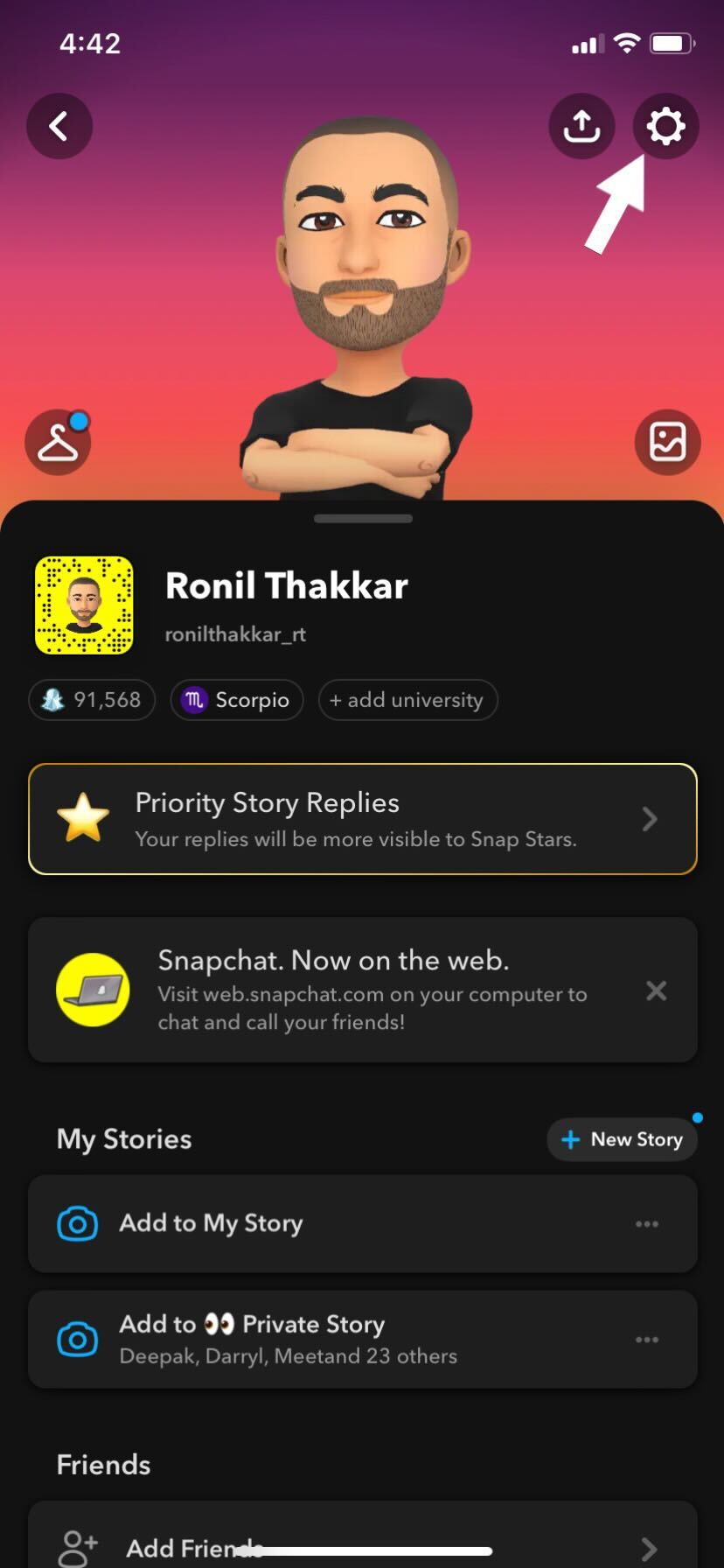
- Launch Snapchat and tap on your profile icon (Bitmoji).
- Tap the Settings option (gear icon) at the top of your profile.

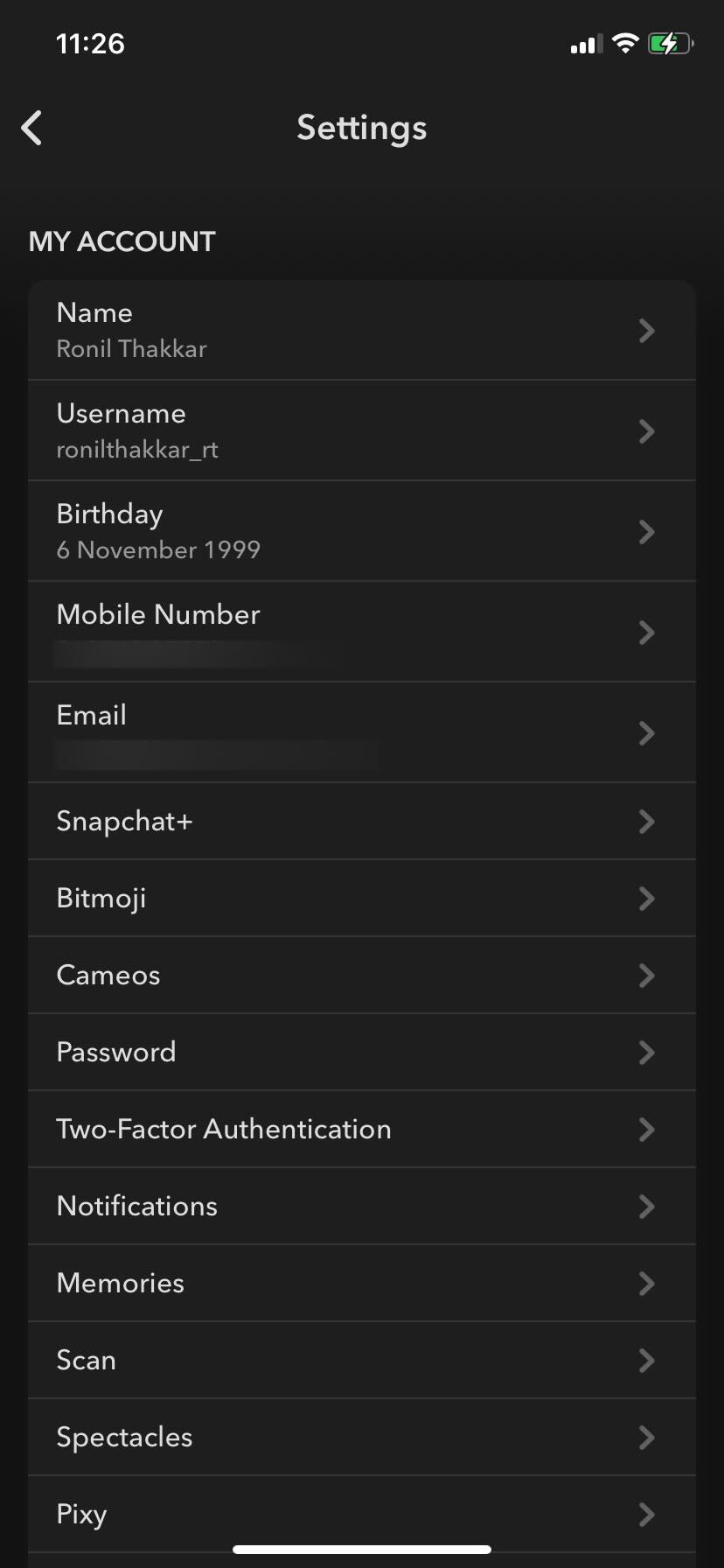
- Select the email address/phone number option to get the verification code.
Enter the verification code you received on your email address/phone number and verify your account. 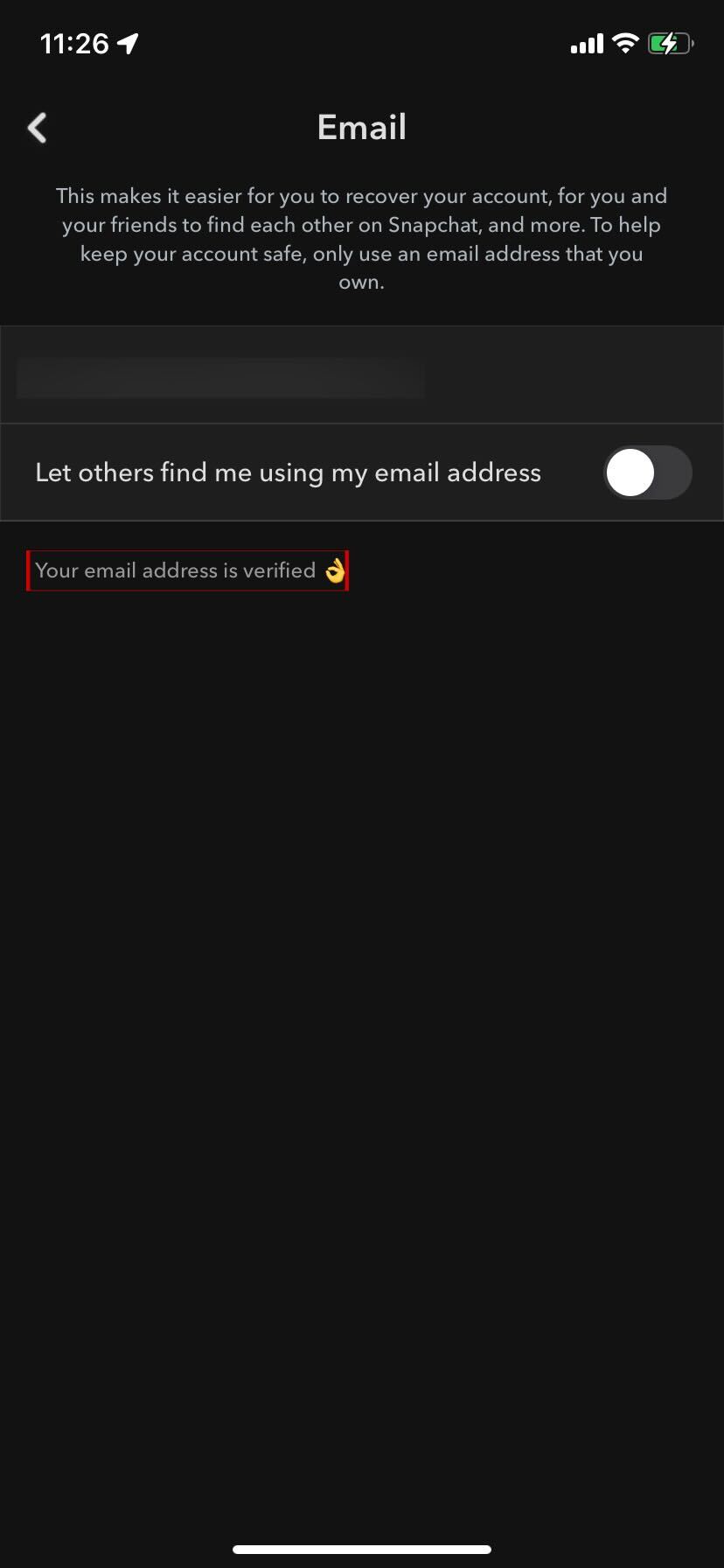
3 Potential Ways to Recover Your Locked Snapchat Account
Now that you know why your Snapchat profile is locked, it’s time to get it back. Not all the methods mentioned below will work for everyone; it may vary based on your situation.
1. Manually Unlock Your Account
If Snapchat permanently bans your account, you can’t open a new one. In extreme cases, Snapchat may even block your device entirely from its platform.
However, if your Snapchat account has been temporarily locked, you should check in from the app or website and then select Unlock. To avoid repeating the same mistakes and getting your account permanently banned from the platform, Snapchat recommends checking why your account may have been locked.
2. Submit a Request
The first thing that you should do when you lose access to your account is to visit Snapchat’s Privacy page and submit a request. Select the I can’t access my account option under the What can we help you with? section. Next, under the “Oh no! Tell us more” section, select My account is locked. 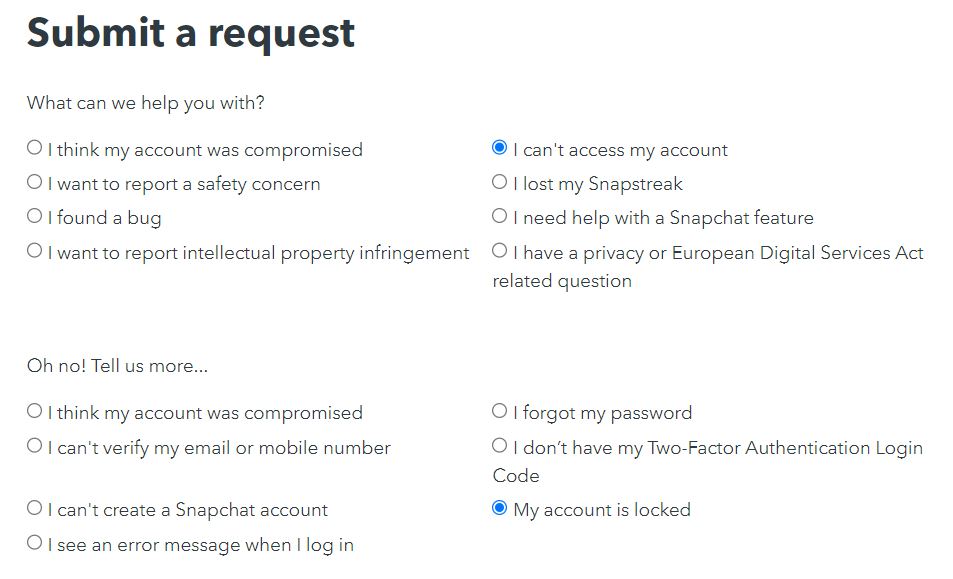
Enter your username, email address, and phone number, and describe your situation in the description box. Hit the Submit button to send your request to Snapchat. 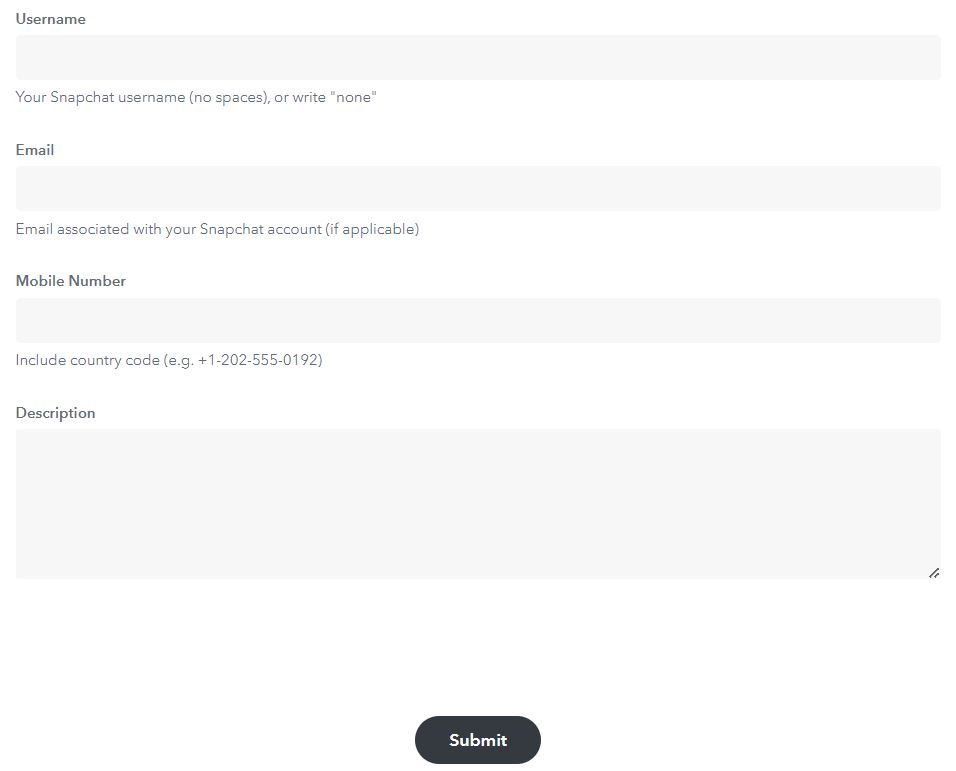
3. Create a New Snapchat Account
As mentioned above, if your account isn’t permanently locked, you can always create a new Snapchat account. You can delete your old Snapchat account and create a new one from scratch.
The process of creating a new Snapchat account is pretty straightforward.
- Tap the Sign Up button to create a new account and press Continue.

- Enter your name, date of birth, and username.
- Press Continue.
- Type a strong password that will be easy for you to remember.
- Verify your account using your email address or phone number.
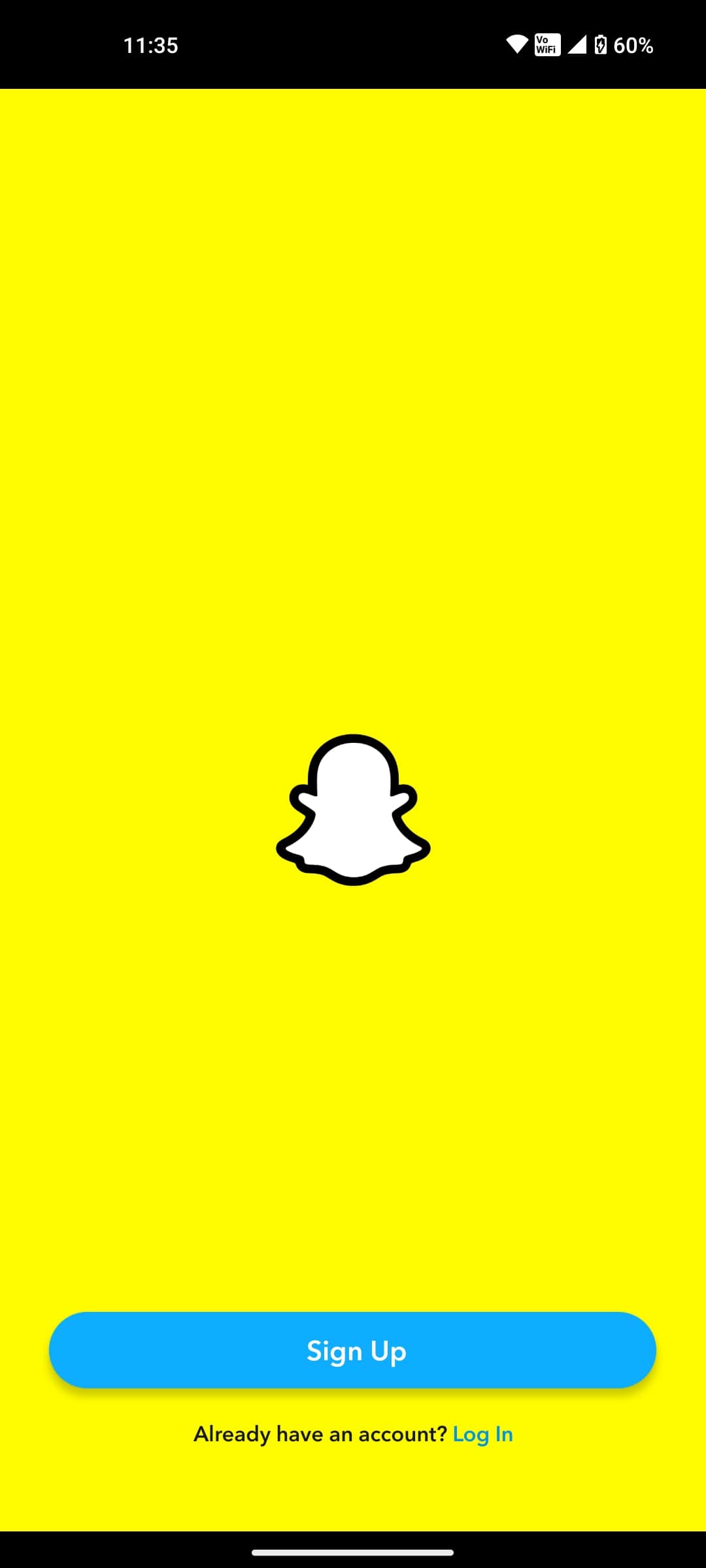
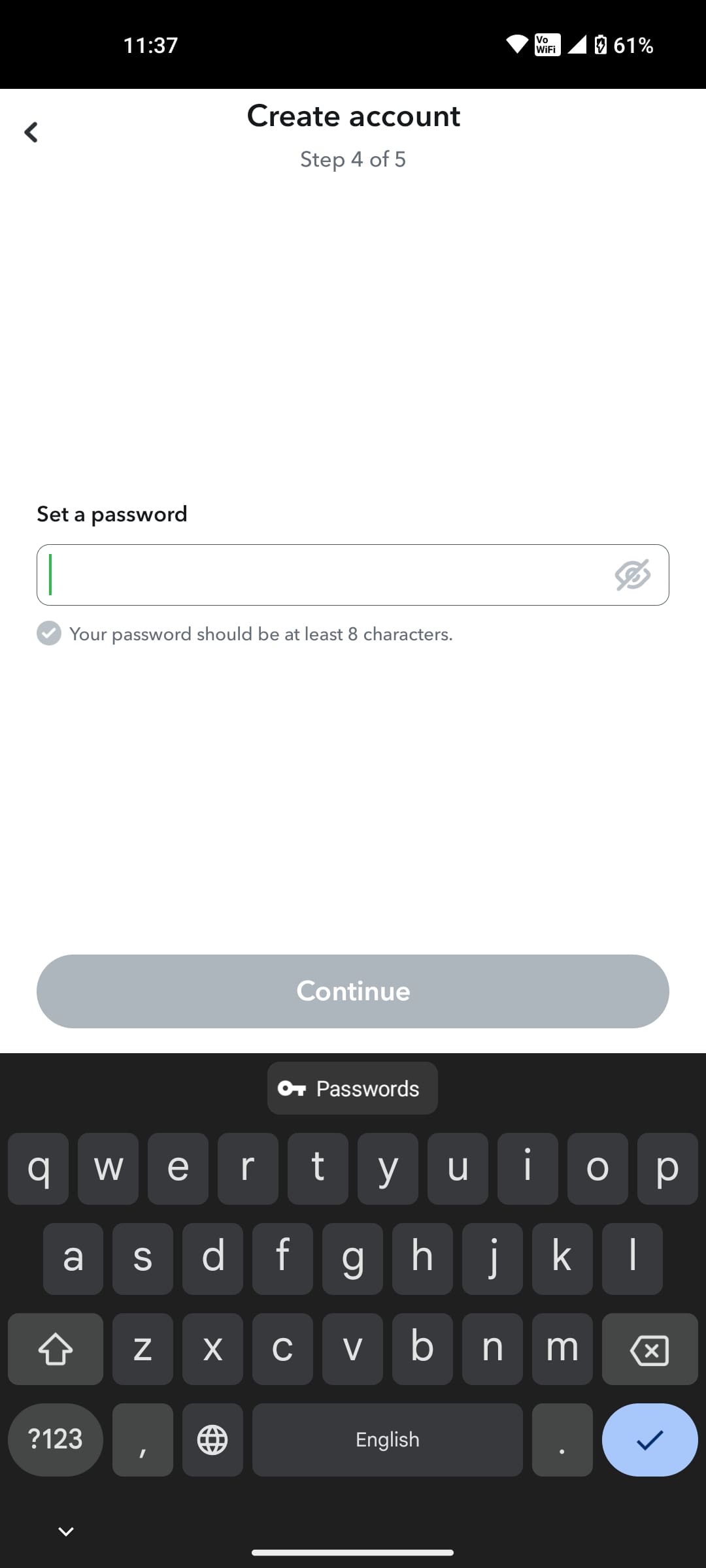
Avoid creating a new Snapchat account if your account is only temporarily locked for 24 hours. After this time is up, you can continue using Snapchat like before.
Recover Your Snapchat Account
Go through the above guide to know why Snapchat bans accounts and how to recover your locked profile. This will give you a better understanding of Snapchat’s guidelines and what you need to avoid getting your account banned in the future. After that, you might want to learn how to share your Snapchat stories on Instagram.
FAQs
A: Yes, you can recover a locked Snapchat account. Try using the Unlock option that appears when you log in from the app or the website. Before signing back in, ensure you have gone through Snapchat’s guidelines to prevent this from happening again.
A: No, a locked account doesn’t mean it’s deleted from Snapchat’s server. Your behavior was against Snapchat’s guidelines, leading to the ban.
A: In most circumstances, the Snapchat ban only lasts 24 hours. After this period, your account will be functional as before the ban.
A: Typically, you can reach out to Snapchat support through the app. However, you can visit the Snapchat Support Page on your web browser to contact Snapchat support if you’ve lost access to your profile.
How to Block Ads in Gmail
Read Next
















30 thoughts on “How to Recover Your Locked Snapchat Account”
If you’re dealing with a similar issue, it may be worth reaching out to her at msveronica023@gmailcom.
¡ π $ t a G √ a m offers professional re-activation service and it’s Guaranteed
Instagram•jackthomashit or email•jackthomashit@gmail.com reliable and trustworthy in all he does
nyx_cybersleuth on Instagram. I know of this personally because she was able to sort my issues
Email; nyx.consultant @ gmail.com
Their ethical hacking skills and attention to detail played a crucial role in enhancing our overall security posture. You can mail them if you’re having issues or check them on instagram.
Their ethical hacking skills and attention to detail played a crucial role in enhancing our overall security posture. You can mail them if you’re having issues or check them on instagram.
Instagram•nyx_cybersleuth or email•nyx.consultant @gmail.com reliable and trustworthy in all she does