How To See Instagram Posts and Stories You Have Liked
Instagram Stories has become a popular tool for updating friends and followers with important updates about your life through ephemeral content. When scrolling through Stories, you might come across posts that grab your attention or speak to you personally, making you tap the “Like” icon. But what happens if you want to view those Stories again?
Is there any way you can see the Instagram Stories you have liked before? And is there a way to view Instagram posts you have previously liked? Find out how in this guide.
How To Like a Story on Instagram With a Heart Icon
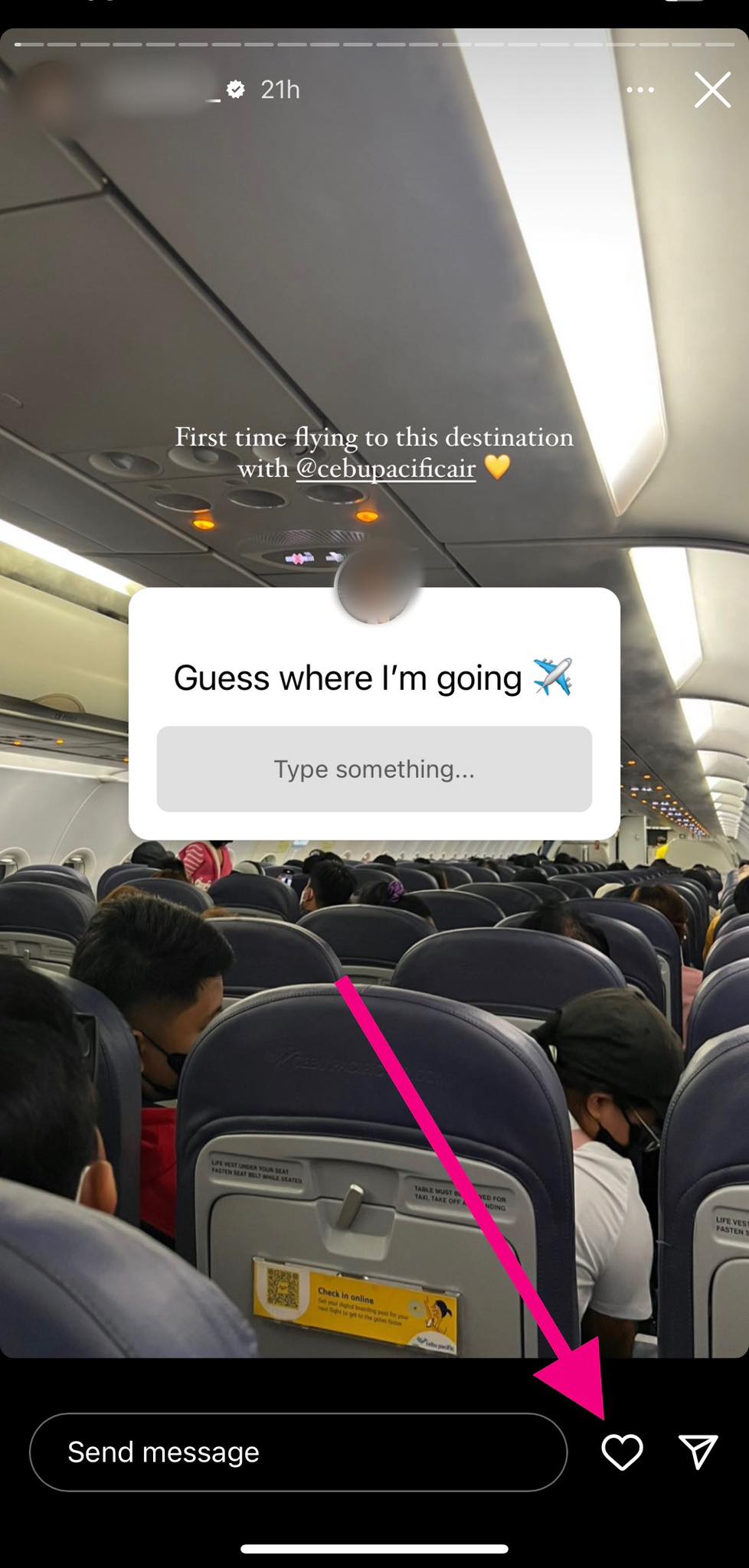
The “Like” icon is different on Instagram. Instead of a thumbs up, Instagram has a heart icon. And to like a story with it, here’s what you can do.
- Go to the Story.
- Tap the heart icon at the bottom right corner of your screen, and you’re done.

How To Like a Story on Instagram With Quick Reactions
When you try to view a Facebook Story, quick reactions are already beside the comment bar. On Instagram, it’s different as you have to do the following steps first.
- Go to the Story.
- Swipe up to reveal quick reactions.

- Choose between Emoji and Avatar. Tap the emoji or avatar that represents your reaction best.
- To use a GIF as a reaction, select the GIF button beside the message bar. Then choose the GIF that describes your reaction best.
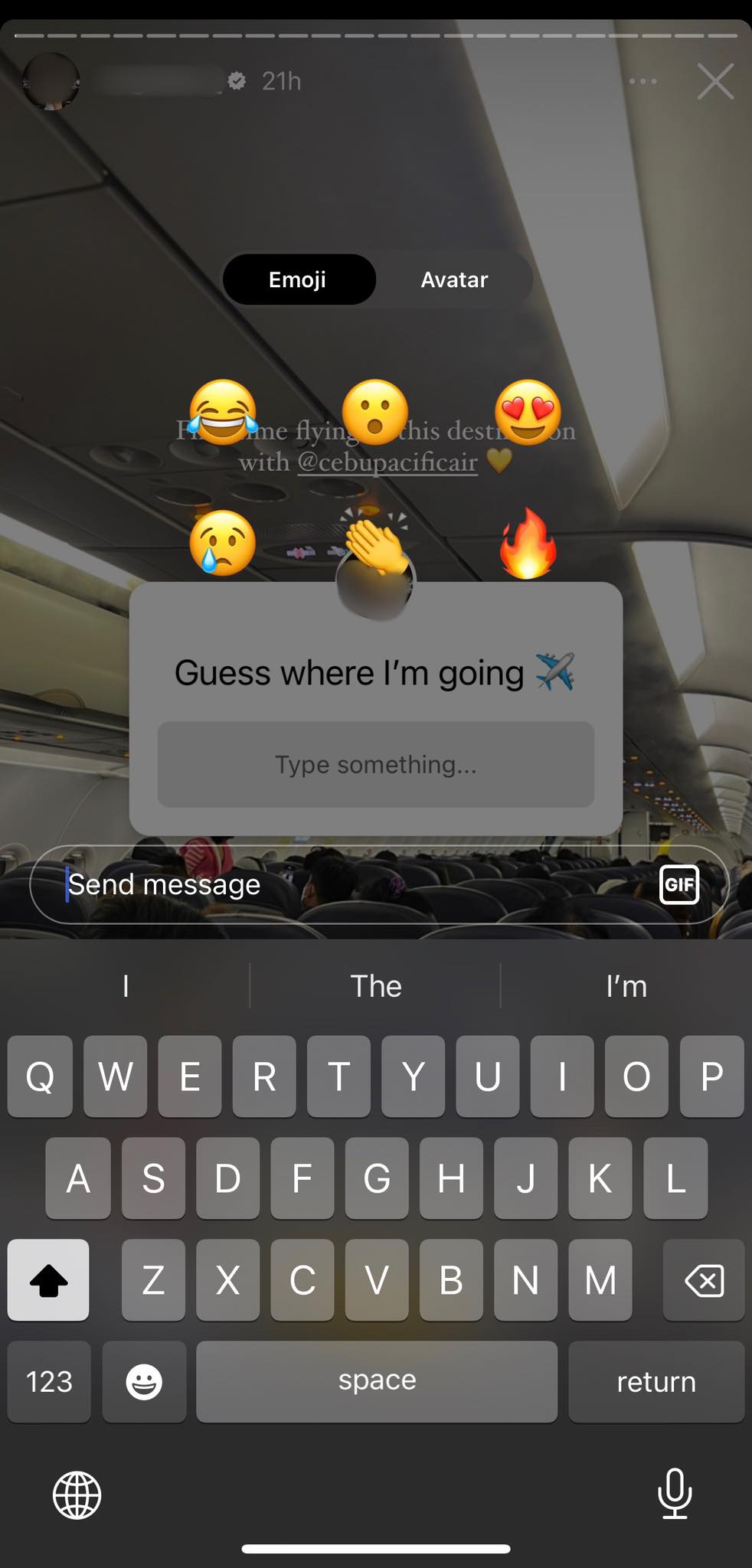
Remember, you can use moving stickers on an Instagram Story if you wish to.
How To See Who Liked Your Instagram Stories
Knowing who liked or viewed your Stories may be informative and rewarding whether you’re a content creator, a social media enthusiast, or simply someone who wants to monitor interactions.
Luckily, the list of users who have liked your Stories is viewable on Instagram.
- Tap on your Story icon on the upper left corner of your screen.
- Tap Activity or the icons of other users at the bottom left corner of your screen.
- If a viewer has “liked” your story, you will see a red heart at the bottom of their display picture.

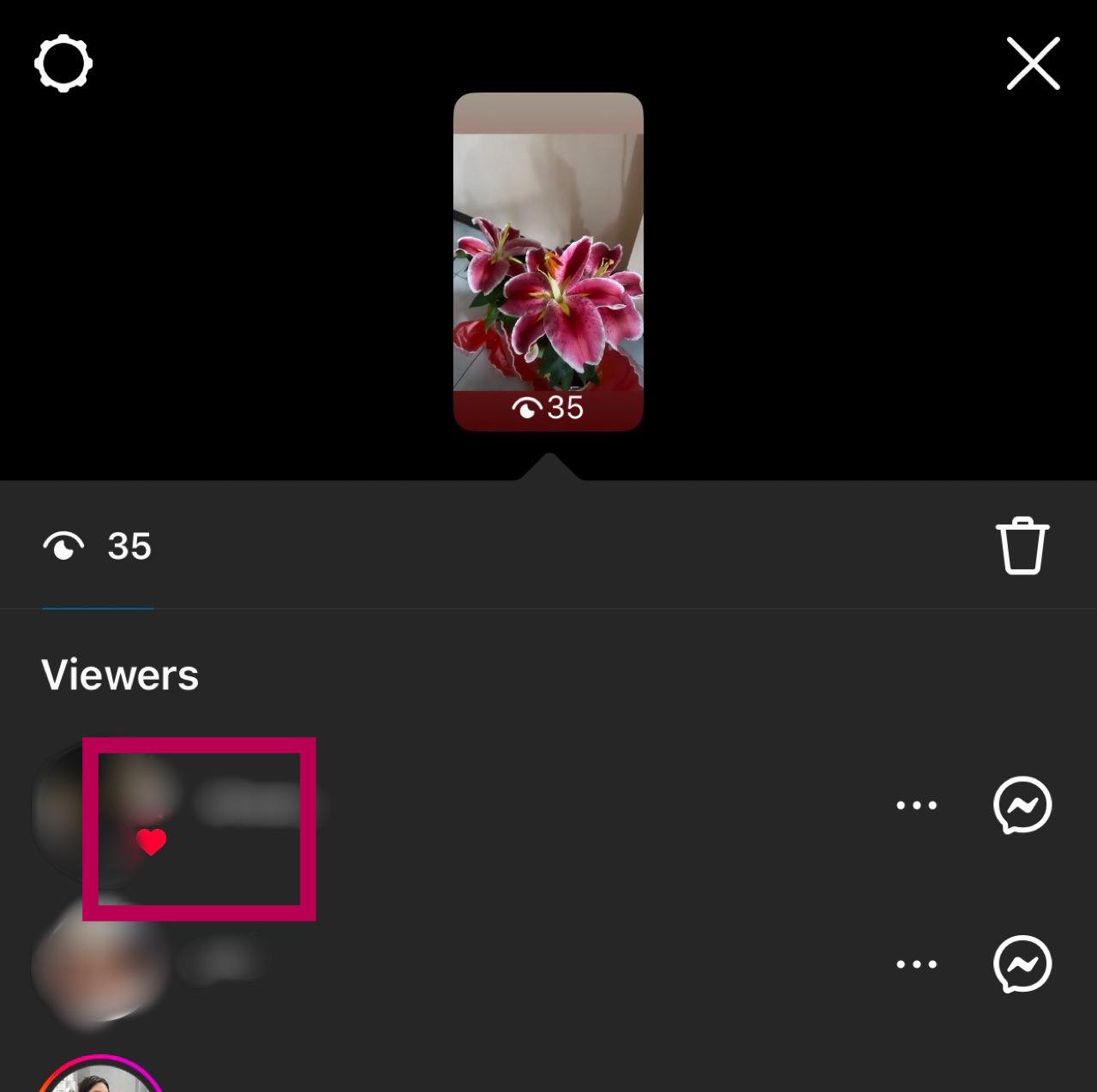
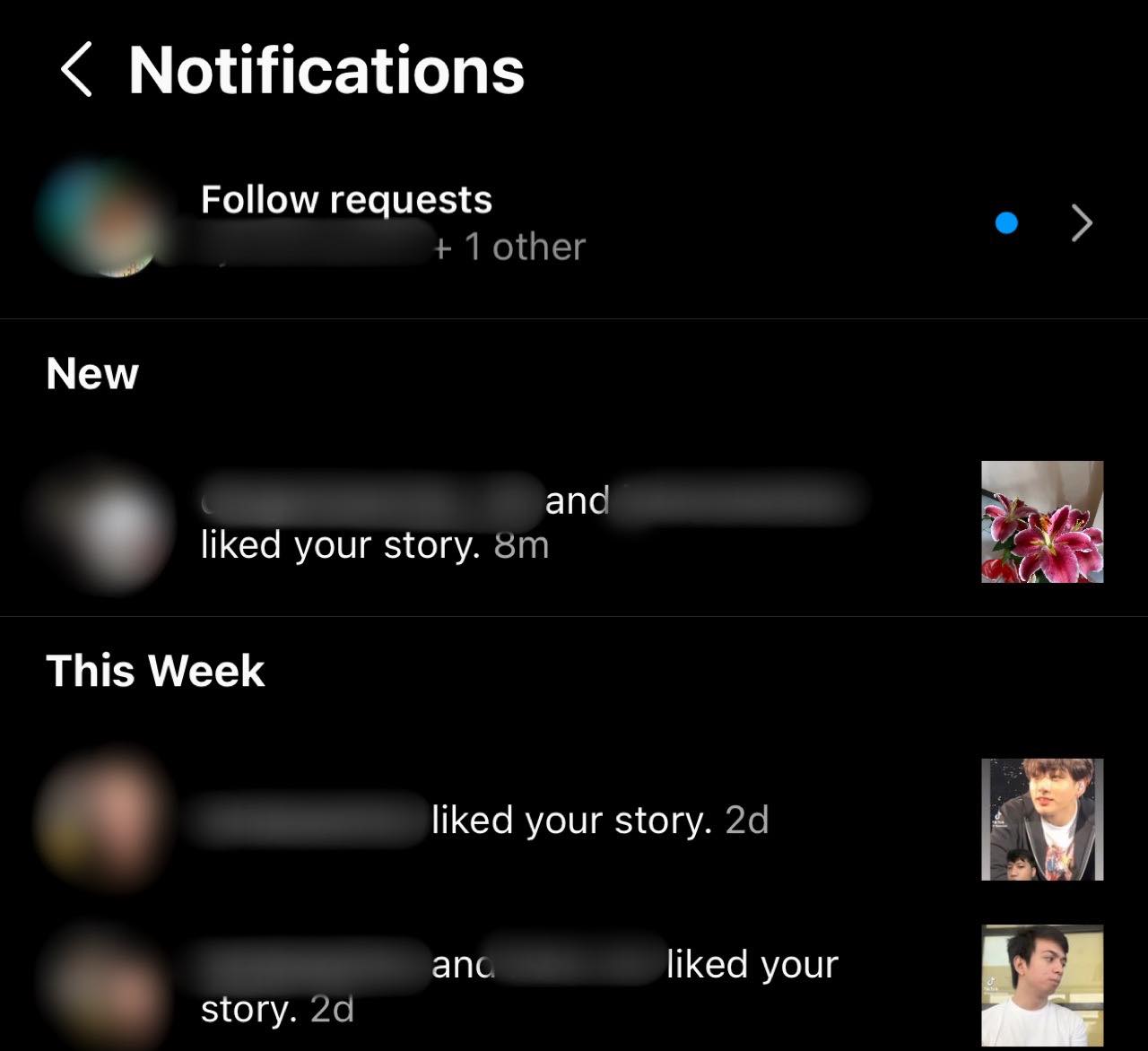
Another way to see who liked your Stories is by looking at your notifications.
- Tap the heart icon on the upper right corner of your screen.
- There, you’ll see notifications saying, “(Username) liked your story.”

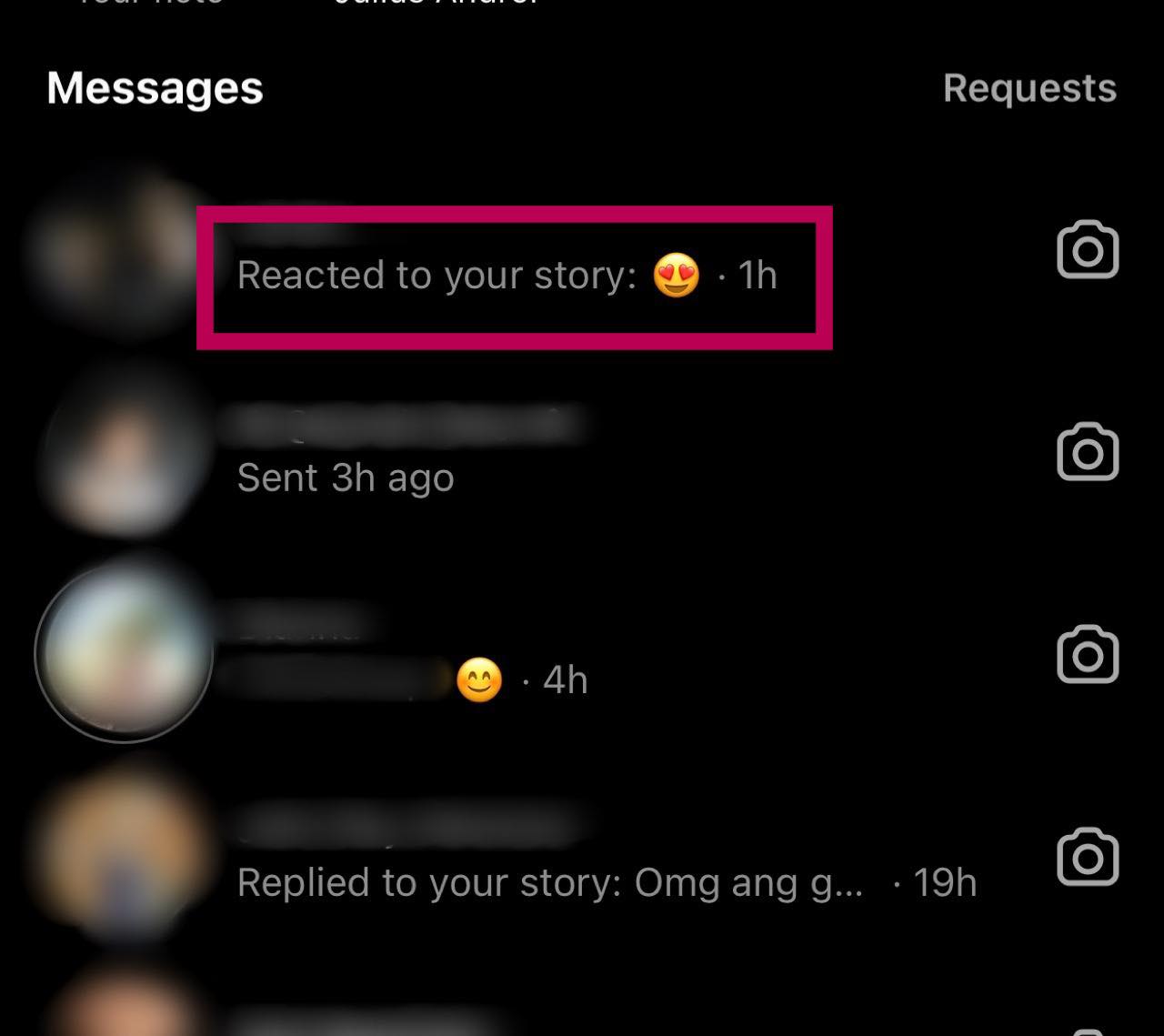
You’ll also see a notification in your DMs (Direct Messages) if someone has reacted to your Story using quick reactions or a GIF.
- Tap the messenger icon on the upper right corner of your screen.
- A message will show their reaction or the GIF.

While you can see who’s viewed your Facebook Story, the process differs from Instagram.
What Happens When You Like a Story on Instagram
When a Story grabs your attention, it’s common to hit the like button in the form of a heart. But have you ever wondered what happens after liking an Instagram Story?
When you tap that heart button, it will turn red, indicating you have liked the Story. A notification will then be sent to the user. Don’t worry; only those who received the like will see it. If you send a quick reaction or GIF, they will get a notification in their DMs saying, “(Your username) reacted to your story.”
How To See Recently Viewed Instagram Stories
It’s normal to like Stories or posts that appeal to or strike a chord with you. But what happens if you want to look back at those liked posts or check what else you’ve previously shown appreciation for? Here’s how you can do that.
If you see a Story or post that resonates with you, it’s normal to have another look at it. If a Story hasn’t “expired” yet, here’s how you can view it again.
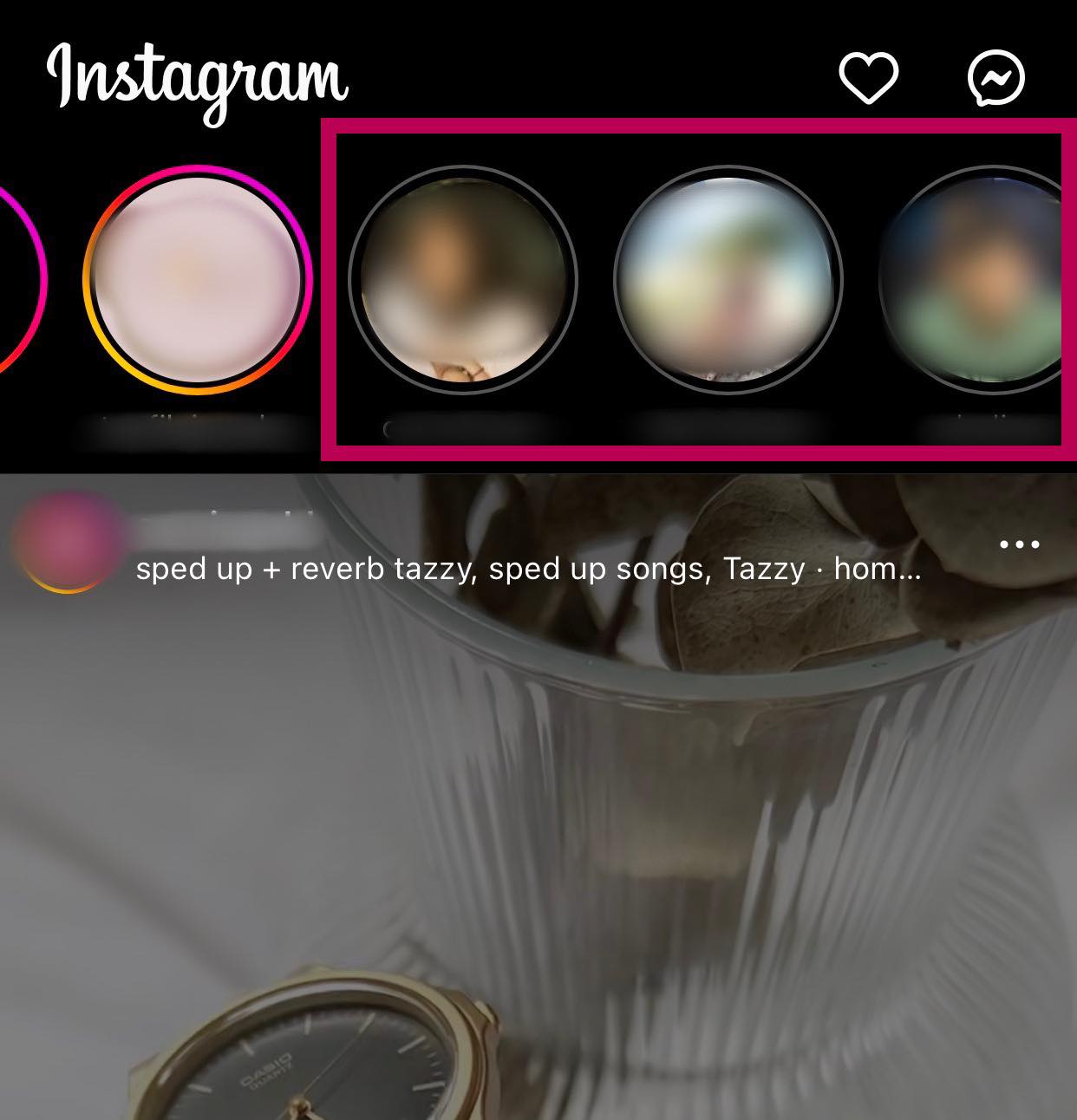
- Launch Instagram and go to Home.
- Scroll the stories to your left to find the Stories you’ve watched.
- Stories with a gray circle mean you’ve already watched them.

- Tap the Story you want to see.
How To See Instagram Posts You Have Liked
Instagram makes it easy to view the posts you have liked or reactions sent in the past.
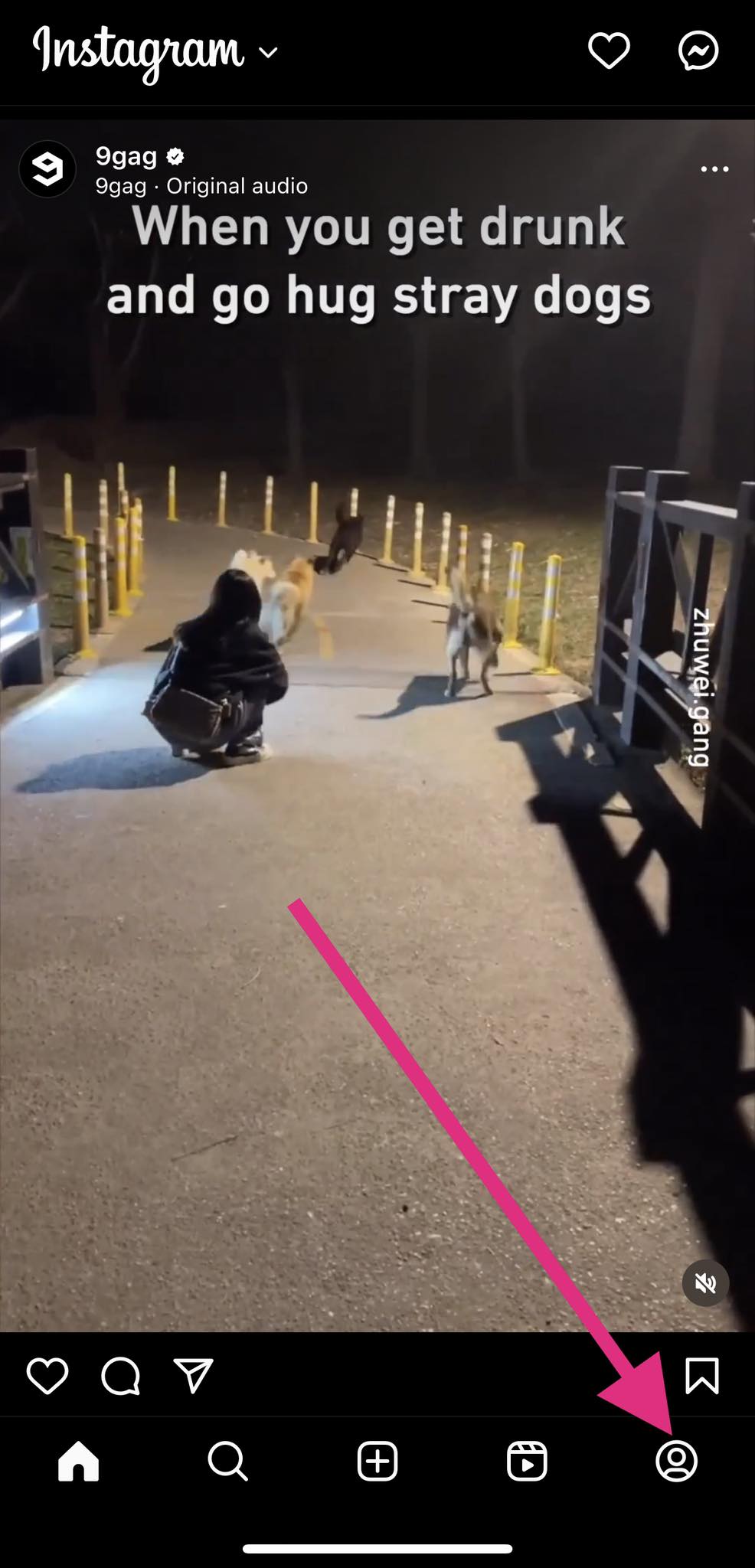
- Open the Instagram app on your phone.
- Tap your profile icon at the bottom right corner of your screen.

- Select the hamburger button at the top right corner.
- Tap Your Activity.
- Select Likes or Sticker Responses to view your previously liked or reactions on posts.

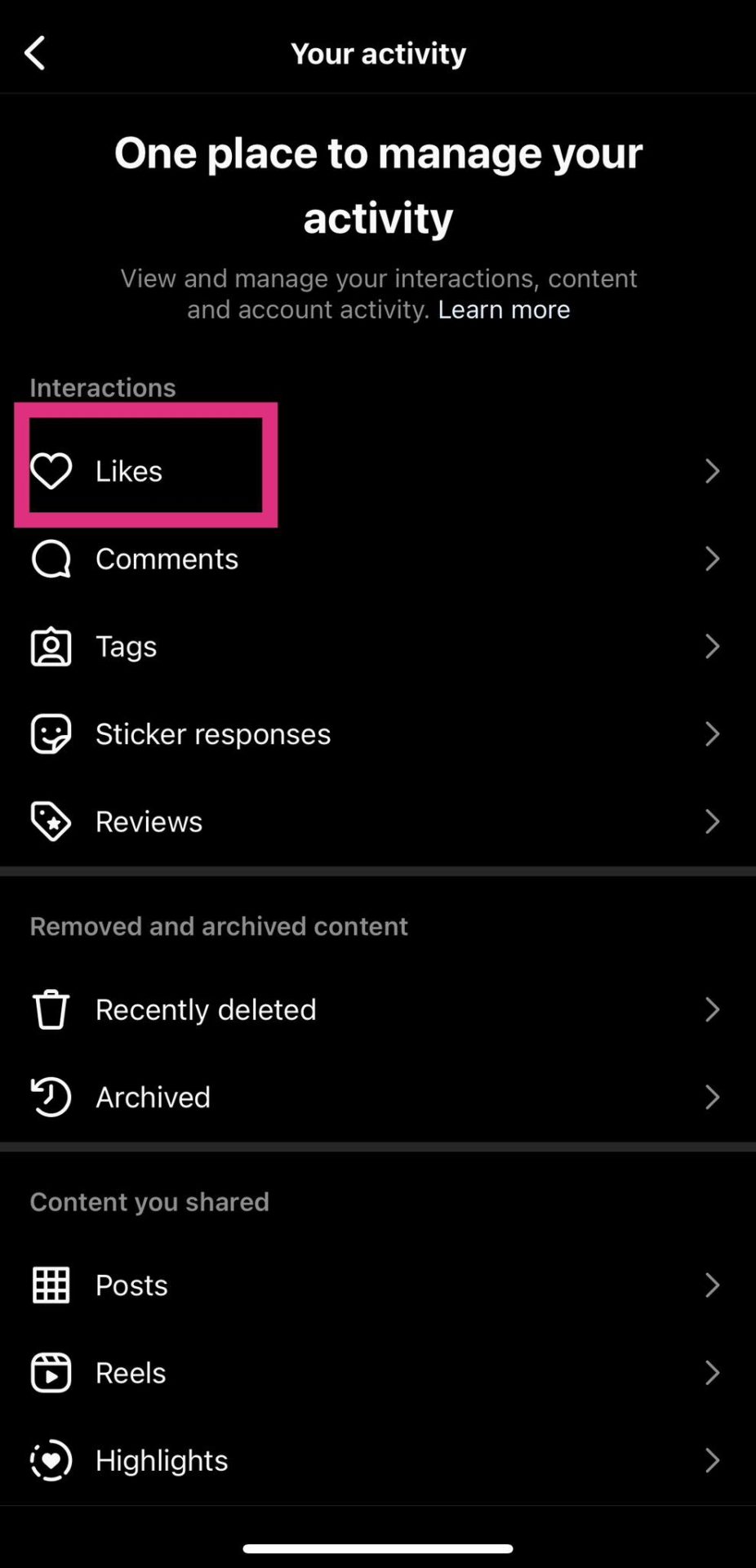
Note that Instagram will keep a list of the last 300 posts you liked.
Can You View Instagram Stories You Have Liked?
You might have found interesting Stories from your favorite content creators, friends, or relatives on Instagram. Perhaps you’ve wondered if it’s possible to find those Instagram Stories you liked previously. Unfortunately, there is no way you can do that. This is because Stories disappear after 24 hours; you cannot see them after that.
Can You See Instagram Stories After They Disappear?
Unfortunately, you can’t see Instagram Stories 24 hours after they disappear. This is the standard time for all Instagram Stories since they are ephemeral content. If you’re lucky, though, and the user added it as a Story Highlight, you can still see it after 24 hours.
You can take a screenshot of an Instagram Story to share it with your friends not on the platform. There’s no way to tell if someone screenshots an Instagram Story or post, making it a stealthy way to share content.
However, you can view your old Instagram Stories. These are saved in the archives; you can even reshare them whenever you want.
Improve Your Instagram Experience
Liking Instagram Stories and posts may seem a little confusing at first. But, with this guide, you can better understand how Instagram Stories work and can significantly enhance your overall user experience.
How to Use ChatGPT on Google Sheets
Read Next