How to Tell If You Are Blocked on Telegram
Unable to connect with someone on Telegram? While network issues or temporary server issues are possible, it could also be that the other party has blocked you on Telegram. But is there any way to tell if you have been blocked on Telegram? Here are some effective ways to confirm whether a Telegram user has blocked you.
6 Ways to Know if You Are Blocked on Telegram
If you are unsure whether a Telegram user has blocked you, the six signals below will help confirm your notion.
1. Profile Picture Is Replaced With Their Initials
A confirmed way to know if someone has blocked you on Telegram is if their display picture has been replaced with their initials. So, if someone’s profile picture is not visible, there are chances that they have blocked you.
However, there is a fair chance that the concerned user may have deleted their old Telegram profile pictures or changed their privacy settings. So, to confirm whether you are blocked, check for other factors like their online status, double-tick on messages, and the other signals mentioned below.
2. Sent Messages Will Not Get a Read Receipt
There are multiple ways to know if someone has read your message on Telegram. A single checkmark on a sent message means your message has been sent, whereas a double checkmark means the receiver has seen your message.
So, if you don’t get a double tick on your sent messages, you may have been blocked. However, not receiving read receipts on your messages doesn’t necessarily mean you are blocked. There are fair chances that the other person may have muted you or have read your Telegram message without being seen. So, count on other signals to confirm whether you are blocked.
3. Cannot See Their Last Active and Online Status
Once someone on Telegram blocks you, you cannot view their online status. Apart from that, their last seen time will also remain hidden from you. To be more specific, Telegram will show the last seen as “last seen a long time ago,” even if the person is online or has been online lately.
4. You Cannot Voice or Video Call Them
The inability to voice or video call someone is a prominent signal that the concerned person has blocked you. When you try to call a Telegram account that has blocked you, a Failed to connect popup will appear on the screen, stating you cannot reach the concerned person because of their privacy settings.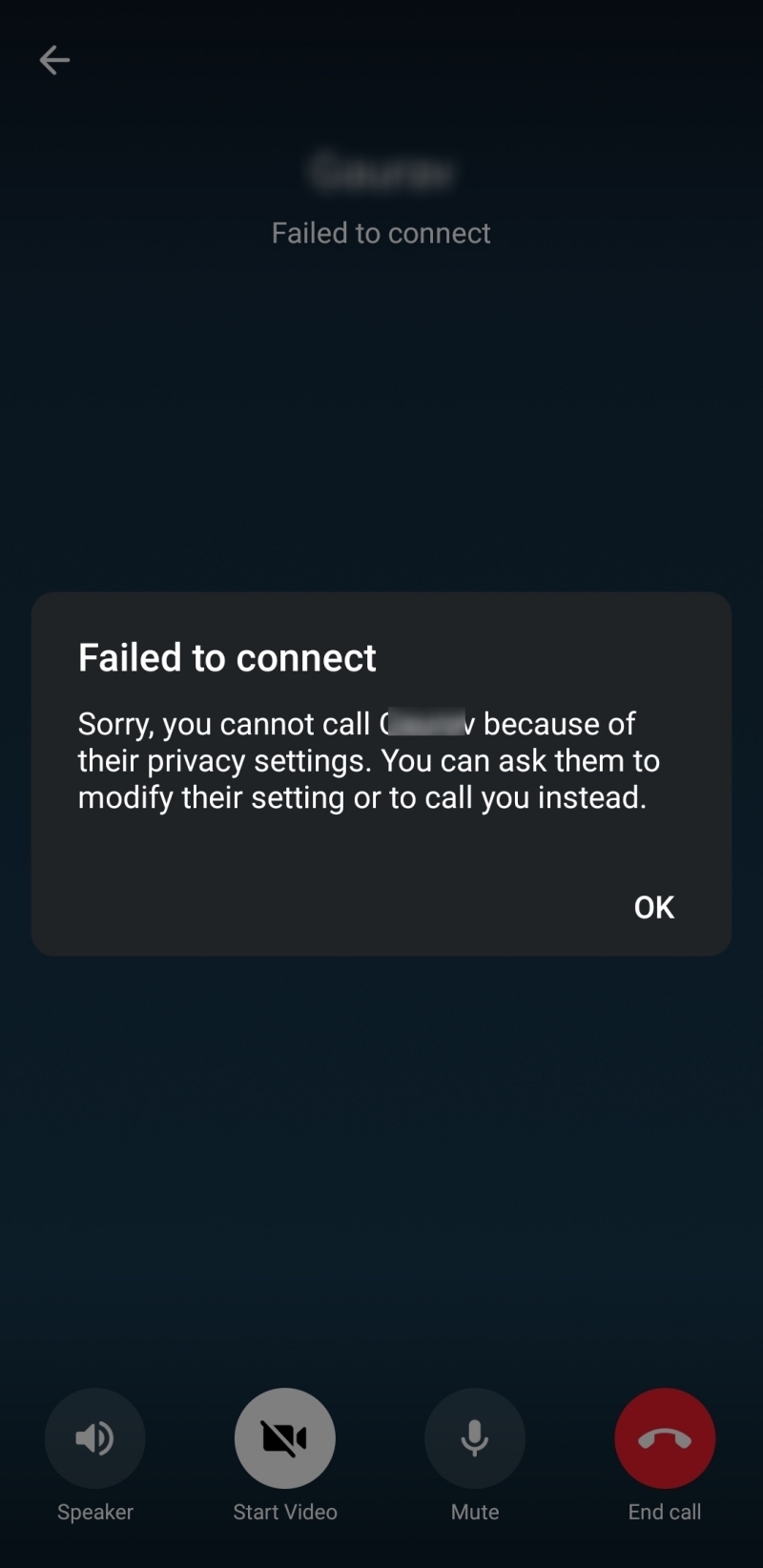
5. You Cannot Add Them to a Group Chat
One effective way to check whether someone has blocked you on Telegram is to try adding them to a group chat. If blocked, you cannot add that person to a group chat. Telegram will instead show a popup stating, “An error occurred. USER_IS_BLOCKED,” which signals that the concerned user has blocked you.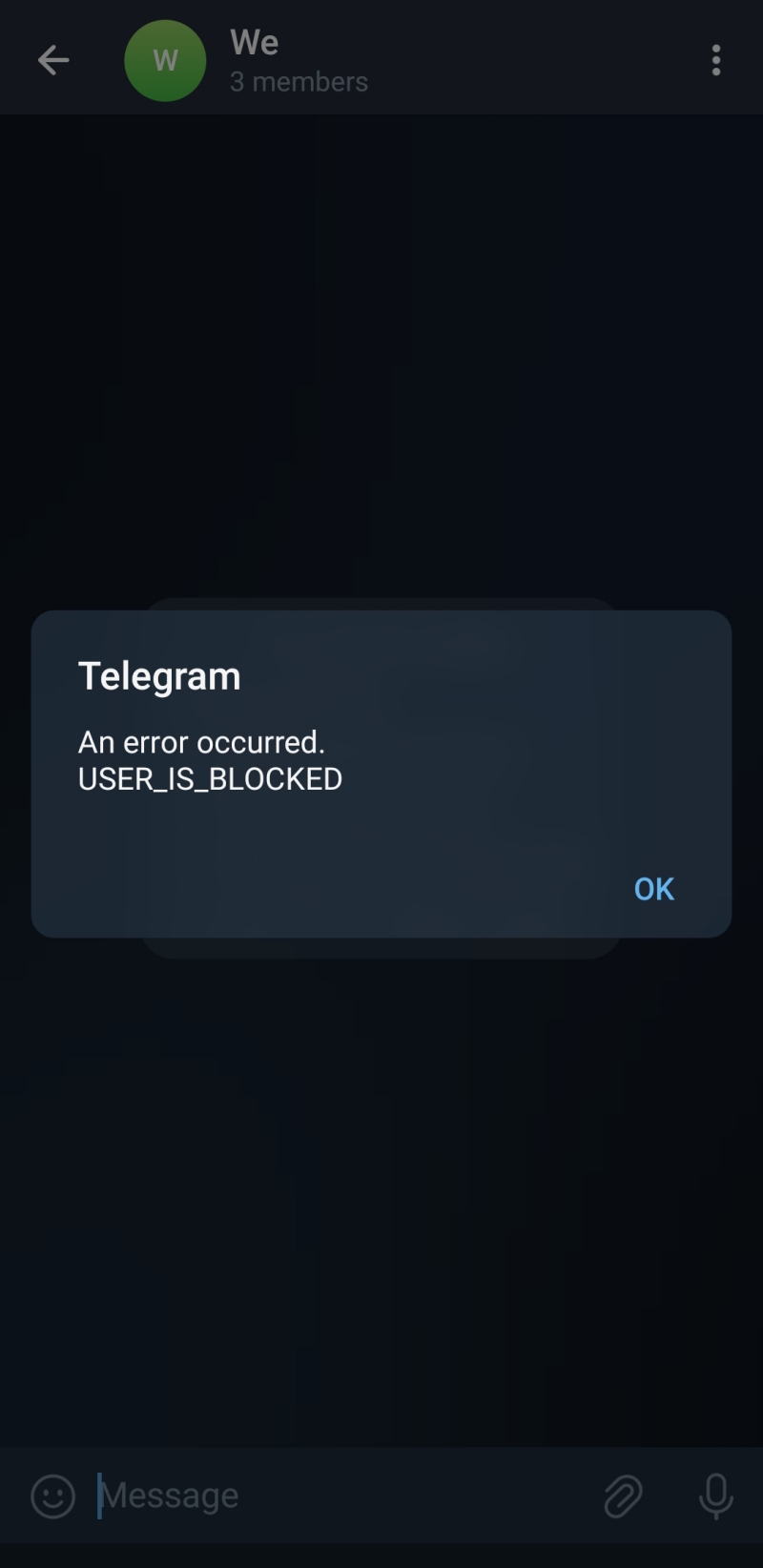
6. Check If the Account Has Been Deleted
When you cannot contact an account on Telegram, it doesn’t always mean the recipient has blocked you. It might be possible that the Telegram account has been deleted.
If that user account has been deleted, it will be displayed as a deleted account. So, before concluding that you are being blocked, check the user profile to see if you are trying to contact a deleted account.
Wrap up
Telegram is a popular messaging platform that allows you to connect with friends and people worldwide. Just like all other networking and messaging platforms, Telegram also takes user privacy and preferences seriously. With that in mind, you can enable two-factor verification and even block any user you don’t want to interact with.
However, the platform doesn’t notify you when any user blocks you. So, if you want to know whether someone has blocked you, consider the above signals to find out.
FAQs
A. Yes, Telegram allows you to view the list of blocked contacts. You simply need to launch the Telegram app and tap the hamburger menu given at the top left. Now go to > Privacy and Security > Blocked users to view the list of blocked contacts.
A. When you block someone on Telegram, they can see your previous chat with him and your profile bio. They will not be able to view your profile picture. Also, their messages will not be delivered to you.
A. You can simply open the Telegram app to see all the unblocked users. To find any particular unblocked user, you can type their name in the search bar.
How to Create an Email Group in Gmail
Read Next