How to Block Unknown Calls on WhatsApp
WhatsApp is a great messaging platform for professional and casual purposes. As with any other messaging service, though, spam is a big issue on WhatsApp, especially given its popularity. Besides spam messages, scammers also abuse WhatsApp’s voice and video calling options.
Thankfully, you can silence calls from unknown numbers on WhatsApp to block out unwanted notifications from spammers. Here’s how to block or silence calls on WhatsApp.
Blocking vs. Silencing Unknown Calls on WhatsApp
Anyone can message or call you on WhatsApp if they have your number. This can be an issue when spammers get their hands on your number and are persistently calling you.
It is possible to block spam messages on WhatsApp as well as calls. But the problem is that some spammers use burner numbers to reach you, which can get frustrating. After all, you can only block numbers that are in your phonebook.
This is where the ability to silence calls from unknown numbers on WhatsApp comes in handy. If a person is not in your phone book and is calling you on WhatsApp, your phone won’t ring. This is a great way to mute unwanted incoming call notifications from spammers. You can still see these numbers from the app’s call list.
Do note that once you message an unknown number on WhatsApp, you’ll get a notification for their incoming calls.
How to Silence Unknown Calls on WhatsApp
Silencing unknown calls on WhatsApp is easy; you just need to enable an option from the settings menu.
- Open WhatsApp on your phone.
- Tap the gear icon at the lower right to open Settings.
- Select Calls.
- Toggle Silence Unknown Callers.

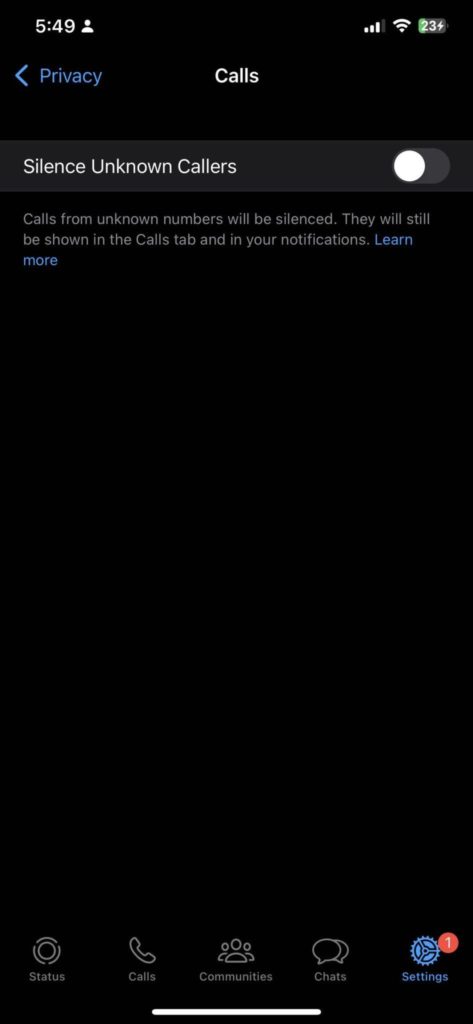
With that, every number that calls you that isn’t on your contact list will be silenced automatically. If you enable this setting, make sure to find your friends on WhatsApp and add them to your contacts. And tell them to message you first if they use a different number.
How to Block Specific Contacts on WhatsApp
Sometimes, you might have to block persons already on your WhatsApp list for spamming you. Or they could be bullying or irritating you. It is better to block such people so they cannot reach you again on WhatsApp. Here’s how.
- Open WhatsApp on your phone.
- Tap the gear icon to open Settings.
- Select Privacy.
- Tap Blocked.

- Select Add New and add the people you want to block.
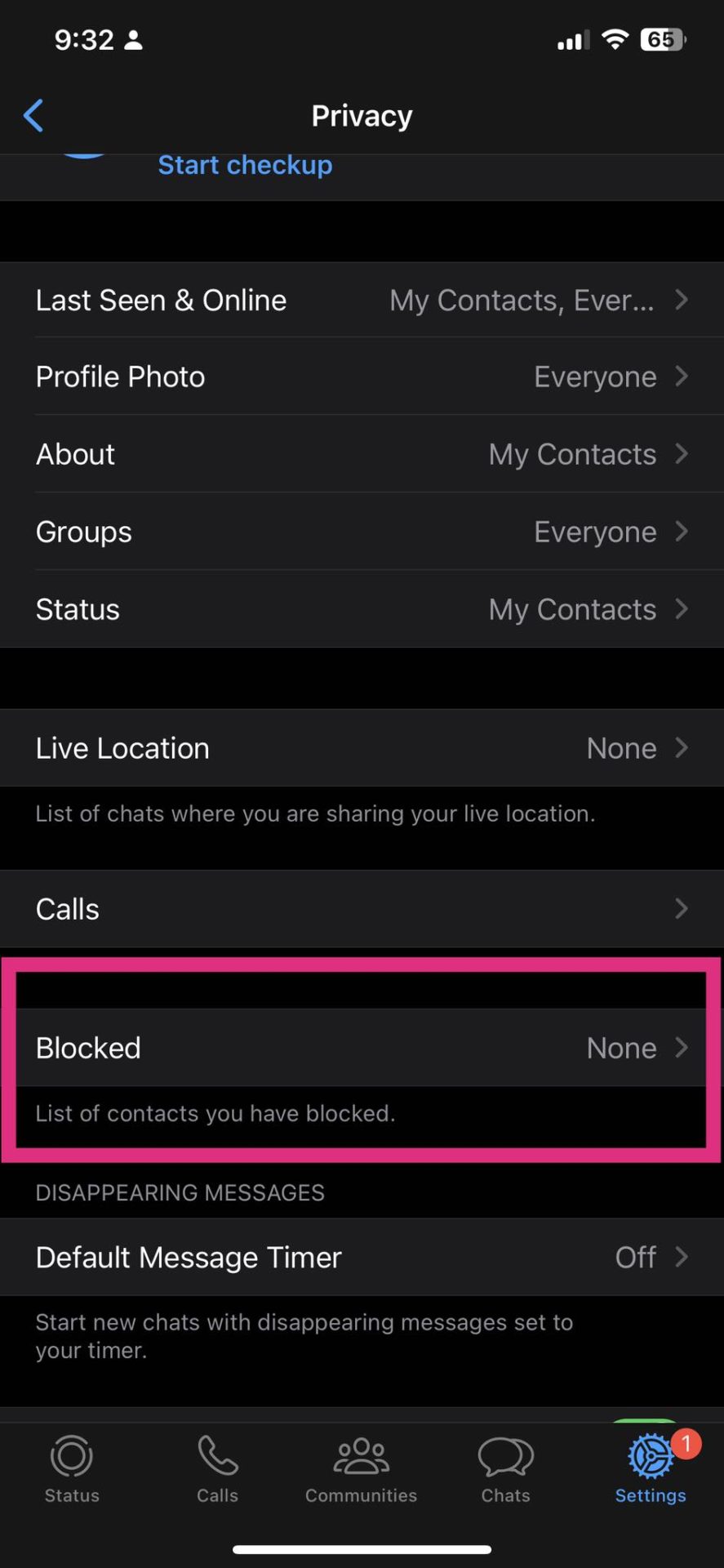
Once blocked, that person cannot message or call you on WhatsApp.
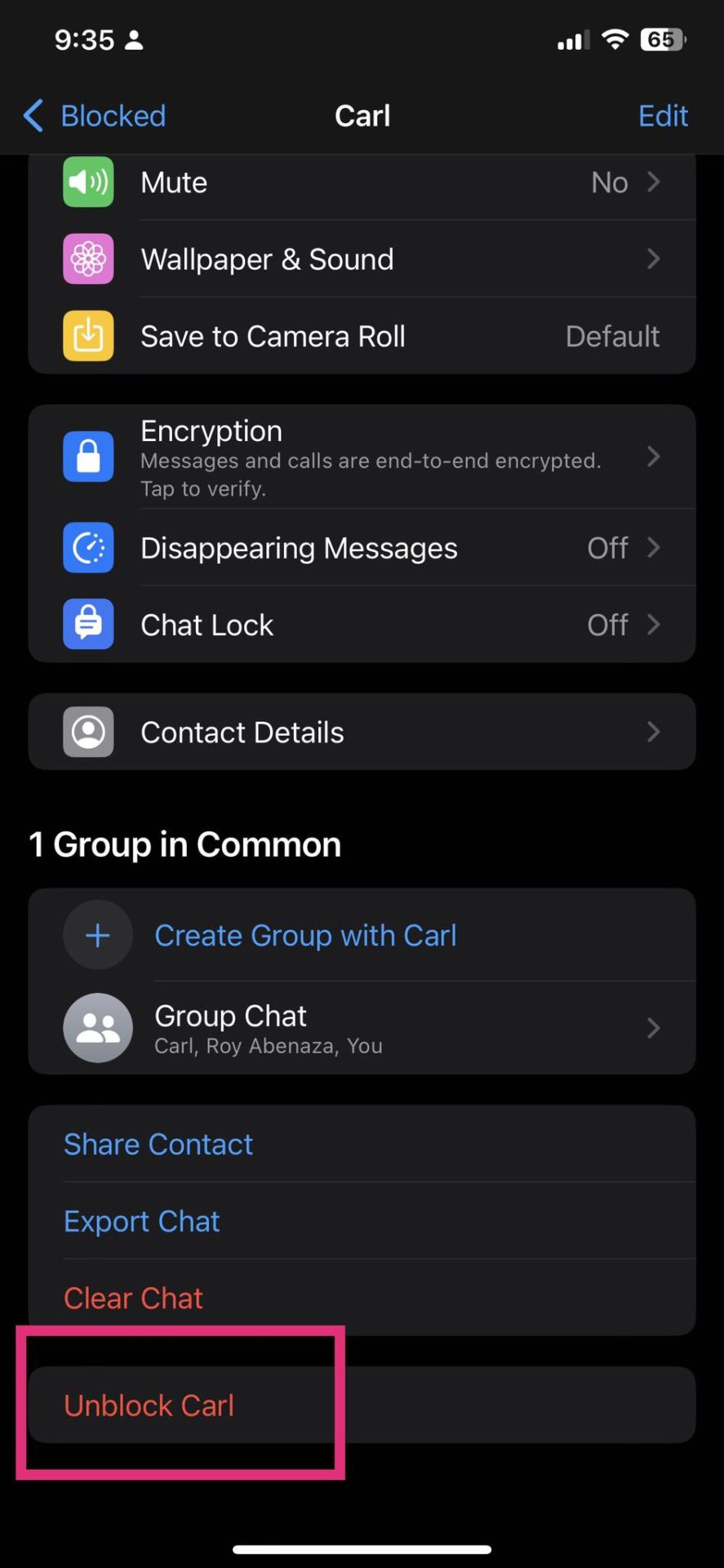
To unblock someone, head back to the same menu and select the account of the profile you want to unblock. Scroll down and choose Unblock.
Strengthen Your WhatsApp Account’s Security Now!
WhatsApp offers a plethora of privacy settings so that you can keep your account secure. For example, you can hide and lock your WhatsApp chats or send disappearing messages when sharing sensitive and private content.
How To Remove a Facebook Profile Picture
Read Next