How to Change Your Twitter Username

Twitter stands out as a significant platform in the enormous world of social media, enabling millions to express their ideas, opinions, and life experiences in short, 280-character bursts. Your Twitter username, a crucial part of your online identity that connects you to like-minded people, communities, and influencers worldwide, is at the center of this vibrant virtual environment.
However, our online personas could also change as we develop and change. This forces many of us to start over or redefine who we are in the digital world. This is where the ability to change your Twitter handle can be useful. But don’t know how to proceed, this guide has you covered.
Why You May Want to Change Your Twitter Username
How you present yourself online may need to change as you mature personally and professionally. You can redesign yourself by switching your Twitter account, which will help your online persona reflect your current passions, objectives, and professional path. A new username can indicate growth and assist you in creating a more consistent and targeted online presence.
Changing your Twitter handle can give an extra degree of security too. This is crucial, especially when protecting your online privacy is paramount.
Moreover, our hobbies and passions change over time. If your current username no longer reflects your identity, your Twitter profile may benefit from a change.
What to Know Before Changing Your Twitter Username
Before you change your Twitter username, note that the platform only allows usernames that are four to 15 characters long. Apart from letters, you can use numbers and underscores in your usernames. No other special characters are allowed.
And if you’re not satisfied with your new username, don’t worry. Unlike the process of changing your Instagram username, Twitter doesn’t limit its users on how often they can change their handle. You can also go back to your old username unless someone has not already claimed it.
How to Change Your Twitter Username From Your Phone
No matter what your reason is for changing your Twitter handle, changing your handle is easy.
- First, launch the Twitter app on your mobile device.
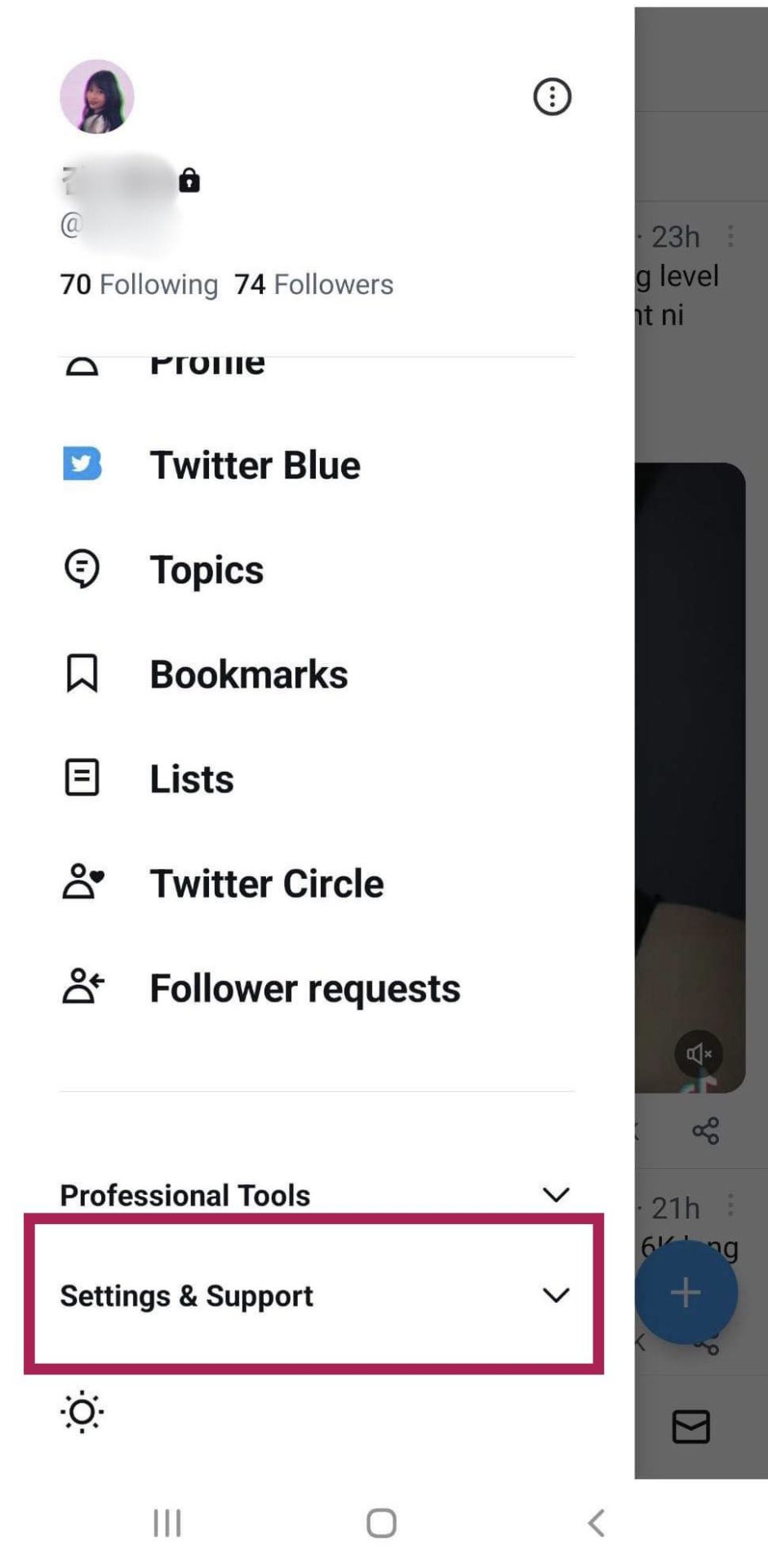
- Once logged in, swipe right or tap your profile icon to reveal the sidebar menu.

- Next, tap Settings and Support to reveal a dropdown menu.
- Tap Settings and Privacy.
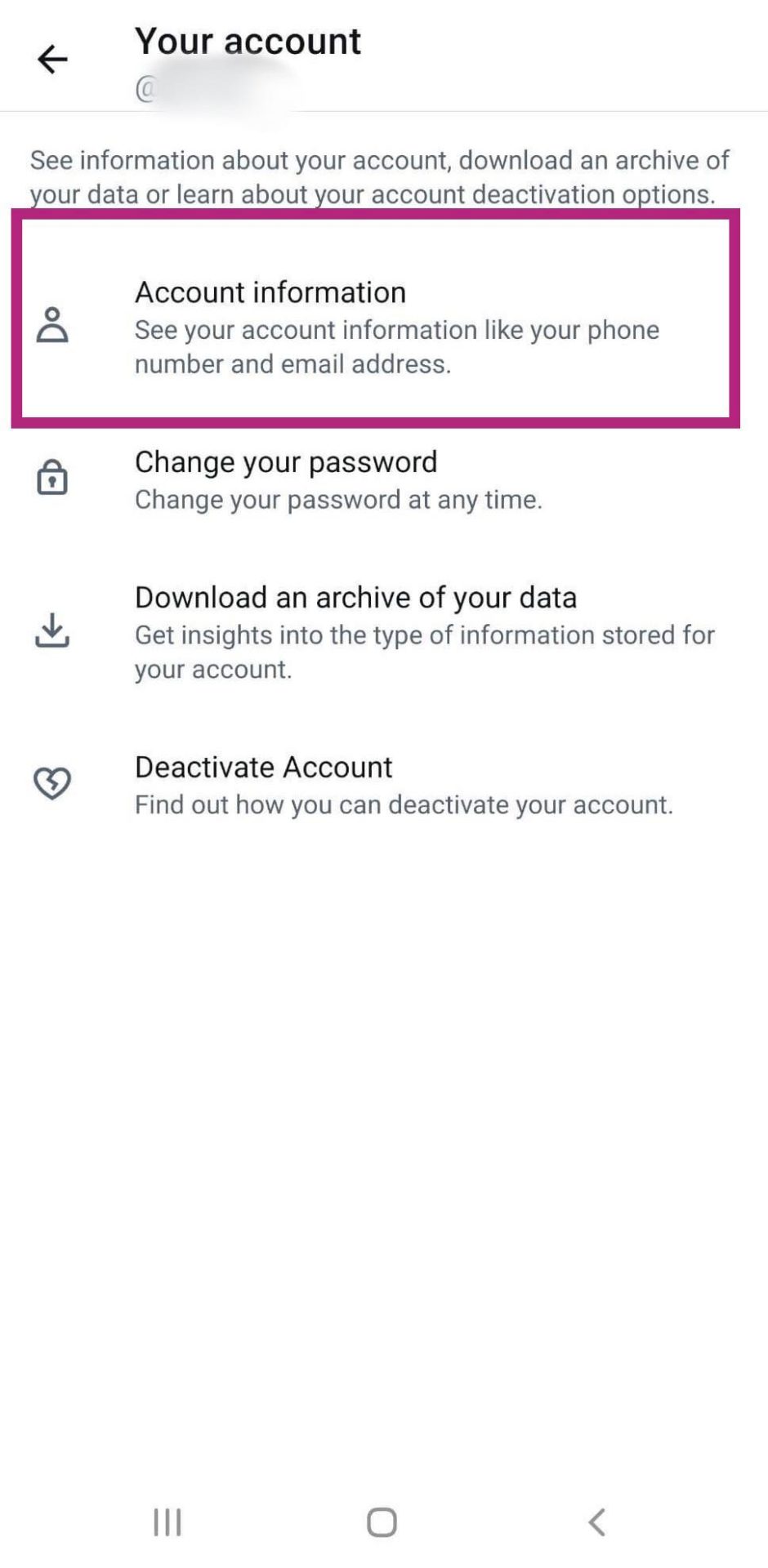
- Then, select Your account.
- Tap Account information.

- Select Username.
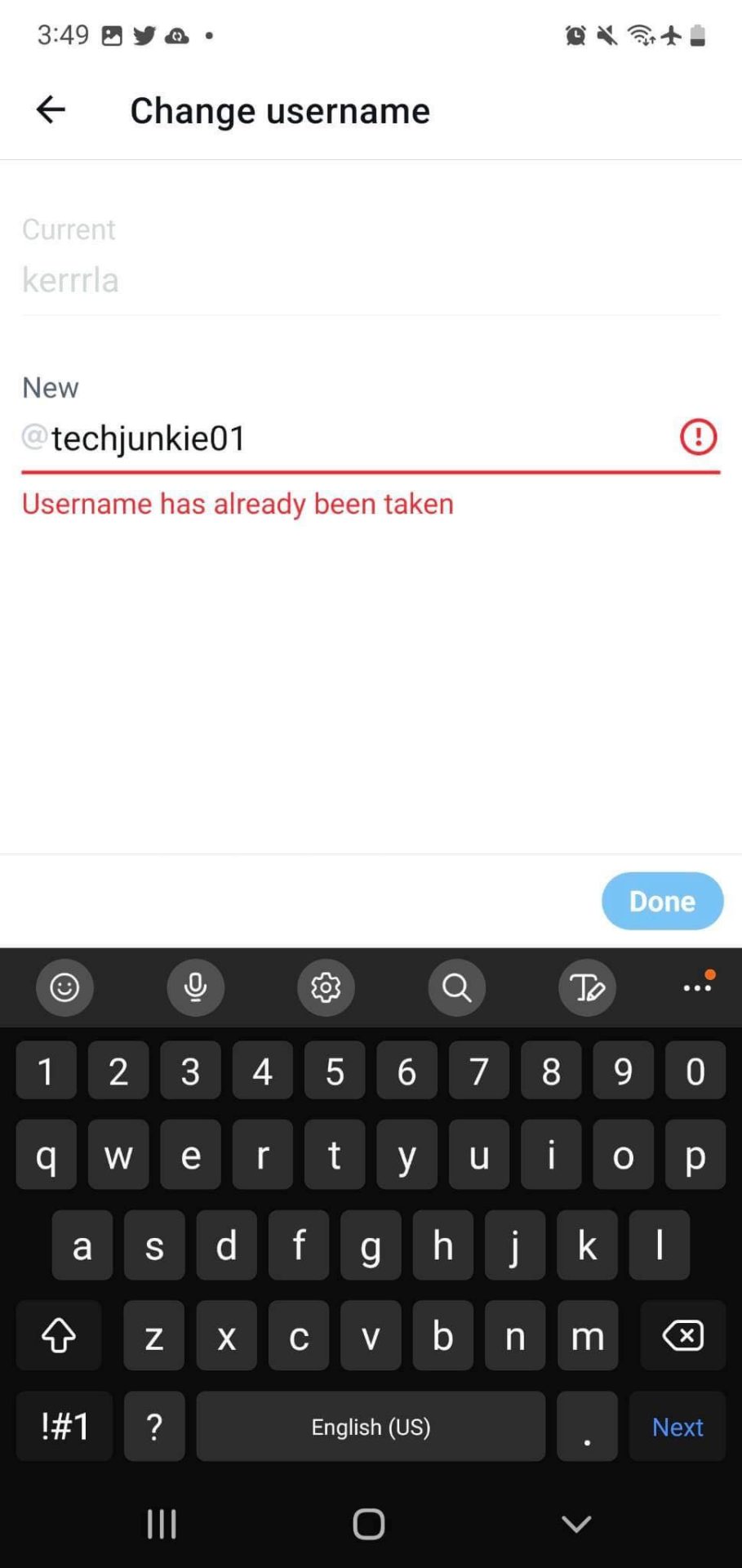
- Afterward, type in your preferred new handle.
- If your new username is available, select Done, and you’re all set.

How to Change Your Twitter Username From Your PC
You can also change your Twitter username from the web. Here’s how you can do it.
- First, log in to your Twitter account.
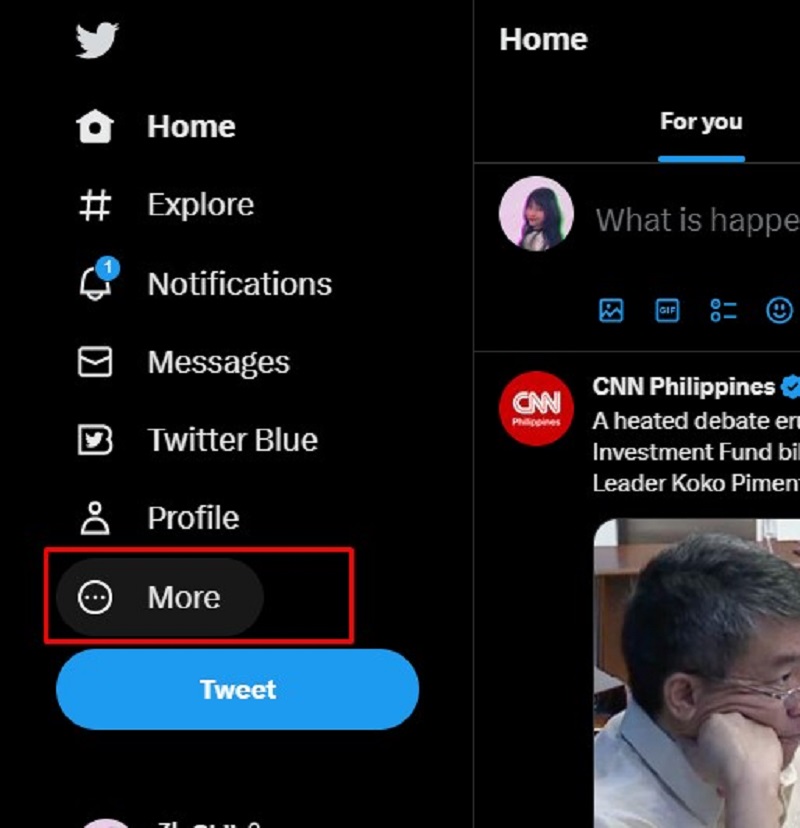
- Click More from the left sidebar menu.

- Next, click Settings and Support.
- Select Settings and Privacy.
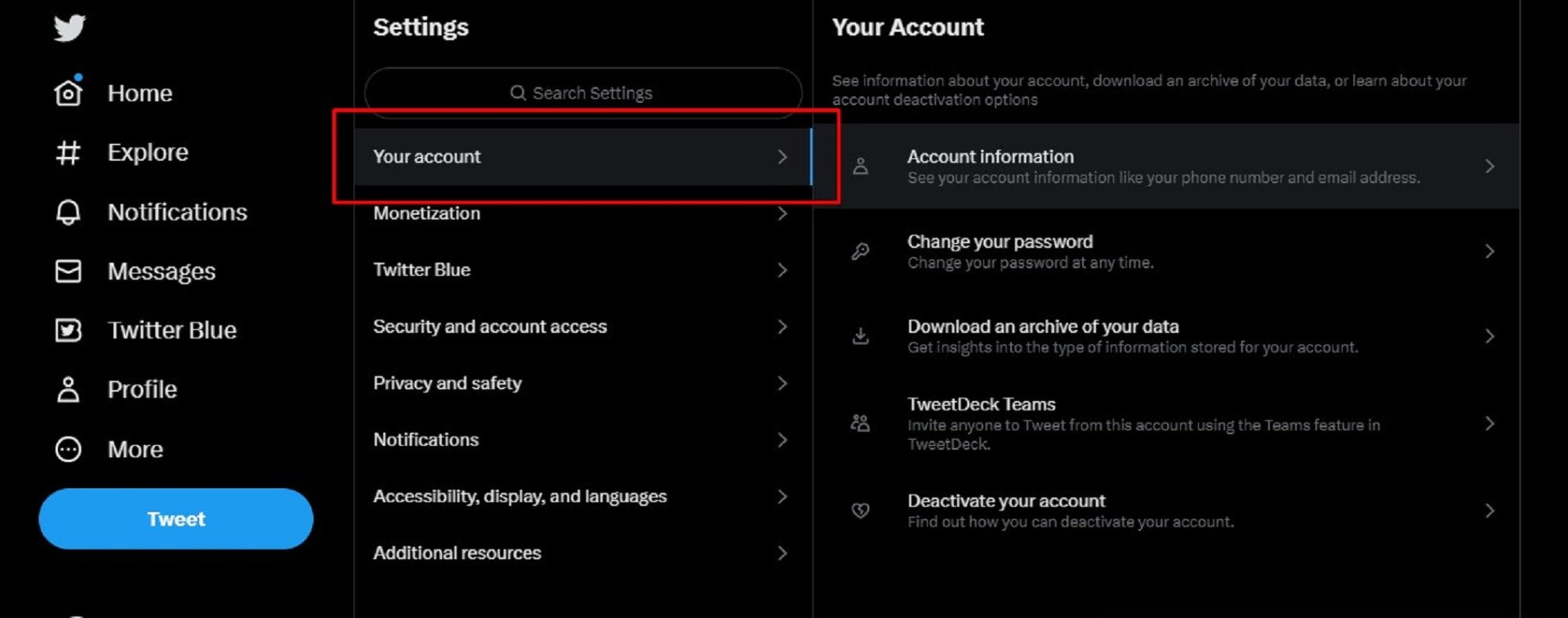
- After that, click Your Account.

- Select Account Information.
- Following that, click Username.
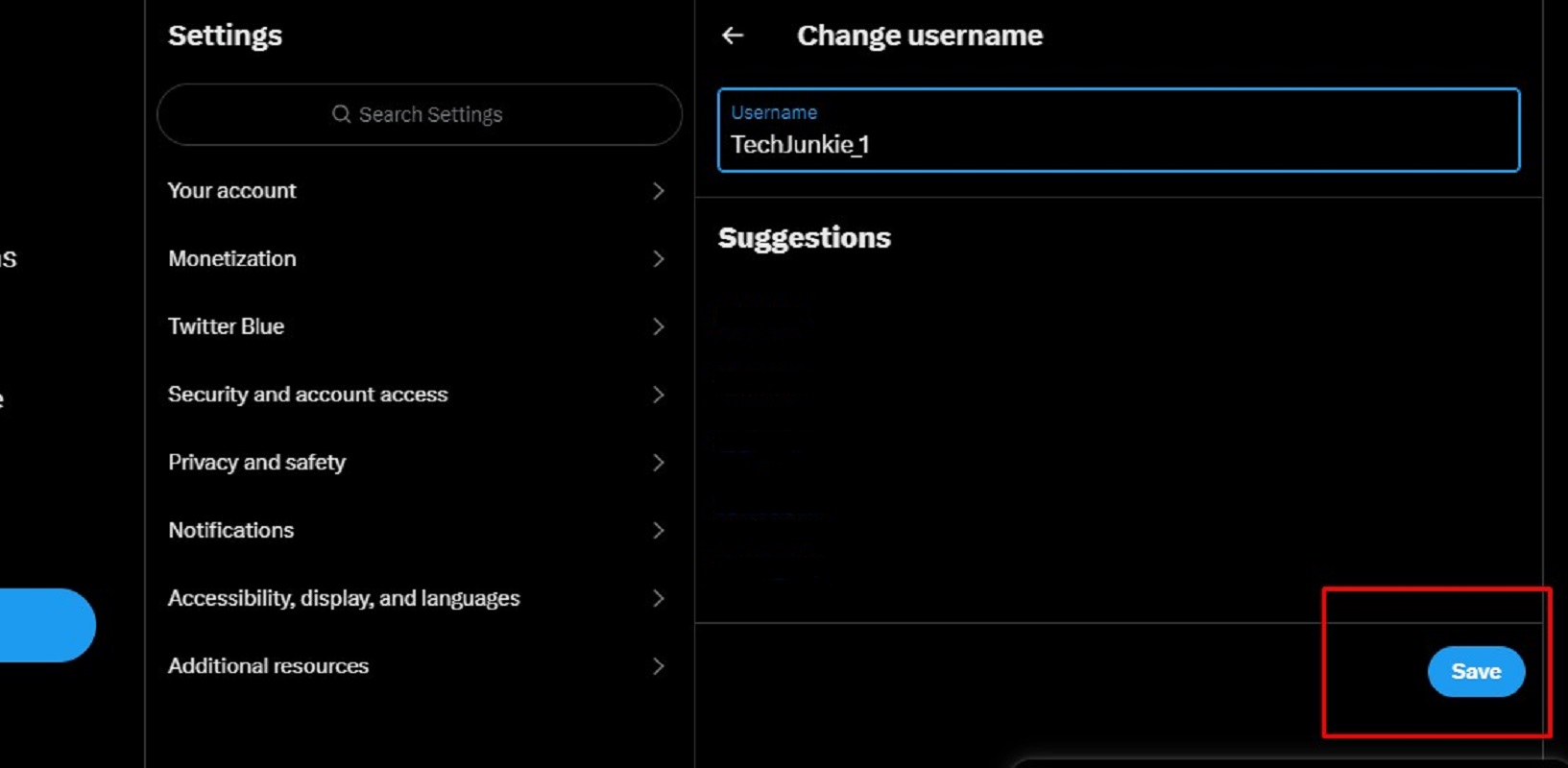
- Type in your preferred new username.

- If your new handle is available, click Save, and you’re done. If it is not available, you won’t be able to proceed further.
For a Change
You can give your Twitter personality a makeover by simply changing your Twitter username. It is also a good idea to change your username before deleting your Twitter account permanently. Switching to a new Twitter handle can help mask your online identity; plus, it’s easier, and you won’t have to let go of your followers and other memories associated with your account.
How to Delete All Promotional Emails in Gmail
Read Next